This blog provides a detailed comparison of HubSpot vs. Salesforce lead generation, helping businesses understand which CRM best fits their needs. It evaluates both platforms across key areas like lead capture, automation, AI capabilities, pricing, integrations, and scalability. While HubSpot excels in ease of use and fast setup for SMBs, Salesforce offers advanced customization and enterprise-grade features. The guide helps decision-makers choose the right CRM based on growth goals and business complexity.
Every business wants more leads, but attracting the right ones and turning them into customers isn’t easy. That’s why choosing the right CRM matters. According to HubSpot’s State of Marketing report, generating high-quality leads remains a top priority for marketers, while industry benchmarks show that leveraging a modern CRM can boost sales productivity by up to 30% and significantly increase conversion rates.
This brings us to one of the biggest CRM debates: HubSpot vs Salesforce Lead Generation. Both platforms are market leaders, but they serve different business needs. HubSpot stands out for its user-friendly interface and inbound marketing tools, while Salesforce is renowned for its deep customization and enterprise-grade capabilities.
So, which CRM is the better choice for generating and converting leads? In this guide, we’ll compare HubSpot vs. Salesforce Lead Generation across lead capture, automation, AI capabilities, pricing, and integrations to help you choose the platform that best fits your business.
HubSpot vs Salesforce at a glance
Both HubSpot and Salesforce are among the world’s leading CRM platforms, but they cater to distinct business models and operational structures. Salesforce is the undisputed giant of enterprise CRM, commanding a 20.0% share of the global CRM revenue market and serving over 150,000 businesses, including roughly 90% of the Fortune 500.
HubSpot, by contrast, focuses heavily on user experience and fast time-to-value, serving over 288,000 paying customers globally with a highly integrated, marketing-first ecosystem. While both platforms provide advanced lead generation and customer data management, they differ fundamentally in ease of use, customization, pricing structures, and scalability.
| Feature | HubSpot | Salesforce |
| Founded | 2006 | 1999 |
| Customers | 288,000+ businesses | 150,000+ businesses |
| CRM Market Position | Dominant SMB & Mid-Market Platform | Global CRM Market Leader (20.0% revenue share) |
| Best For | Startups, mid-market scaling, and velocity-led teams | Mid-market, complex enterprise, and global corporations |
| Lead Generation | Built-in native forms, landing pages, tracking, and ads | Advanced lead routing, multi-channel scoring, and complex workflows |
| Marketing Automation | Native, unified Marketing Hub | Marketing Cloud (separate add-on product ecosystem) |
| AI Features | Breeze AI & Breeze Copilot | Agentforce & Einstein AI |
| Customization | Moderate to High (highly flexible, out-of-the-box config) | Infinite (requires dedicated developers/architects) |
| Learning Curve | Low to Moderate; intuitive UI | Moderate to Advanced; highly technical |
| Pricing | Free tier available; seat-based predictable tiers | No free tier; premium user-license pricing plus add-on costs |
| Integrations | 1,500+ apps via App Marketplace | 7,000+ apps via AppExchange |
What makes a CRM good for lead generation?
A CRM is more than a place to store customer data; it’s a tool that helps businesses attract, qualify, nurture, and convert leads more efficiently. The right CRM should simplify the entire lead management process while giving sales and marketing teams the insights they need to close more deals.
When comparing HubSpot vs. Salesforce Lead Generation, these are the key factors that matter most:
| Lead Capture | How easily the platform collects leads through forms, landing pages, live chat, and other channels. |
| Lead Qualification & Scoring | The ability to identify high-intent prospects so sales teams can prioritize the right opportunities. |
| Marketing Automation | Features that automate email campaigns, lead nurturing, follow-ups, and workflows. |
| AI Capabilities | AI-powered tools for lead scoring, content creation, predictive insights, and sales recommendations. |
| Sales Pipeline Management | Tools to track prospects, manage deals, and improve conversion rates. |
| Reporting & Analytics | Real-time dashboards and performance reports to measure lead generation ROI. |
| Integrations | Compatibility with third-party tools such as email platforms, social media, customer support software, and productivity apps. |
| Ease of Use & Scalability | A CRM should be easy to adopt today while supporting your business as it grows. |
These factors directly impact how effectively a business can generate, nurture, and convert leads. In the next section, we’ll compare HubSpot vs Salesforce Lead Generation feature by feature to see where each platform stands.
HubSpot vs Salesforce lead generation: feature-by-feature comparison
Both HubSpot and Salesforce are built to help businesses generate, manage, and convert leads, but they achieve this in different ways. HubSpot focuses on simplicity, making it easy for marketing and sales teams to launch campaigns, capture leads, and automate follow-ups without extensive technical expertise. Salesforce, on the other hand, offers a highly customizable platform designed to support complex sales processes, large teams, and enterprise-level workflows.
To determine which CRM delivers better results, we’ll compare both platforms across the features that have the biggest impact on lead generation, from capturing prospects and qualifying leads to automating campaigns, leveraging AI, and measuring performance. Each comparison highlights where each platform excels and which type of business is likely to benefit the most.
1. Lead capture

Lead capture is the foundation of any lead generation strategy. A CRM should make it easy to collect leads from multiple channels, including websites, landing pages, live chat, social media, and email campaigns, while automatically storing and organizing customer data.
HubSpot offers built-in lead capture tools such as customizable forms, landing pages, pop-ups, live chat, chatbots, and meeting schedulers. Since these features are native to the platform, businesses can start capturing and nurturing leads without relying on additional software. Every lead is automatically synced with the CRM, making follow-ups and segmentation seamless.
Salesforce also provides robust lead capture capabilities through Web-to-Lead forms, AI-powered lead routing, and integrations with Marketing Cloud and third-party applications. While it offers greater flexibility and customization, configuring these features often requires more setup and technical expertise than HubSpot.
| Feature | HubSpot | Salesforce |
| Built-in Forms | Yes | Yes |
| Landing Pages | Native | Via Marketing Cloud or integrations |
| Live Chat & Chatbots | Built-in | Available through additional products |
| Setup Complexity | Easy | Moderate to Advanced |
| Best For | Startups, SMBs, and marketing teams | Mid-sized and enterprise businesses |
2. Lead qualification & scoring
Capturing leads is only the beginning; the real value comes from identifying which prospects are most likely to convert. Both HubSpot and Salesforce offer lead scoring, but they take different approaches. HubSpot uses HubSpot Score and Breeze AI to rank leads based on factors like website activity, email engagement, and form submissions, making it easy for teams to prioritize prospects. Salesforce leverages Einstein Lead Scoring, which analyzes historical CRM data and AI-driven insights to predict conversion likelihood, making it ideal for businesses managing large sales pipelines.
| Feature | HubSpot | Salesforce |
| Lead Scoring | Rule-based + Breeze AI | Rule-based + Einstein AI |
| Setup | Easy | Moderate |
| Customization | Moderate | Advanced |
| Best For | Startups, SMBs, and marketing teams | Mid-market and enterprise businesses |
3. Marketing automation
Marketing automation helps businesses nurture leads with personalized emails, follow-ups, and workflows without manual effort. While both HubSpot and Salesforce offer powerful automation, they are designed for different users. HubSpot includes an intuitive drag-and-drop workflow builder, email automation, lead nurturing, and campaign management within its Marketing Hub, making it easy for marketing teams to get started. Salesforce delivers enterprise-grade automation through Marketing Cloud and Flow, offering advanced customer journeys, multi-channel campaigns, and AI-driven personalization for businesses with more complex marketing needs.
| Feature | HubSpot | Salesforce |
| Workflow Automation | Built-in | Advanced with Flow |
| Email Automation | Native | Marketing Cloud |
| Multi-channel Campaigns | Moderate | Advanced |
| Ease of Use | Easy | Moderate to Advanced |
| Best For | SMBs and growing businesses | Mid-market and enterprise businesses |
4. Email campaigns

Email remains one of the highest-performing lead nurturing channels, delivering an average ROI of $36 for every $1 spent, according to Litmus. Both HubSpot and Salesforce offer email marketing tools, but they differ in complexity and flexibility. HubSpot provides built-in email templates, personalization, A/B testing, and performance tracking, making campaign creation quick and user-friendly. Salesforce offers advanced email marketing through Marketing Cloud, enabling AI-powered personalization, customer journey orchestration, and large-scale campaigns across multiple audiences.
| Feature | HubSpot | Salesforce |
| Email Builder | Built-in | Marketing Cloud |
| Personalization | Yes | AI-powered |
| A/B Testing | Yes | Yes |
| Campaign Analytics | Built-in | Advanced |
| Best For | SMBs and marketing teams | Enterprises managing large-scale campaigns |
5. Landing pages & forms
Landing pages and forms play a crucial role in converting website visitors into leads. HubSpot offers built-in drag-and-drop landing page and form builders, along with pop-ups, embedded forms, and automatic CRM syncing, making it easy to launch campaigns without coding. Salesforce supports web forms and landing pages through Marketing Cloud, Account Engagement (Pardot), and third-party integrations, providing greater flexibility but requiring additional setup.
| Feature | HubSpot | Salesforce |
| Landing Page Builder | Built-in | Via Marketing Cloud/Pardot |
| Form Builder | Native | Supported |
| Pop-ups | Yes | Via integrations |
| CRM Sync | Automatic | Automatic |
| Best For | SMBs and marketing-led teams | Enterprises with complex marketing stacks |
6. AI capabilities
AI is transforming lead generation by helping businesses identify high-value prospects, automate routine tasks, and personalize customer interactions. HubSpot includes Breeze AI, which assists with content creation, lead scoring, email drafting, and workflow automation. Salesforce offers Agentforce and Einstein AI, delivering predictive lead scoring, sales forecasting, conversation insights, and AI-powered recommendations, making it a stronger choice for data-driven sales teams.
| Feature | HubSpot | Salesforce |
| AI Assistant | Breeze AI | Agentforce & Einstein AI |
| Predictive Lead Scoring | Yes | Advanced |
| Content Generation | Yes | Limited |
| Sales Forecasting | Basic | Advanced |
| Best For | SMBs and growing businesses | Mid-market and enterprise organizations |
7. Sales pipeline

An effective sales pipeline helps teams track leads, manage deals, and close opportunities faster. HubSpot offers a visual drag-and-drop pipeline with customizable deal stages, task automation, and real-time tracking, making it easy for sales teams to manage opportunities. Salesforce provides highly customizable pipelines, AI-driven forecasting, opportunity management, and advanced workflow automation, making it ideal for businesses with complex sales cycles.
| Feature | HubSpot | Salesforce |
| Visual Pipeline | Yes | Yes |
| Deal Tracking | Built-in | Advanced |
| Sales Forecasting | Basic | AI-powered |
| Pipeline Customization | Moderate | Extensive |
| Best For | SMBs and growing sales teams | Mid-market and enterprise businesses |
8. Reporting & analytics
Measuring lead generation performance is essential for improving conversions and marketing ROI. HubSpot offers customizable dashboards, attribution reports, and real-time campaign analytics, making it easy to track lead sources and sales performance. Salesforce provides advanced reporting with customizable dashboards, AI-driven insights, predictive analytics, and enterprise-grade reporting, enabling organizations to analyze large volumes of customer and sales data.
| Feature | HubSpot | Salesforce |
| Custom Dashboards | Yes | Yes |
| Real-Time Reporting | Yes | Yes |
| AI Insights | Basic | Advanced |
| Predictive Analytics | Limited | Yes |
| Best For | SMBs and marketing teams | Data-driven enterprises |
9. Third-party integrations
Integrations allow businesses to connect their CRM with marketing, sales, customer support, and productivity tools. HubSpot integrates with 1,800+ applications, including Slack, Zoom, Shopify, Microsoft Teams, and Google Workspace, making it easy to centralize customer data. Salesforce offers access to 7,000+ apps through AppExchange, providing unmatched flexibility for enterprises with complex technology ecosystems.
| Feature | HubSpot | Salesforce |
| App Marketplace | 1,800+ integrations | 7,000+ integrations |
| Native Integrations | Extensive | Extensive |
| Enterprise Integrations | Moderate | Advanced |
| API & Custom Development | Good | Excellent |
| Best For | SMBs and growing businesses | Mid-market and enterprise organizations |
10. Customer journey tracking
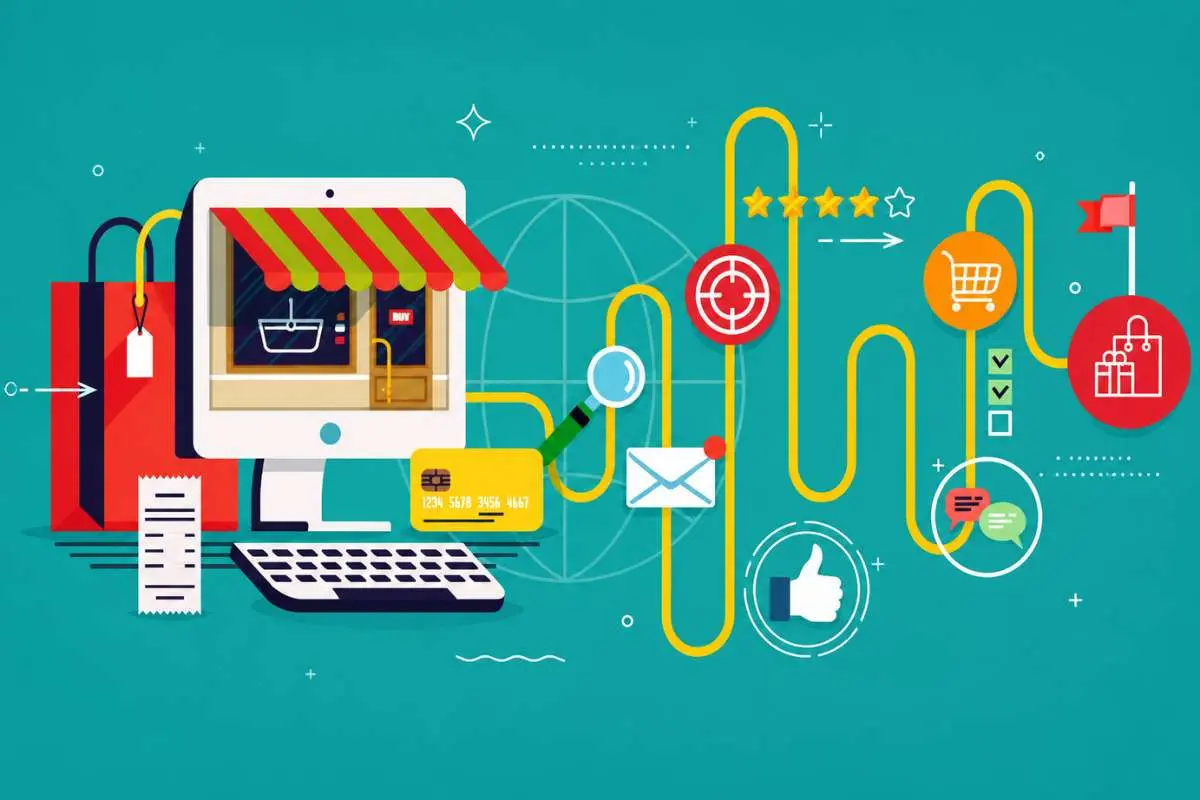
Understanding the customer journey helps businesses deliver the right message at the right time. HubSpot provides a unified timeline that tracks every interaction from website visits and email opens to form submissions and sales activities, making it easy to personalize follow-ups. Salesforce combines data from Sales Cloud, Marketing Cloud, and Service Cloud to create a comprehensive 360-degree customer view, helping enterprises manage complex, multi-channel customer journeys.
| Feature | HubSpot | Salesforce |
| Customer Timeline | Unified view | 360° customer view |
| Multi-channel Tracking | Yes | Advanced |
| Cross-Team Visibility | Good | Excellent |
| Journey Personalization | Built-in | AI-powered |
| Best For | SMBs and marketing-led teams | Enterprises with complex customer journeys |
Ease of use of HubSpot and Salesforce
A powerful CRM is only valuable if your team can use it effectively. While both HubSpot and Salesforce offer robust features, they differ significantly in terms of usability and learning curve.
HubSpot is designed with simplicity in mind. Its intuitive interface, drag-and-drop tools, and guided onboarding make it easy for marketing and sales teams to get started with minimal training. This makes it a popular choice for startups and growing businesses.
Salesforce, on the other hand, offers far greater customization and flexibility, but it comes with a steeper learning curve. Businesses often require dedicated administrators, implementation partners, or additional training to unlock its full potential.
| Criteria | HubSpot | Salesforce |
| User Interface | Simple & intuitive | Feature-rich but complex |
| Learning Curve | Low | Moderate to High |
| Setup Time | Quick | Longer implementation |
| Training Required | Minimal | Moderate to Extensive |
| Best For | Startups, SMBs, and growing teams | Mid-market and enterprise organizations |
Pricing comparison
Pricing is a key factor when choosing a CRM, especially for growing businesses. HubSpot offers a free CRM with paid plans that scale as your business grows, making it a cost-effective option for startups and SMBs. Salesforce follows a premium pricing model with multiple editions, offering advanced features and customization for larger organizations.
| Pricing Factor | HubSpot | Salesforce |
| Free Plan | Available | Not available |
| Entry-Level Paid Plan | Lower starting price | Higher starting price |
| Enterprise Plans | Available | Available |
| Implementation Cost | Low to Moderate | Moderate to High |
| Best Value For | Startups, SMBs, and growing businesses | Mid-market and enterprise organizations |
Pros and cons of HubSpot and Salesforce
1. HubSpot
| Pros | Beginner-friendly interface with quick setup |
| Free CRM with affordable paid plans | |
| Strong built-in marketing and lead generation tools | |
| Cons | Advanced features require higher-tier plans. |
| Limited customization compared to Salesforce. | |
| Less suitable for highly complex enterprise workflows |
2. Salesforce
| Pros | Highly customizable CRM for businesses of all sizes |
| Advanced AI, reporting, and sales forecasting | |
| Extensive AppExchange ecosystem with 7,000+ integrations | |
| Cons | Higher pricing and implementation costs |
| Steeper learning curve | |
| Advanced features often require additional products or expert suppor. |
Which businesses should choose HubSpot?
HubSpot is the right choice for businesses that want an easy-to-use CRM with built-in marketing and lead generation tools. It’s designed to help teams get up and running quickly without extensive training or technical expertise.
HubSpot is best suited for:
- Startups looking for a free or budget-friendly CRM.
- Small and medium-sized businesses (SMBs) that need an all-in-one platform for marketing, sales, and customer management.
- Marketing-led teams focused on inbound marketing, email campaigns, landing pages, and lead nurturing.
Which businesses should choose Salesforce?
Salesforce is best suited for businesses that need a highly customizable CRM capable of supporting complex sales processes and large teams. While it requires more time and investment, it offers the flexibility and scalability that growing enterprises often need.
Salesforce is best suited for:
- Mid-sized and enterprise businesses managing large sales pipelines.
- Sales-driven organizations that require advanced automation, AI-powered insights, and forecasting.
- Businesses with complex workflows that need extensive customization and integrations.
Can you use HubSpot and Salesforce together?
Yes. HubSpot and Salesforce offer a native integration, allowing businesses to sync contacts, companies, deals, and other CRM data between the two platforms. This enables marketing and sales teams to work from the same customer information while reducing manual data entry.
Many organizations use HubSpot for marketing activities such as lead capture, email campaigns, and lead nurturing, while Salesforce serves as the primary CRM for sales management, forecasting, and opportunity tracking. This combination allows teams to leverage HubSpot’s marketing capabilities alongside Salesforce’s advanced sales features.
Benefits of using both platforms:
- Automatic data synchronization between marketing and sales
- Better lead visibility across teams
- Reduced manual data entry and fewer errors
- Improved lead nurturing and sales handoff
- More comprehensive reporting and customer insights
Conclusion
Choosing between HubSpot and Salesforce ultimately comes down to how your business approaches lead generation and growth. Both platforms are powerful, but they are built for different priorities.
If you want a simple, fast, and all-in-one system to attract and nurture leads, HubSpot is a strong fit. It brings marketing, sales, and automation together in a way that is easy to use and quick to implement, especially for startups and growing teams.
On the other hand, if your business needs deep customization, advanced analytics, and enterprise-level scalability, Salesforce stands out. It is designed for complex sales processes and large organizations that need full control over their CRM ecosystem.
In short, there is no one-size-fits-all winner in the HubSpot vs. Salesforce Lead Generation debate. The best choice depends on your team size, budget, technical capability, and long-term growth strategy.
FAQs
1. Which is better for lead generation, HubSpot or Salesforce?
HubSpot is better for simple and fast lead generation, while Salesforce is better for advanced, large-scale lead generation strategies.
2. Is HubSpot easier to use than Salesforce?
Yes. HubSpot has a simpler interface and quicker setup, while Salesforce requires more training and configuration.
3. Can Salesforce generate leads like HubSpot?
Yes. Salesforce offers powerful lead generation tools, but they often require additional setup or integrations compared to HubSpot’s built-in features.
4. Is HubSpot good for small businesses?
Yes. HubSpot is widely used by startups and SMBs because of its free CRM, easy automation, and built-in marketing tools.
5. Can I use both HubSpot and Salesforce together?
Yes. Many companies integrate both platforms, HubSpot for marketing and Salesforce for sales, to create a unified lead management system.