
Decision Management Software helps teams make faster, more informed decisions by bringing discussions, approvals, and decision records into one place. This guide explains its key features, business benefits, and how to choose the right platform. It also compares the best Decision Management Software for remote teams, helping organizations improve accountability, collaboration, and long-term decision quality.
Every team makes dozens of decisions every week. Some are small, like approving a new process or choosing a meeting time. Others shape projects, budgets, and long-term goals. The real challenge is not making decisions. It is making the right ones while keeping everyone informed and accountable.
That is where Decision Management Software(DMS) comes in. These platforms bring discussions, documents, approvals, voting, workflows, and decision records into one place, making it easier for teams to collaborate without losing context. Instead of relying on scattered emails or chat messages, teams can track every decision from start to finish. This guide explains what DMS is, how it works, its key features and benefits, and the best tools for remote teams.
What is decision management software?
DMS is a platform that helps teams make, organize, and track important decisions in one place. Unlike project management software, which focuses on tasks and deadlines, or chat apps that keep conversations moving, DMS is built specifically to support the decision-making process. It also goes beyond document storage by capturing the context behind each decision and the actions that follow.
Teams use it to collect information, compare options, gather feedback, approve recommendations, assign decision owners, and track results over time. This creates a reliable record of what was decided, why it was chosen, and who is responsible for carrying it forward. As organizations grow, this structured approach reduces confusion, improves accountability, and makes future decisions easier because past choices are easy to review.
| Quick Snapshot | Details |
| Purpose | Helps teams make consistent, transparent decisions |
| Features | Workflows, voting, approvals, dashboards |
| Best For | Remote, hybrid, and enterprise teams |
Understanding what these platforms do is only the first step. The next question is what separates a good solution from one that simply adds another tool to your workflow. That comes down to the features it offers.
Key features to look for in DMS
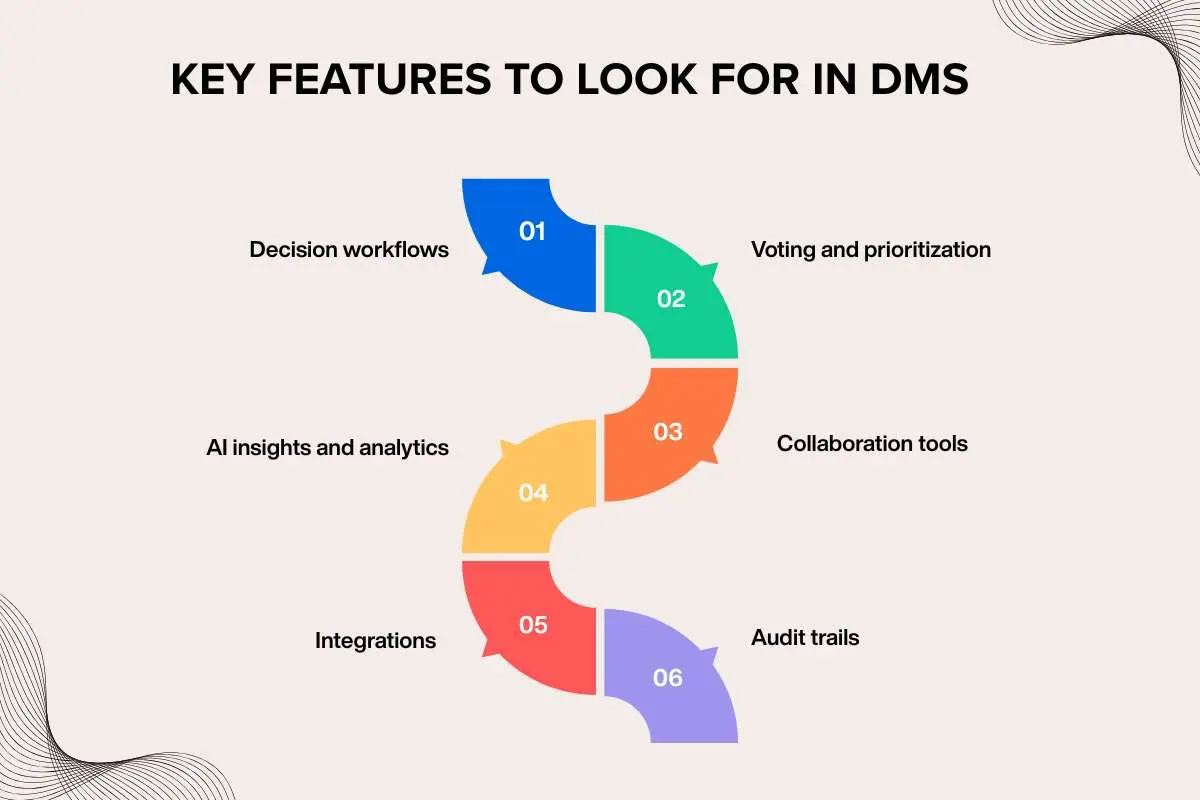
A decision is only as good as the process behind it. If your team is still switching between chat apps, email threads, spreadsheets, and meeting notes just to reach one conclusion, the software is creating more work instead of solving a problem. Slack’s State of Work 2025 found that 68% of knowledge workers spend at least 30 minutes every day switching between workplace apps, creating unnecessary friction before decisions are even made. The right Decision Management Software brings everything together, making it easier to evaluate options, involve the right people, and keep decisions moving. Here are the features worth looking for.
1. Decision workflows
Good software provides a clear path from problem to solution. Instead of wondering what happens next, teams can follow predefined workflows that move decisions through review, approval, and implementation without missing important steps.
2. Voting and prioritization
Not every decision needs a lengthy discussion. Built-in voting, scoring, and ranking tools help teams compare ideas fairly and quickly identify the strongest option based on agreed criteria.
3. Collaboration tools
When discussions, meeting notes, files, and comments live in one place, everyone stays on the same page. Team members spend less time searching for information and more time making progress.
4. AI insights and analytics
Many platforms now use AI to summarize long discussions, surface recurring themes, flag potential risks, and even recommend next steps. This helps teams focus on making decisions instead of sorting through pages of notes.
5. Integrations
Decision-making shouldn’t happen in isolation. Look for software that connects with tools your team already uses, such as Slack, Microsoft Teams, Google Workspace, Jira, or your CRM, so information flows naturally across your existing workflow.
6. Audit trails
Months later, someone will inevitably ask, “Why did we decide this?” A detailed audit trail answers that question by recording discussions, approvals, changes, and the final outcome in one searchable place.
Tip: The best Decision Management Software should remove friction from the decision-making process, not give your team another platform to manage.
Choosing the right features is only part of the equation. To know whether they’re actually improving the way your team makes decisions, you also need the right metrics. That’s where Decision Making KPIs come into the picture.
Top decision management software for remote teams
Remote teams don’t struggle because people are in different locations. They struggle when decisions are buried in chat threads, meeting notes, or email chains. The right DMS creates a single place where discussions, approvals, and outcomes stay organized, no matter where team members work. While every platform approaches decision-making differently, the best choice depends on your team’s size, workflow, and how decisions are made across the organization.
| Software | Best For | Standout Features | Why It’s a Good Fit for Remote Teams |
| Fellow | Meeting decisions | AI meeting notes, action items, decision history | Records every meeting decision, assigns owners, and tracks follow-ups so everyone stays aligned, even across time zones. |
| Loomio | Democratic decision-making | Voting, proposals, consensus building | Lets teams discuss ideas and vote asynchronously, making it ideal for distributed teams that can’t always meet live. |
| Confluence | Decision documentation | Decision logs, templates, shared knowledge base | Keeps every decision in one searchable workspace, making it easy to revisit past discussions and onboard new team members. |
| ClickUp | End-to-end work management | Docs, approvals, tasks, automations | Connects decisions directly to tasks and approvals, helping teams move from planning to execution without switching tools. |
| Asana | Cross-functional collaboration | Approval workflows, timelines, automation | Simplifies approvals and keeps multiple departments working from the same decision, reducing delays and confusion. |
| Monday.com | Enterprise teams | Custom workflows, dashboards, approval automation | Standardizes decision workflows across large organizations while giving every team visibility into progress and approvals. |
No single platform is the right choice for every team. A small startup may value fast collaboration and lightweight voting, while a larger enterprise might prioritize governance, approval workflows, and detailed reporting. Before choosing a solution, consider how your team makes decisions today, the tools you already use, and the level of structure you need. The best Decision Management Software should fit naturally into your workflow instead of forcing your team to change how they work.
Must-have features in decision management software

The best DMS does more than store decisions. It helps teams make, track, and improve decisions with less confusion and better accountability. Before choosing a platform, look for features that support your team’s workflow instead of adding unnecessary complexity.
| Feature | Why It Matters |
| Decision logs | Keep a searchable record of every decision and its outcome. |
| Approval workflows | Speed up reviews while reducing bottlenecks. |
| Task integration | Turn decisions into assigned actions without switching tools. |
| AI meeting summaries | Capture key decisions and action items automatically. |
| Dashboards and reporting | Measure decision trends and identify areas for improvement. |
| Integrations | Connect with tools like Slack, Microsoft Teams, or project management platforms. |
The right features should simplify your decision-making process, improve transparency, and fit naturally into the way your team already works.
How to choose the right DMS?

The best DMS is the one your team will actually use. Before making a choice, think about how your team works today and where your biggest decision-making challenges lie.
If you have a small team, a simple platform with built-in voting and collaboration may be enough. Larger organizations often need advanced approval workflows, role-based permissions, and detailed reporting. Remote teams should prioritize real-time collaboration, while hybrid teams may benefit from tools that support both live and asynchronous decision-making. It is also worth checking for integrations with your existing tech stack, strong security features, flexible pricing, and an interface that people can learn quickly.
Even the best software works best when paired with the right process, making the facilitation of group decision-making just as important as the tool itself.
Common mistakes to avoid when choosing decision management software
Choosing the wrong Decision Management Software can slow teams down instead of helping them work better. Avoid these common mistakes before making a decision.
- Choosing features over usability: A powerful platform is useless if your team finds it difficult to use.
- Ignoring integrations: Make sure the software connects with the tools your team already relies on.
- Overlooking scalability: Pick a solution that can support your business as it grows.
- Skipping security and permissions: Sensitive decisions should be protected with role-based access and audit trails.
- Focusing only on price: The cheapest option may cost more in lost productivity if it lacks essential features.
The best software is one that your team will actually use every day. Prioritize ease of adoption, collaboration, and long-term value over a long list of features you’ll never need.
Benefits of using DMS

When decisions are scattered across emails, chat messages, and meeting notes, it’s easy for important details to slip through the cracks. Decision Management Software keeps everything in one place, making it easier for teams to move forward with confidence.
Here are some of the biggest benefits:
- Faster decisions: Everyone has access to the same information, reducing delays and back-and-forth discussions.
- Fewer misunderstandings: Decisions, approvals, and next steps are documented, so there is less room for confusion.
- Better accountability: Every decision has a clear owner, making it easier to follow through on action items.
- Greater transparency: Teams can see how a decision was made and who was involved, building trust across departments.
- Knowledge retention: Past decisions remain searchable, helping teams avoid repeating mistakes and onboard new employees faster.
These benefits solve a common workplace problem. Atlassian’s State of Teams 2025 found that knowledge workers spend 25% of their workweek searching for information, showing why keeping decision records in one place can save both time and effort.
Technology is only one part of the equation. To see why involving the right people matters just as much, read about the Benefits of Collaborative Decision Making.
Conclusion
Decision Management Software doesn’t replace human judgment. It gives teams a better way to make decisions by bringing discussions, approvals, and records into one organized workspace. Whether you’re leading a remote startup or managing a global enterprise, the right platform helps teams stay aligned, improve accountability, and turn decisions into action with confidence.
Over time, those documented decisions become a valuable resource, supporting stronger Collaborative Decision Making across every level of the organization.
FAQs
1. What is the difference between DMS and project management software?
Decision management software helps teams make decisions, while project management software focuses on planning, assigning, and tracking tasks.
2. Can small businesses benefit from DMS?
Yes. It helps small teams organize discussions, document decisions, and improve accountability without adding unnecessary complexity.
3. Does DMS use AI?
Many modern platforms use AI to summarize discussions, identify patterns, suggest next steps, and automate routine workflows.
4. Is DMS suitable for remote teams?
Yes. It centralizes discussions, approvals, and decision records, helping remote teams stay aligned across locations and time zones.
5. How secure is decision management software?
Most leading platforms offer encryption, access controls, audit logs, and compliance features to protect sensitive business information.