Small businesses often build marketing campaigns from photographs collected over time. Product shots arrive from suppliers, team pictures come from phones, and event images sit in shared folders. When these assets appear together, differences in sharpness, lighting, and resolution become obvious.
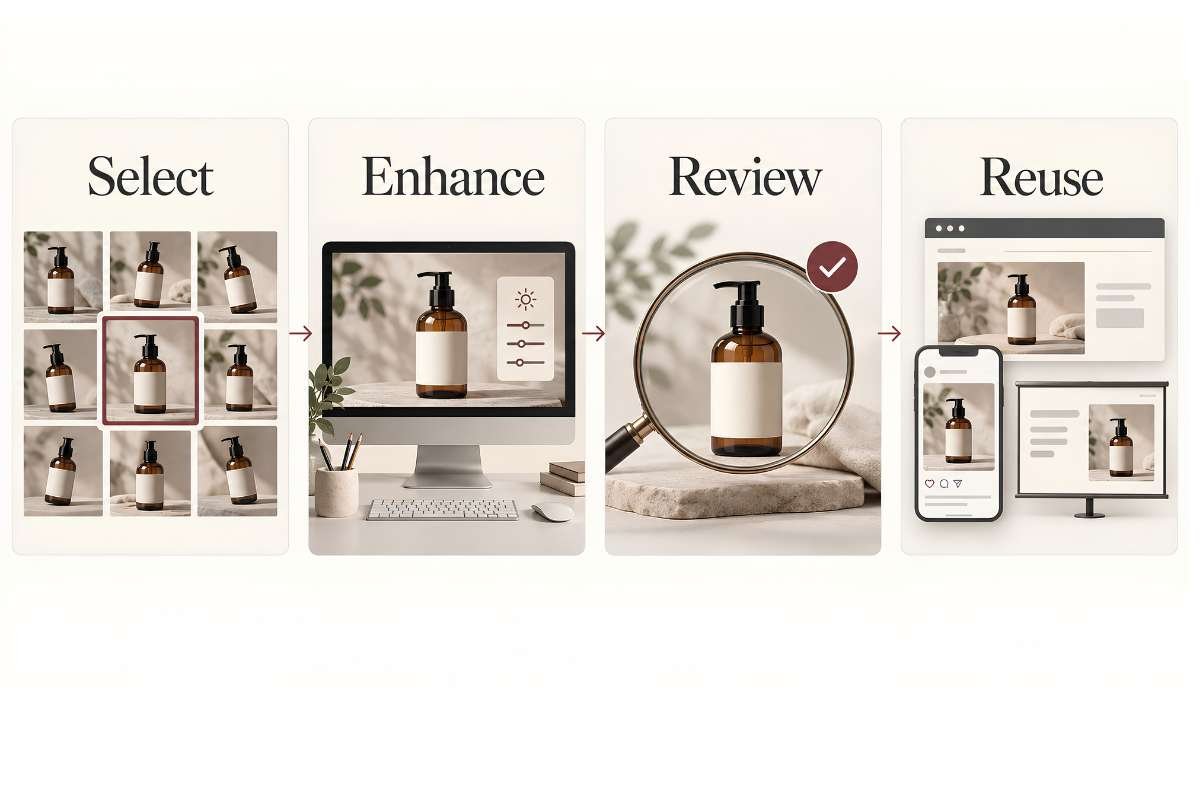
Using an AI photo enhancer for marketing can help resolve these issues, but it works best within a clear process. The practical goal is to select suitable photographs, improve their presentation, check their accuracy, and prepare them for the channels where customers will see them.
Start with the marketing purpose
Before editing, decide what the photograph needs to communicate. A product image should reveal relevant features. A team portrait should represent the person naturally. An event photograph should show a recognizable moment rather than simply fill space.
Next, identify its destination. A website banner, social post, and presentation slide may require different crops and dimensions. Knowing the intended use helps you judge whether an image is suitable before spending time improving it.
A photograph that works in a small email layout may look soft when stretched across a large screen. Assess it at the size your audience will actually see.
Sort photos before processing them
Review your available images and separate them into three groups: ready to use, suitable for editing, and better replaced. This simple assessment prevents teams from spending time on photographs that cannot support the campaign.
Start with original files whenever possible. Screenshots and images forwarded through messaging services may have lower resolution or heavier compression than the versions captured by the camera.
Minor softness or limited resolution may justify an enhancement trial. Severe motion blur, missing product details, outdated packaging, or an unsuitable composition usually calls for another source or a new photograph.
Use AI enhancement selectively
Once you have identified a suitable photo, correct basic framing and exposure issues before evaluating its clarity. Keep an untouched original so you can compare changes and return to the source if needed.
For a photograph with slight softness or limited resolution, try Picsman’s AI photo enhancer before placing it in your marketing layout. Review the processed version at the same display size as the original to judge whether it offers a useful improvement.
Increasing resolution does not guarantee that missing information has been recovered accurately. AI may estimate textures or edges. A result can appear sharper while introducing details that were never present.
Use enhancement to support clear presentation, and reject versions that change what the photograph represents.
Make accuracy part of approval
A marketing photograph needs to remain faithful to the business, its people, and its products. When using an AI photo enhancer for marketing, assign someone familiar with the subject to review edited images before publication.
For product photography, check packaging text, colors, materials, seams, and small accessories. For portraits, examine facial features and skin texture. For premises or event images, look for distorted signs or unnatural background details.
Compare the edited file with both the original and, where possible, the actual subject. Avoid assuming that a more polished appearance is automatically more accurate.
Keep brand treatment consistent across the campaign. Similar lighting, crops, and color balance often make a collection feel more coherent than applying strong effects to individual images.
Prepare each approved photo for its channel
After approval, create versions for the required placements. Preserve enough space for headlines when designing banners, and check that social media crops do not remove important product features or faces.
Export according to the destination’s current specifications. Balance image dimensions and compression so photographs look clear without creating unnecessarily large downloads. Inspect the exported file as well as the editing preview.
For additional editing needs, teams can explore Picsman and assess which tools fit their existing workflow. Keep the process focused on the changes each asset actually requires.
Review finished layouts on a phone and computer before publishing.
Build a small, reusable asset library
Store original photographs, approved edits, and channel exports separately. Use descriptive filenames that identify the subject and version, so colleagues can find suitable assets without repeating earlier work.
Record who approved the photograph and where it can be used. Keep permission or licensing information alongside the asset when relevant. Mark outdated product photographs clearly to prevent accidental reuse.
A shared checklist can keep reviews consistent: suitable source, accurate details, appropriate crop, acceptable file size, and final approval. Even a small team benefits from knowing which version is ready.
Measure the workflow, not just the effect
Track editing time, revision requests, and the number of approved images reused across campaigns. These measures help you assess whether incorporating an AI photo enhancer for marketing is making production more efficient.
Do not attribute sales changes to sharper photos alone. Campaign results also depend on the offer, audience, copy, and placement. A disciplined process gives small businesses a practical way to improve marketing photos while keeping human judgment central.