Table of Contents
Why Knowledge Gets Lost Even When Everyone Has A Place To Store It
Someone leaves. Suddenly, nobody knows why a process works the way it does. The document exists somewhere, of course. It is probably called Final_v7_REAL_FINAL.docx. This is where Knowledge Management becomes more than storing files.
Growing organizations need a reliable way to capture experience, share useful lessons, find answers, and keep important know-how from walking out the door. That takes more than software. People, processes, technology, and culture all play a part. A folder can store information, but it cannot make that information useful. This guide keeps things practical, covering the basics, frameworks, tools, measurement, and real-world lessons without turning into a 40-page lecture.
What is Knowledge Management?
It is the organized way a business captures, shares, finds, applies, and improves what its people know. It combines people, processes, content, technology, and culture so useful knowledge stays accessible instead of getting buried in files, meetings, inboxes, or someone’s memory.
What Is Knowledge Management and Why Does It Matter?
It is how an organization makes its know-how useful. It covers how people create, organize, share, find, and apply knowledge. That knowledge can come from a process document, a customer conversation, a team lesson, or years of experience.
KM matters because useful knowledge can save time, prevent repeat mistakes, and help people make better decisions. It can support:
- Faster onboarding
- Better decisions
- Easier problem solving
- More consistent work
- Stronger knowledge retention
- Better collaboration
Information is not the same as knowledge
Information is recorded content. Knowledge includes the context, experience, judgment, and understanding needed to use it. That is why how knowledge management differs from information management matters. Storing files and helping people apply what they know are different jobs.
The same idea applies when comparing it with learning management. Training helps people learn something new. KM helps an organization keep and reuse what its people already know.
A database, intranet, wiki, or software platform can support this work, but none is KM by itself. The goal is making knowledge useful when people need it.
In one sentence: It makes useful organizational knowledge easier to capture, find, share, trust, and use.
How Does Tacit Knowledge Become Shared Practice?

Not everything people know is written down. Some knowledge lives in experience, habits, judgment, and the little tricks people pick up after doing a job 500 times.
Tacit knowledge
Tacit knowledge is what people know but may struggle to explain clearly. It often includes:
- Experience: Knowing what usually goes wrong
- Judgment: Knowing which option makes sense
- Skills: Knowing how to perform a task
- Know-how: Knowing the small details that make a process work
Explicit knowledge
Explicit knowledge is easier to record, store, and share. Think:
- Procedures
- Guides
- Checklists
- Databases
- Documents
- Recorded lessons
Knowledge Management helps move useful know-how between these two forms. One simple way to understand this flow is the SECI model, developed by researchers Ikujiro Nonaka and Hirotaka Takeuchi.
| SECI stage | What happens |
| Socialization | People learn through shared experience |
| Externalization | Tacit knowledge becomes documented |
| Combination | Existing knowledge is organized and connected |
| Internalization | People use it until it becomes part of their own know-how |
Picture an experienced technician showing a new employee how to diagnose a fault. The steps become a troubleshooting guide. More examples improve the guide. The new employee uses it repeatedly and builds their own experience.
Turning that flow into a repeatable knowledge management process helps teams capture and reuse what they learn.
A Knowledge management framework can then connect people, processes, governance, technology, and measurement without making the system unnecessarily complicated.
Reducing Knowledge Loss in a Hybrid Workplace
Ever had a moment when someone says, “Ask Sarah. She knows how this works”? That is useful right up until Sarah leaves, changes teams, or takes the day off. Then a simple task can turn into detective work.
Hybrid work can make this problem harder. Remote employees may miss quick desk conversations, informal coaching, and the small decisions that happen between meetings. But working remotely does not automatically cause poor knowledge sharing. The bigger issue is whether teams have built clear ways to capture and share knowledge.
Where knowledge gets stuck
Common trouble spots include:
- Knowledge silos: Useful information stays inside one team.
- Expert dependency: One person becomes the only source of an answer.
- Poor documentation: Important lessons never leave a meeting or chat.
- Knowledge hoarding: People keep know-how to themselves.
- Weak sharing habits: Employees do not know what is worth documenting.
A strong retention plan should identify the knowledge most at risk before an experienced employee walks out the door. That is where improving retention with knowledge management becomes especially useful.
Knowledge loss at a glance
APQC found that only 30% of organizations said they capture knowledge from departing retirees most of the time or always.
The answer is not documenting every tiny detail. Teams need the right Knowledge management skills to know what should be captured, shared, reviewed, and reused.
Which Knowledge Management Systems and Tools Help Most?
There is no single tool that magically fixes a knowledge problem. A company can have the fanciest platform on the market and still have employees asking, “Does anyone know where this file is?” The useful question is not which tool looks best. It is which tool fits the work.
Common tool categories
| Tool or category | Main job |
| Knowledge base | Store and find structured knowledge |
| Document management | Manage files and versions |
| Collaboration platforms | Share knowledge while working |
| Enterprise search | Find information across systems |
| Communities and forums | Capture discussion and expertise |
| Workflow tools | Put knowledge into daily processes |
| AI-assisted search | Help users find and summarize relevant content |
These tools can overlap, and that is fine. A knowledge base may hold approved procedures while a collaboration platform captures the discussion that led to them. Enterprise search can then help employees find both.
The National Academies’ 2026 guidance also describes modern KM solutions as a mix of repositories, metadata, search, semantic search, and AI-powered search rather than one standalone product.
Choosing between different knowledge management systems Knowledge management systems should start with the knowledge problem, not whichever software has the flashiest homepage.
From repositories and collaboration spaces to search and automation, Knowledge management tools work best when they fit the way employees already work.
Before buying anything, ask:
- What knowledge are we trying to improve?
- Who needs that knowledge?
- Where does it currently live?
Those three answers can narrow the field surprisingly fast. And they may reveal that the problem is not a lack of software at all. Sometimes the real issue is messy content, unclear ownership, or a process nobody has bothered to fix.
How Do You Build a Knowledge Management Strategy That People Will Actually Use?
A good strategy starts with a problem, not a platform. If onboarding takes too long, employees repeat the same mistakes, or only one expert knows how a process works, those are KM problems worth solving.
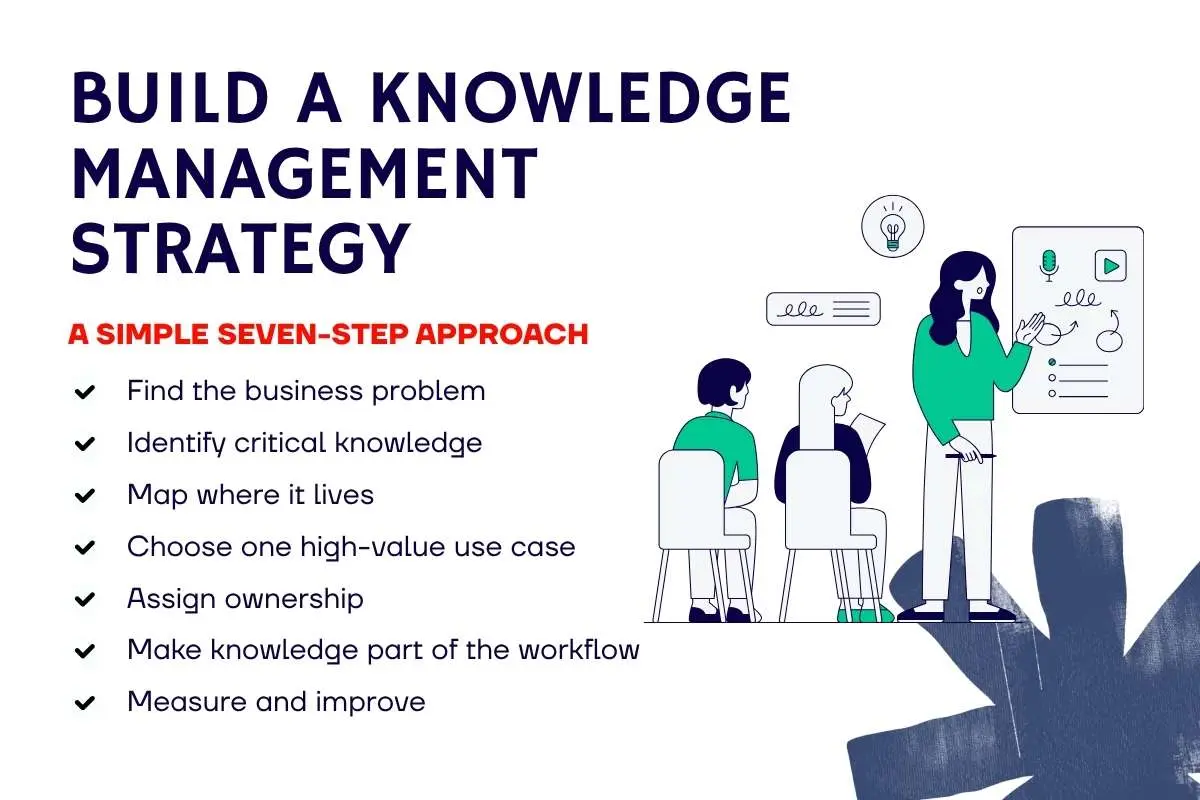
A simple seven-step approach
1. Find the business problem
Start with a clear pain point, such as slow onboarding, poor search, repeated mistakes, expert dependency, or inconsistent processes.
2. Identify critical knowledge
Do not try to capture everything. Focus on the knowledge people need most to do important work.
3. Map where it lives
Look at people, documents, systems, conversations, communities, and even the knowledge sitting inside someone’s head.
4. Choose one high-value use case
Start small. A successful onboarding project can teach you more than a huge KM rollout nobody uses.
5. Assign ownership
Someone needs to keep important knowledge accurate, useful, and up to date.
6. Make knowledge part of the workflow
Nobody wakes up excited to fill out a 17-field knowledge form before their morning coffee. Capture knowledge where work already happens instead.
7. Measure and improve
Track what changed, learn from the results, and adjust the approach.
Knowledge Management works better when it becomes part of everyday work rather than another task employees must remember.
APQC’s guidance also puts business needs and critical knowledge before tool selection, followed by governance, resources, implementation, measurement, and improvement.
For smaller companies, Knowledge management for startups shows why starting with a focused need is often smarter than building a huge system too early.
It is also worth knowing the common Knowledge management mistakes that can make employees ignore systems, duplicate work, or stop trusting the content.
How Should You Measure Knowledge Management and Prove Its ROI?
A busy KM platform does not always mean a useful one. You can have thousands of searches, views, and contributions while employees still struggle to find the right answer. So, measure activity, but do not stop there.
Start With Two Types of Metrics
Activity metrics tell you what people are doing:
- Search usage
- Content views
- Contributions
- Participation
- Knowledge reuse
- Content freshness
Outcome metrics tell you whether the work is helping:
- Faster onboarding
- Less repeat work
- Faster problem solving
- Lower support time
- Fewer process errors
- Better compliance
- Faster decisions
A page with 50,000 views may look impressive. But if people keep opening it because the process underneath is confusing, those views are not exactly a victory lap.
Good Knowledge management metrics should connect user behavior to a real business outcome rather than simply count clicks.
A simple measurement check
Use: Are people using the knowledge?
Value: Does it help them work better?
Business impact: Does that improvement matter to the organization?
That is also the heart of proving knowledge management ROI. Leaders need to see what changed after the KM effort, not just how busy the platform became.
APQC’s 2026 research notes that proving business impact remains a challenge and recommends linking KM measures to outcomes such as efficiency, productivity, decision quality, and reduced rework.
What Can Companies Teach Us About Knowledge Management in Practice?
Knowledge management becomes easier to understand when you see it in action. The details vary by company, but strong examples tend to share one idea: knowledge is connected to the work, not locked away in a separate system.
Three quick examples
- Toyota: learning through daily work
Toyota’s approach is closely tied to kaizen, or continuous improvement. Employees are encouraged to spot problems, improve processes, and share what they learn. Toyota also documented values that had previously been passed on as implicit knowledge through its Toyota Way 2001.
That is why Toyota’s knowledge management approach is useful to study. It shows how knowledge can become part of everyday routines rather than living only in a KM department.
- Infosys: making scattered knowledge easier to find
At Infosys, APQC describes a case where experienced consultants could find useful past work from memory, while newer staff struggled because knowledge was spread across internal sites, drives, laptops, and colleagues. The company used an AI-powered approach to make that knowledge easier to access and reuse.
- Novartis: combining KM with AI
Novartis built an AI-powered knowledge base called Sherlock to help teams store, search, and reuse strategic knowledge. The system began with a specific business need and later expanded to other uses.
Across companies with strong knowledge management, the lesson is similar: technology helps, but useful knowledge still needs good content, clear purpose, and people who know how to use it.
Expert view
APQC chairman Carla O’Dell argues that KM should solve real business problems. She also stresses that AI does not remove the need for human expertise. Instead, good knowledge and experienced people become even more important.
What Will Knowledge Management Look Like in 2026 and Beyond?

The big shift is clear: KM is moving closer to AI, but the basics still matter. In 2026, teams are using AI to search knowledge, answer questions, classify content, recommend information, and help capture expertise. The catch? Bad or outdated knowledge can produce bad answers faster.
Three trends to watch
AI-powered KM
- AI-assisted search and question answering
- Knowledge recommendations
- Content classification
- Expert discovery
- Better knowledge capture
Hybrid knowledge sharing
- Async documentation becomes more important
- Useful knowledge needs to exist beyond office conversations
- Communities still help people share experience
- Workflows can capture knowledge as work happens
Human oversight
- People still need to check important answers
- Content needs clear ownership
- Taxonomy and governance still matter
- AI works better when the underlying knowledge is structured and trusted
2026 trend: 49% of respondents named AI and other smart technology as a top KM priority for 2026, according to APQC’s survey of 164 global participants.
That does not mean every company needs an AI KM tool tomorrow. APQC also found that 59% of organizations are still in the two earliest stages of KM maturity. The foundation is not optional.
In India, the push is even stronger. Microsoft’s 2025 Work Trend Index found that 93% of Indian business leaders intended to use AI agents to extend workforce capabilities within 12 to 18 months.
The future also means learning from Knowledge management lessons from top organizations, while people entering the field may find knowledge management certifications useful alongside practical skills.
As KM moves closer to strategy, AI makes good taxonomy, process mapping, and human knowledge work more important, not less. KM expert Lucy Hall made this point in Enterprise Knowledge’s July 2026 interview.
Conclusion
Good Knowledge Management is not about collecting everything people know. It is about making important knowledge easier to find, trust, share, and use. Beginners can start by understanding tacit and explicit knowledge. Teams planning a KM program should focus on real business problems and critical knowledge, while implementers need to connect people, processes, content, technology, and governance.
For measurement, business outcomes matter more than vanity numbers. And before adding AI, build a strong knowledge foundation first. The best KM system is not the one with the most documents. It is the one that helps someone find the right answer before they send a frantic message to the one person who “probably knows.”
Frequently Asked Questions
1. What is Knowledge Management?
It is the process of capturing, organizing, sharing, and applying an organization’s knowledge.
2. Why is KM important?
It helps employees find useful knowledge faster, reduce repeated work, improve decisions, and prevent critical knowledge from being lost.
3. What is the difference between tacit and explicit knowledge?
Tacit knowledge comes from experience and judgment. Explicit knowledge is documented in guides, procedures, databases, and other records.
4. What are the main benefits of Knowledge Management?
Key benefits include faster onboarding, better collaboration, fewer errors, easier knowledge sharing, improved decisions, and stronger knowledge retention.
5. How do you measure KM success?
Measure knowledge use, reuse, and quality alongside outcomes such as faster onboarding, lower repeat work, fewer errors, and improved productivity.