

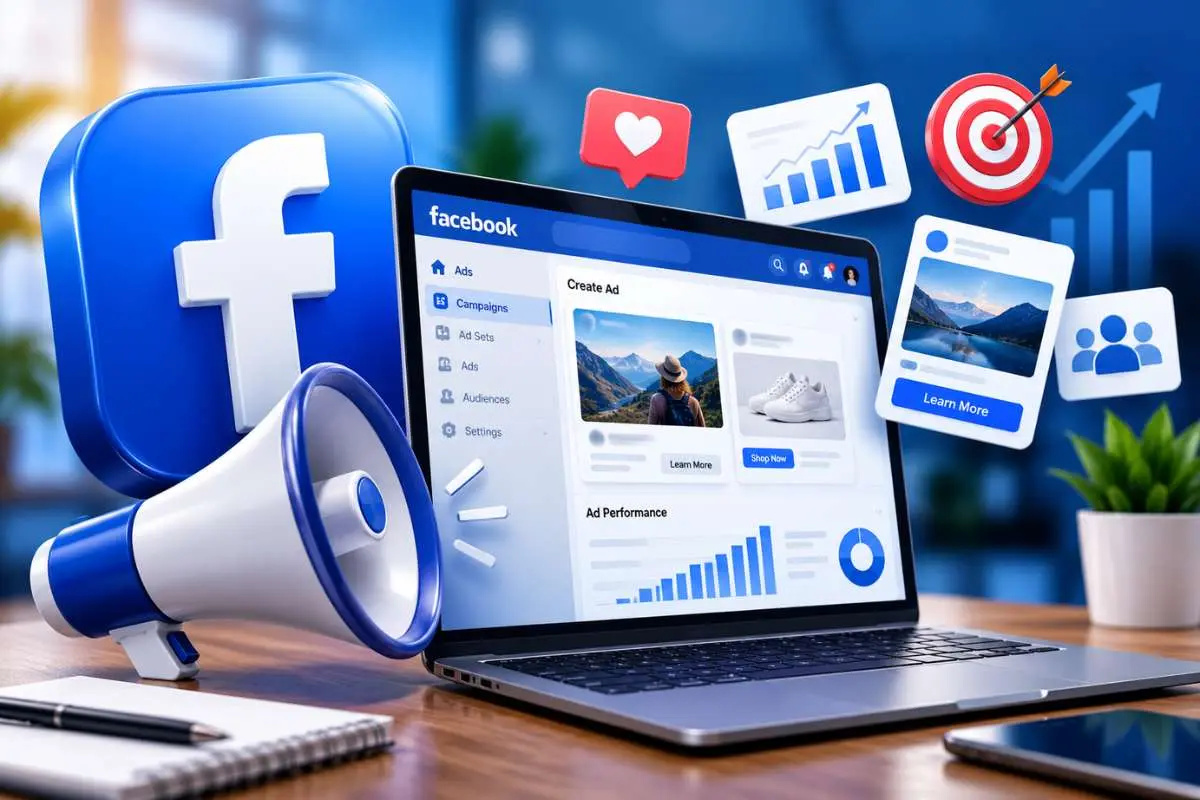
Facebook advertising helps businesses reach potential customers, build brand awareness, and drive sales. With Meta’s advertising tools, you can set campaign goals, choose audiences, and track results in one place.
If you want to learn about Facebook advertising, start with a clear goal and a plan to measure results. This guide covers campaign setup, AI-powered tools, conversion tracking, budget planning, and practical examples for different businesses.
What is Facebook advertising, and why does it matter?
To learn about Facebook advertising, it helps to start with the basics. Facebook advertising is a paid marketing method that lets businesses show ads to selected audiences on Facebook and other eligible Meta placements. You can use it to attract visitors, collect leads, promote products, and increase sales.
Businesses can choose from image, video, carousel, and Reels ads. They can also set budgets and measure campaign results through Meta Ads Manager.
Why should businesses care about Facebook advertising?
If you’re looking to expand your business’s reach, learning about Facebook advertising can be one of the most effective changes. Here’s why Facebook ads are so effective:
- Massive Audience: With billions of users worldwide, Facebook gives businesses access to a huge, diverse audience. No matter who your ideal customer is, there’s a good chance they are on Facebook. Facebook’s reported ad reach was 2.28 billion users in January 2025.
- Precise Targeting: One of the main reasons businesses love Facebook advertising is the ability to target very specific groups of people. Want to reach women aged 30-45 in a cityinterested in health and fitness? Facebook makes it possible.
- Budget-Friendly: You don’t need a huge marketing budget to succeed with Facebook ads. Whether you have $50 or $5,000 to spend, you can set your budget and adjust it.
- Real-Time Analytics: Facebook Ads Manager offers detailed insights into how your ads are performing. You can see how many people viewed or clicked on your ad and whether it led to conversions like sales or sign-ups. This makes it easy to tweak your campaigns and improve their performance.
Statistics on Facebook advertising
Consider the following statistics to learn about Facebook advertising effectiveness:
| Statistic | Value |
|---|---|
| Total Monthly Active Users | 3.07 billion |
| Average Cost Per Click (CPC) | $1.05 |
| Average Return on Ad Spend (ROAS) | $2.19 for every $1 spent |
| Percentage of Users Who Use Facebook Daily | 68% |
| Average Engagement Rate of Ads | 1.3% |
| Percentage of Facebook Users Aged 18-24 | 15.2% |
These statistics highlight the immense potential of Facebook advertising to reach and engage with a vast audience effectively.
How can different businesses use Facebook ads?
Facebook ads can support different business goals. One of the best ways to learn about Facebook advertising is to see how different businesses apply it. The best approach depends on the sales process, the audience, and the action the business wants people to take.
| Business type | Example campaign | Main metric |
|---|---|---|
| B2B software company | Promote a webinar or demo to relevant decision-makers | Qualified leads and cost per lead |
| Local service business | Target nearby customers with a booking offer | Calls, bookings, and cost per booking |
| E-commerce brand | Show product videos or carousel ads with a purchase link | Purchases, revenue, and return on ad spend |
B2B example: A software company could run a short video explaining how its tool saves time. The ad could lead to a webinar registration or demo form. The sales team would then track which leads become real opportunities.
Local business example: A dental clinic could promote a new-patient consultation within its service area. It should track booked appointments, not just clicks or messages.
E-commerce example: A clothing brand could use Reels to show how an item fits, then retarget eligible visitors with a product carousel. The team could compare sales and profit across the campaign.
These are illustrative scenarios to help you learn about Facebook advertising. Each business should test its own offer and measure actual outcomes.
How do you set up a Facebook advertising campaign?
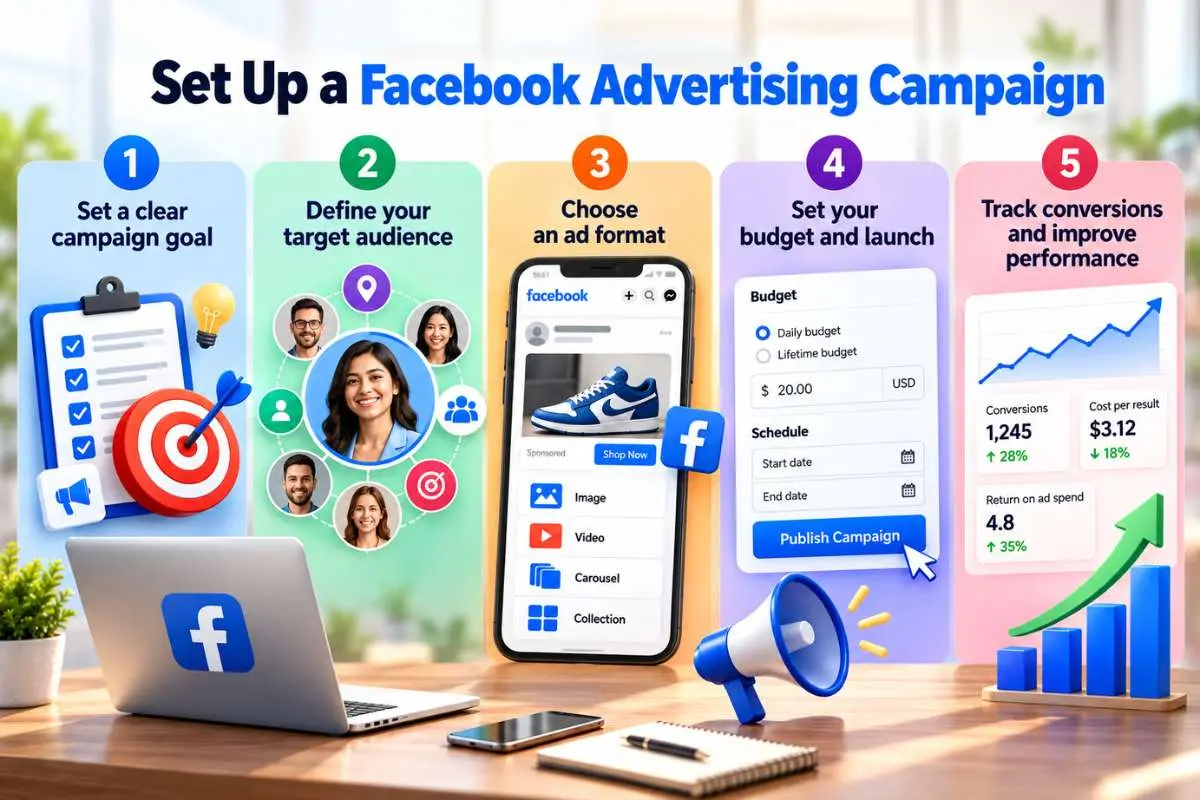
You can create a campaign in Meta Ads Manager by choosing a goal, defining your audience, building your ad, setting a budget, and tracking results. Follow these five steps to get started.
Step 1: Set a clear campaign goal
Decide what you want people to do after seeing your ad. Your goal will guide the campaign settings and the metrics you track.
Common objectives include:
- Awareness: Introduce your brand to new audiences.
- Traffic: Send people to a website or landing page.
- Engagement: Encourage video views, messages, or other interactions.
- Leads: Collect contact details or inquiries.
- Sales: Encourage purchases or other valuable actions.
Choose the goal that matches your business needs. For example, a software company may want demo requests, while a local restaurant may want bookings.
Step 2: Define your target audience
Defining your audience is important when you learn about Facebook advertising. Think about who is most likely to need your product or service. Consider their location, interests, needs, and buying habits.
Meta offers several audience options:
- Core audiences: Use available location, demographic, and interest settings.
- Custom audiences: Reach eligible people who have interacted with your business or whose information you can lawfully use.
- Lookalike audiences: Find people who share traits with an existing audience, where this option is available.
You can also test broader audiences. Meta’s delivery system may find useful prospects beyond your initial assumptions, depending on your settings.
Step 3: Choose an ad format
Select a format that fits your goal and message.
| Ad format | Best use |
|---|---|
| Image ads | Simple offers and brand awareness |
| Video ads | Product demos and storytelling |
| Carousel ads | Showing several products or features |
| Reels ads | Short, mobile-first videos |
| Lead ads | Collecting inquiries within Meta |
| Retargeting ads | Reaching eligible past visitors or customers |
Keep your message clear and your call to action easy to follow. A good ad tells people what you offer and why they should care.
Step 4: Set your budget and launch
Choose a daily budget or a lifetime budget for the campaign. A daily budget sets an average amount for daily spending, while a lifetime budget covers the planned campaign period.
Start with a sum you can afford to test. Check that your landing page works, your links are correct, and your ad follows Meta’s advertising rules. This step allows you to try and learn about Facebook advertising budgets.
Step 5: Track conversions and improve performance
Once your campaign is live, use Meta Ads Manager to review its results. Track more than likes and clicks. Measure the actions that matter to your business, such as qualified leads, purchases, bookings, and sign-ups.
Three tools can help you build a clearer view of performance:
- Meta Pixel: A website tracking tool that records eligible actions, such as product views, add-to-cart events, and purchases.
- Conversions API: Sends event data from your server or another supported source to Meta. When set up correctly, it can complement Pixel data and support measurement.
- Events Manager: Helps you check event activity, diagnose setup issues, and review data sources.
Set up the events that match your goal. For lead campaigns, track completed forms or qualified inquiries. For online stores, track purchases and purchase value. For service businesses, measure bookings or calls where reliable tracking is available.
Use consistent event names and avoid counting the same action twice when Pixel and Conversions API share events. Test the setup before launch, and compare Meta reports with your CRM, sales records, or analytics platform.
Meta’s Conversions API guidance explains how businesses can connect event data to improve measurement and ad delivery.
Try setting up an ad campaign. It is the most practical way to learn about Facebook advertising.
How much should you budget for Facebook ads?
A practical Facebook ad budget depends on your goal, audience, offer, and expected cost per result. There is no single budget that works for every business.
When you learn about Facebook advertising budgets, remember to start small and scale based on real data. Start with a test budget you can afford to lose while learning. Then use real campaign data to decide whether to increase, reduce, or stop spending.
Use these steps to set a starting budget:
- Choose a goal: Decide whether you want leads, sales, bookings, or awareness.
- Set a test period: Plan to run the campaign long enough to collect useful data.
- Estimate the cost per result: Use your past campaign data or treat the first test as a learning phase.
- Set a spending limit: Decide the total amount you can afford to spend.
- Keep funds for testing: Reserve some money for new creative, audiences, or landing pages.
For example, a small business might test a budget of $10-$30 per day for two weeks. That equals $140-$420 in ad spend, before creative or management costs. This is only an illustrative starting range.
If the campaign generates leads, check how many become paying customers. A cheap lead is not useful if most prospects never buy.
How can Meta’s AI tools improve Facebook ad performance?
Anyone who wants to learn about Facebook advertising today should also understand Meta’s AI-powered tools. These tools can help automate campaign delivery, adjust creative assets, and allocate spend across eligible placements. They can save time, but they do not replace clear goals, sound tracking, or human review.
Advantage+ campaigns
Advantage+ uses automation to support parts of campaign setup and delivery. Depending on the campaign type and available features, Meta can help optimize audience selection, creative, and budget use.
For example, an online store promoting running shoes could provide product images, ad copy, and a sales goal. The system can use available signals to find people more likely to buy.
To use automation well, give it accurate conversion data and enough room to learn. Review purchases, cost per purchase, and profit rather than judging the campaign by reach alone.
Automated placements
Advantage+ placements allow Meta to deliver ads across eligible placements, which may include Facebook Feed, Stories, Reels, Instagram, Messenger, and Audience Network.
Instead of choosing each placement yourself, you let the system seek opportunities across the available options. This can help you use the budget where delivery is likely to meet your goal.
Still, prepare creative assets for different screen sizes. Check placement-level results and make sure your message looks right wherever it appears. You can also test manual placements if your campaign needs tighter control.
Read Meta’s official Reels advertising guide for placement and creative guidance.
What are the best tips for successful Facebook advertising?
Successful campaigns combine useful creative, a clear offer, reliable tracking, and regular testing. These practices can help businesses improve their ads without wasting money on changes that do not work.
1. Create mobile-first ads
Design for a phone screen first. Use clear text, readable visuals, and a message people can grasp in seconds.
For video, consider vertical formats such as 9:16 when suitable for Reels. Keep important text and product details within safe areas, so platform controls do not cover them.
2. Use Facebook Reels ads
Reels can help businesses present products, share short tutorials, and tell customer stories. Start with the main benefit, show the product in use, and end with a clear next step.
Meta recommends vertical video with audio and key messages placed within safe zones for Reels creative. Its published tests have found better results for some campaigns using this format, but outcomes vary by campaign.
3. Test user-generated content
Customer reviews, product demonstrations, and real customer stories can make ads feel more relatable. Ask customers for permission before using their content, and disclose paid partnerships where required.
Avoid editing testimonials in ways that change their meaning. Use real claims that you can support.
4. Run A/B tests
A simple way to learn about Facebook advertising is A/B testing. It compares two ad versions to see which performs better. Change one main factor at a time, such as the headline, image, offer, or call to action.
Choose a success metric before the test begins. For a sales campaign, that could be cost per purchase or return on ad spend. Give each version a fair chance to collect data before choosing a winner.
5. Use retargeting with care
Retargeting can remind eligible visitors about a product or service they viewed. For example, a store may show a product ad to someone who added an item to a cart but did not complete the order.
Use suitable audience rules and follow consent requirements. Exclude recent buyers when the offer is not relevant to them.
6. Check results regularly
Review spend, reach, clicks, conversion rate, cost per result, and revenue. Look for patterns rather than reacting to every daily change.
If clicks rise but sales stay flat, check your landing page, price, checkout, and offer. If costs rise, test new creative or review the audience before increasing the budget.
As you learn about Facebook advertising, these practices can help you improve results without wasting budget.
What common Facebook advertising mistakes should you avoid?
The most costly mistakes include choosing the wrong goal, using weak creative, ignoring conversion tracking, and spending without a clear limit. Privacy errors can also damage trust and lead to compliance risks.
Avoid these common problems:
- Choosing a vague goal: Match the campaign objective to the result you need.
- Targeting too narrowly: Test whether broader audiences improve delivery.
- Using poor landing pages: Make sure the page loads well and works on mobile.
- Changing campaigns too often: Give tests enough time to produce useful data.
- Ignoring profit: Revenue alone does not show whether a campaign made money.
- Trusting incomplete tracking: Check event setup and compare reports with business records.
Privacy and data protection
Collect only the data you need, and explain how you use it. Follow applicable privacy laws, cookie rules, and consent requirements when using Pixel, Conversions API, customer lists, or retargeting.
Do not send sensitive personal data to Meta through tracking tools. Hashing customer information does not remove every privacy obligation. Limit access to customer data, set clear retention rules, and review your setup when laws or platform policies change.
Conclusion
Facebook advertising gives businesses ways to reach audiences, test offers, and measure campaign results. Start with a clear goal, a controlled budget, and creative suited to mobile users.
As you learn about Facebook advertising, focus on reliable tracking, useful content, and steady testing. Use Meta’s AI tools where they fit, protect customer data, and scale only when results support the decision.
FAQs
1. How much should a small business spend on Facebook ads?
Start with $10-$30 per day, track results, and increase spending when campaigns show value.
2. How do you measure Facebook ad ROI?
Compare campaign-driven profit with total ad costs. Verify conversions using Meta tools and sales or CRM data.
3. Are Facebook ads worth it for small businesses?
Yes, when businesses have clear goals, targeted audiences, and a way to measure results.
4. What is the best way to learn about Facebook advertising?
Start with a clear goal, set up a small test campaign in Meta Ads Manager, and review the results.
5. What is the difference between Advantage+ placements and manual placements?
Advantage+ automates placement decisions, while manual placements let advertisers choose where ads appear.
6. Can Facebook ads work for B2B companies?
Yes. B2B companies can promote demos, webinars, and case studies while tracking qualified leads and sales opportunities.