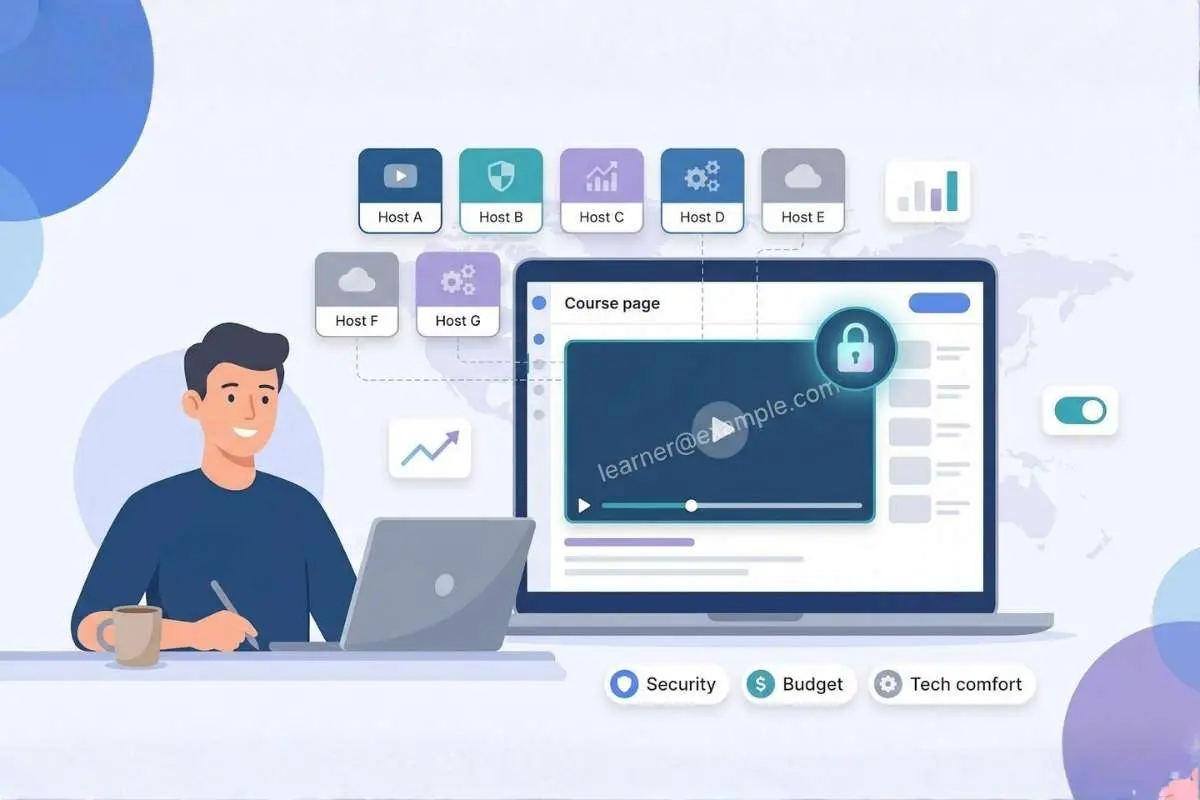
When you charge for a course, every lesson is valuable intellectual property. According to a recent Digital Journal analysis, public sites like YouTube let students—or pirates—rip and repost in seconds, draining revenue and trust.
“Pro” hosts solve that risk, then hit you with limits: Vimeo, for instance, blocks you at 2 TB of monthly traffic before nudging you to pricey plans, as training provider Zandax notes.
So we compared seven leading platforms on scaled cost, security, LMS fit, engagement tools, branding, speed, and support. Each one keeps lessons locked and streams smoothly worldwide as enrolments grow.
Our top pick is Spotlightr. For $13–$21 a month you get HLS encryption, domain-locked embeds, and in-video quizzes that other hosts reserve for enterprise tiers. Still, every platform here fixes a distinct pain point—from SproutVideo’s per-viewer logins to VdoCipher’s Hollywood-grade DRM.
Scan the table below, then dive into the detailed reviews to find the host that best matches your budget, tech comfort, and piracy risk.
At a glance: how the top platforms stack up
Before we explore each host, this table gives you a quick filter. Scan it and spot the two or three names that best match your budget, security target, and tech comfort.
| Platform | Starting price | Security level | LMS fit | Engagement tools | Best for |
| Spotlightr | $13/mo | HLS encryption, watermark | WordPress, LearnDash plug-in | Quizzes, calls to action, email gates | Creators on a budget who still want pro features |
| SproutVideo | $10/mo | Viewer logins, geo-blocks | Embed anywhere, API | Lead capture, heat maps | Teams that need strict access control |
| Vimeo | $12/mo | Domain lock, passwords | Broad embed support | Basic forms, chapters | Small courses that prize polished playback |
| Wistia | $19/mo | Domain lock | API, marketing stacks | Turnstile email gate, heat maps | Data-driven marketers who teach online |
| Gumlet | Usage-based (free tier) | DRM by default | API, SDKs | Player analytics | Dev-savvy courses that need scale and strong DRM |
| VdoCipher | $11/mo (annual) | Hollywood-grade DRM | WordPress, Moodle plug-ins | Viewer analytics | High-ticket programs fighting piracy |
| Dacast | $39/mo | AES; DRM on Scale plan | Live and VOD API | Built-in paywall | Cohort courses with live webinars and global reach |
Notice the variety: from lean options to full-fledged fortresses. Use the table to shortlist, then keep reading to see why Spotlightr tops our ranking and where the others shine or stumble in real-world course delivery.
1. Spotlightr: secure video with course-ready superpowers

Picture a host built for teachers first and marketers second. Spotlightr began as vooPlayer and later focused on online education, removing the clutter found in generic video tools. The team positions it as the best video hosting for online courses, highlighting a rare mix of lightning-fast delivery, built-in marketing tools, and uncompromising HLS encryption that protects premium lessons from pirates.
For $13 a month you get clean, ad-free playback, domain-locked embeds, and HLS encryption. Move to the $21 tier and you unlock in-video quizzes that can push grades straight into your LMS, a feature most rivals reserve for enterprise plans.
Security is native. Every stream carries rotating access tokens, so download plug-ins only see scrambled data. Add a dynamic watermark with each learner’s email and screen-record dumps become traceable.
Engagement tools match the security focus. You can pause a lesson at the six-minute mark with a multiple-choice question, gate a bonus clip behind an email field, or show a “next module” button the moment the video ends. All of this lives in the same dashboard you used for the upload, so there is no copy-paste shuffle between extra tools.
Integrations are straightforward. The WordPress plug-in delivers videos into LearnDash or MemberPress without code, and a Zapier hook can push completion data to your CRM. Raw embed codes respect any CSS you add, so the player always fits your brand palette.
Brand control runs deep. Change the play-button color, hide the timeline, overlay a logo, or serve the player from a custom subdomain. Students never see the Spotlightr name unless you allow it.
The trade-off is plan caps on storage and bandwidth, so rapid enrolment eventually triggers an upgrade. Pricing tiers are public, and no surprise email asks for an enterprise quote.
Bottom line: Spotlightr pairs classroom-friendly engagement with solid piracy defense at a price solo creators can handle.
2. SproutVideo: lock-tight access without the sticker shock

If leaked course links keep you up at night, SproutVideo provides a reliable safety net.
The standout feature is viewer-level login protection. You assign each student a unique username and password, and the player refuses to load for anyone else. Add IP or country allow lists and casual “freebie” shares vanish, as observers at Learnstream point out.
Despite that depth, the Sprout plan costs $35 a month and includes 500 GB of bandwidth. The $10 Seed tier already offers brand-free embeds and basic privacy, so moving up from Vimeo feels painless.
Beyond security, SproutVideo offers lead-capture forms, post-play call-to-action buttons, and heat-map analytics that show where attention fades. You can even launch a mini video site to drip lessons before your full LMS is live.
Setup is simple: paste an iframe into Thinkific, Kajabi, or WordPress and you are ready. If you need deeper hooks, the API lets developers push watch data to a CRM or badge system with minimal code.
Keep two caveats in mind. First, overage fees apply when you exceed storage or bandwidth, and they can surprise you during a launch rush. Second, the dashboard reflects its business roots; the many toggles take a session or two to learn.
For creators who want strong access control without full DRM, SproutVideo offers solid security, predictable pricing, and enough marketing tools to support growth.
3. Vimeo: polished playback with a ceiling you need to watch

Almost every creator looking for the best video hosting for online courses tries Vimeo first. The player looks clean, the interface feels familiar, and the monthly fee feels light. For a small, evergreen course that can be enough. Students press play, see no ads, and stay focused on your lesson instead of cat videos.
Brand control is solid. You can change player colors, hide share buttons, and gate embeds to your domain so a link pasted on Reddit shows a blank box. To a learner, Vimeo clips seem native to your site.
Trouble begins when success arrives. Standard plans limit you to 2 TB (2,048 GB) of bandwidth each month. Pass that figure—roughly a few hundred students streaming a video-heavy program—and Vimeo sends policy emails steering you toward a custom, pricier tier. Many creators call this the bandwidth trap.
Security is “good enough,” not ironclad. Passwords and domain locks deter casual sharing, but there is no DRM or watermark. A student with screen-record software can still save a copy. If your course sells for $49, you may accept that risk. At $4,900, you will want stronger protection.
Interactivity is light. Business plans add email gates and end-screen buttons, useful for list building, but quizzes, certificates, and progress-tracking live elsewhere. You will need an LMS or Zapier flow to capture completion data.
So where does Vimeo excel? Lean libraries and modest cohorts. If you host under fifty videos, teach a few hundred students, and care most about polished embeds, Vimeo remains cost-effective. Just track bandwidth during launches and keep a migration plan ready for the day enrolments soar.
4. Wistia: analytics-first hosting for creators who love data

Wistia approaches video the way Stripe approaches payments, viewing everything through metrics. Upload a clip today and by tomorrow you will see who pressed play, where viewers re-watched, and the exact second attention drifted. Those heat maps become a cheat sheet for fixing dull slides before your next cohort notices.
Turnstile, Wistia’s in-player email gate, adds a growth tool. Offer the first five minutes of a lesson for free, then request an address for the rest. Because Turnstile sits inside the frame, the request feels natural instead of intrusive.
Brand polish is a Wistia hallmark. The player adopts your colors, removes Wistia’s logo on paid plans, and lets you hide the timeline for assessments that should not be scrubbed. Everything streams from Wistia’s content network, so 4 K tutorials play smoothly whether students sit in Chicago or Cape Town.
Pricing flips the usual script: you pay per extra video, while the 1 TB monthly bandwidth limit still applies. This benefits courses with a focused library watched by many students, such as bootcamps with twenty carefully produced modules. Large catalogs, however, can trigger over-asset fees quickly. If you plan a 200-lesson micro-learning empire, run the math first.
Security matches Vimeo: domain locks, private links, and password options deter casual sharing, but there is no DRM. For most mid-ticket courses that is enough, especially when you add an LMS login layer.
Bottom line: choose Wistia when detailed analytics matter more than the lowest cost. Its metrics shorten the time spent guessing why students stall, and its marketing tools guide fence-sitters into your program, all while providing an ad-free player that feels native to your brand.
5. Gumlet: developer-friendly infrastructure with DRM on by default

Gumlet feels less like “sign up and drag in a video” and more like “spin up your own Netflix pipeline in an afternoon.” While that approach scares some creators, it excites anyone fluent in APIs looking for the best video hosting for online courses.
Studio-grade DRM is standard on every paid tier. Widevine licenses issue automatically, signed URLs expire on your schedule, and dynamic watermarks stamp each stream with viewer data, raising the bar for pirates.
Performance matches the security. Gumlet runs on a multi-CDN mesh, so each student pulls video from the nearest edge node without you tweaking settings. The platform also compresses and transcodes on the fly, reducing load times and mobile data bills.
Pricing stays usage-based. A generous free tier covers small pilots, while paid plans charge only for the storage and gigabytes you move. Light enrolment months cost pocket change; launch spikes add a modest line item instead of forcing plan upgrades.
Where Gumlet falls short is guidance. There is no quiz builder, email gate, or WordPress button labeled “Embed securely.” You paste HTML or call an endpoint. If coding feels like black magic, you may spend hours learning tasks that Spotlightr or Wistia handle for you.
For creators building custom React front-ends, mobile apps, or multi-tenant portals, Gumlet’s flexibility shines. You own the user interface, the paywall, and the learning logic, while Gumlet ensures the video arrives quickly, branded, and protected.
6. VdoCipher: Hollywood-grade lockdown for high-ticket courses

Some lessons are too valuable for “good enough” security. VdoCipher wraps every stream in Widevine DRM, the same protection Netflix uses. The file never reaches the browser in plain form; it stays encrypted, and the decryption key expires after each session. Pirates can still screen-record, but the output carries a viewer-specific watermark, making takedowns faster.
Pricing matches the muscle. The entry plan costs about $11 a month when paid yearly and includes 1 TB of bandwidth, enough for a boutique cohort. You can upgrade to multi-terabyte bundles as revenue grows. Because fees hinge on gigabytes served, not the number of videos, low-volume but high-price programs stay profitable, according to VdoCipher’s pricing team.
Integration sits midway between plug-and-play and full development work. WordPress and Moodle plug-ins handle token generation automatically, while other stacks call a simple API to fetch a one-time playback URL. Learners stay in your LMS, and VdoCipher handles licenses behind the scenes.
You will not find quizzes or lead-capture tools here, and the analytics dashboard focuses on view duration rather than funnels. VdoCipher is a specialist: it protects video, nothing else. Pair it with a feature-rich platform for community and payments, and your core IP gains a solid shield.
Choose VdoCipher when a single leaked module could sink your launch math. For six-figure bootcamps, medical cert prep, or any market where piracy is rampant, its studio-level defenses pay for themselves quickly.
7. Dacast: broadcast-grade streaming with a built-in paywall

Dacast wears two hats. It hosts on-demand lessons and also livestreams cohort calls with the reliability TV networks expect. That mix matters when your program combines pre-recorded modules with weekly Q&A sessions or live demo days.
Monetization is front and center. Flip a toggle and a pay-per-view or subscription paywall appears inside the player, no third-party cart required. International students pay in local currency, and you collect payouts in yours.
Security grows with your ambition. The Starter plan ships with AES-encrypted delivery and tokenized embeds. Move to the Scale tier and Widevine DRM joins the stack, locking down high-value archives without a platform migration, as Dacast’s documentation explains.
Bandwidth is generous yet finite. The entry bundle provides 2.4 TB per year—enough for a few hundred active learners. A mega launch or 4 K stream can burn through that pool quickly, so watch the dashboard and budget for extra blocks when success spikes.
Expect a learning curve. The dashboard speaks in broadcaster terms—ingest points, encoder presets, live channel IDs. The docs help and support replies quickly, but non-tech founders may need an afternoon to explore before inviting students.
Choose Dacast when you need live events, global reach (including playback in China), and friction-free payments in one place. It costs more than a basic host, yet if live interaction drives your pedagogy, the premium often translates into a smoother student experience and a reliable revenue stream.
Conclusion
Each platform here keeps lessons locked and streams smoothly worldwide as enrollments grow. Use this guide to pick the best video hosting for online courses that matches your budget, tech comfort, and piracy risk.