
Remote Teams Don’t Have a Location Problem. They Have a Coordination Problem
Working from home was supposed to mean fewer distractions. Somehow, many teams replaced the office coffee machine with 47 Slack notifications, six meetings, and a “quick call” that lasted 45 minutes.
Remote work is not the problem. The problem is taking office habits, putting them online, and expecting them to magically work better.
So, how to improve remote team collaboration without turning the workday into one long stream of notifications? Start by making work visible, ownership clear, and communication intentional. The answer is not constant availability or replying in 12 seconds. It is shared norms, clear ownership, fewer unnecessary meetings, and communication that happens in the right place.
This guide breaks that down into eight practical plays, a minimal tool stack, and a meeting protocol you can actually use.
Start With a Team Working Agreement, Not Another Collaboration Tool
Before adding another app to the team’s already impressive collection of apps, agree on how the team will actually work.
A simple remote team charter can answer the questions that otherwise turn into endless messages:
- Where does work live? Documents, tasks, decisions, and updates need a clear home.
- Which channel is for what? Not every question needs to become a company-wide notification.
- How quickly should people respond? Set realistic expectations instead of treating every message like an emergency.
- When do we meet? If something can be handled clearly in writing, let it stay written.
- How are decisions recorded? People should not need detective skills to find out what was agreed.
- What counts as urgent? Define it before everything mysteriously becomes urgent.
The need for this clarity is not theoretical. Gallup found that 48% of hybrid workers had not discussed a formal or informal plan for collaborating effectively. Teams with a formal collaboration plan were 66% more likely to be engaged and 29% less likely to experience burnout.
That is the foundation of effective remote team collaboration. Good Enterprise Collaboration starts with shared rules and clear ownership, not another download button.
Make Hybrid Work Collaboration a Team Decision
A hybrid schedule should not be something HR announces on a Tuesday, and everyone spends Wednesday trying to figure it out. The better question is: what kind of work actually benefits from being together?
That makes hybrid work collaboration a team decision, not simply an attendance policy. Teams should agree on:
- What needs face time: Workshops, complex planning, and relationship-building may work better together.
- What can stay async: Focused work, updates, reviews, and routine decisions rarely need everyone online at once.
- When in-person time matters: Protect it for work that genuinely benefits from being in the same room.
- How remote employees stay included: A meeting should not have a “real room” and a virtual waiting room.
- How time zones affect the team: Collaboration should not quietly become a punishment for whoever lives furthest east or west.
Research backs up the idea that flexibility does not automatically hurt performance. A randomized trial of 1,612 Trip.com employees found that working from home two days a week did not reduce performance and cut quit rates by about one-third.
The lesson is not that remote is always better. Where people work should match the work being done. And when teams ignore that, familiar Hybrid Work Collaboration Problems start showing up: unequal participation, messy handoffs, time-zone friction, and meetings that somehow manage to inconvenience everyone.
For remote team collaboration, the goal is not choosing between remote and office work. It is designing a rhythm that makes both work.
Build Asynchronous Collaboration Into the Default Workflow
Not every question needs a meeting. Not every update needs a notification. And “quick call?” has become one of the most suspicious phrases in remote work.
If you’re figuring out how to improve remote team collaboration, asynchronous work is a good place to start. Async does not mean never talking. It means people do not need to be online at the same moment for work to move forward.
The aim is simple: give people enough information to act without making everyone wait for the next meeting, reply, or calendar opening.
A simple workflow can keep things moving:
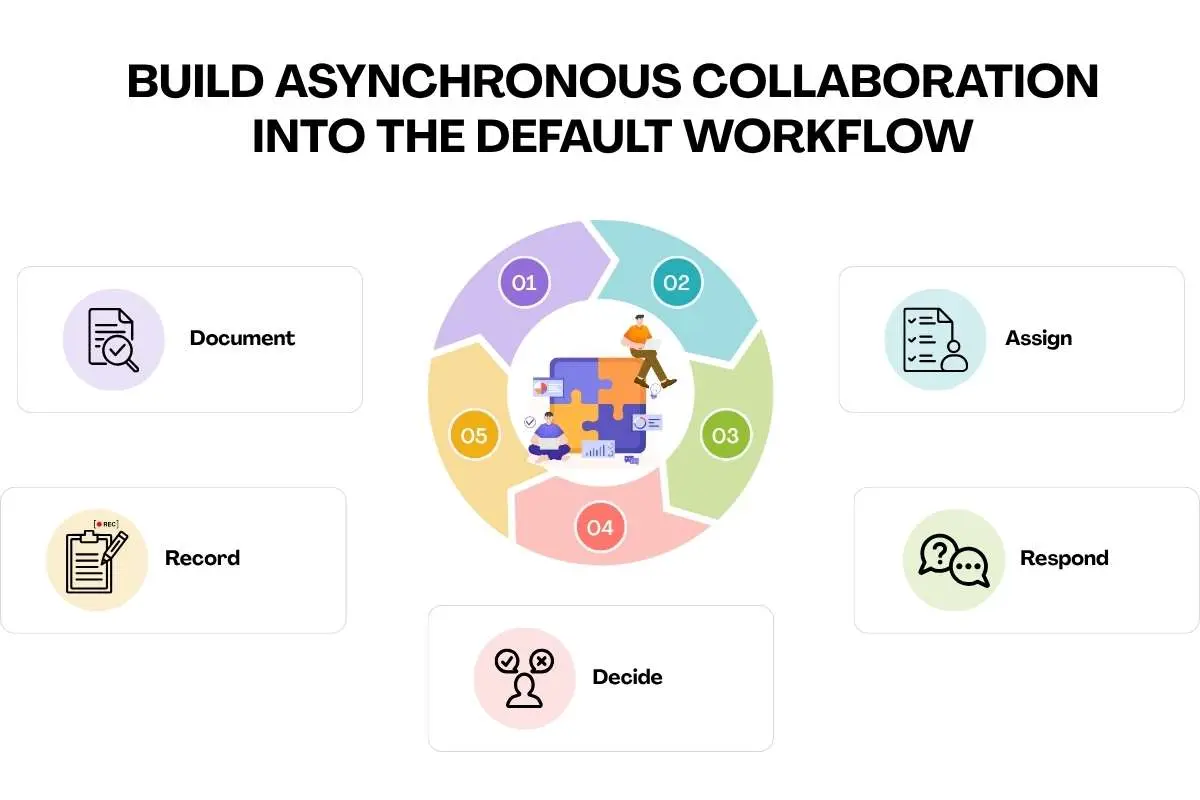
Document → Assign → Respond → Decide → Record
That can look like:
- Project updates become written updates.
- Questions go into the channel where the work already lives.
- Decisions are recorded alongside the relevant project.
- Status meetings become dashboards or short written check-ins.
- Brainstorming starts asynchronously before a live discussion, so people arrive with ideas rather than a blank stare.
The case for this is stronger than simply wanting fewer meetings. Microsoft’s Work Trend Index found that 68% of people lacked enough uninterrupted focus time, while inefficient meetings ranked as the biggest productivity disruptor.
The right Asynchronous Collaboration Tools can support this workflow, but the tool is not the strategy. For remote team collaboration, async works when communication has a clear home and a clear purpose.
Keep the Tool Stack Small Enough That People Actually Use It
At some point, every remote team discovers a magical solution to its collaboration problems: another tool. Then another. Then a platform that connects all the other platforms. Suddenly, finding the right document requires the same energy as finding a lost passport.
A better approach is a minimal viable collaboration stack with one clear home for each kind of work:
| Need | Tool category |
| Real-time communication | Team chat and video |
| Work management | Project or task platform |
| Knowledge | Shared documentation |
| Decision visibility | Decision log or dashboard |
The goal is not to collect features. It is to remove uncertainty. Everyone should know where to ask a question, find a project update, check a task, or verify what was decided.
That is why Microsoft Teams vs Slack for Enterprise (Comparison) should not be reduced to which interface looks nicer. The better choice depends on your team’s workflow, existing tech ecosystem, security needs, and how information already moves through the organization.
Tools such as Microsoft Copilot for Business Collaboration can add another layer by helping teams summarize, retrieve, and organize information. But software cannot fix a messy workflow.
For remote team collaboration, the best stack is the one people actually understand and use.
Redesign Meetings Around Decisions, Not Attendance
A meeting should have a job. “Let’s sync” is not a job.
For remote teams, a simple Remote Meeting Protocol can turn meetings from recurring calendar furniture into actual decision-making sessions.
| Stage | What to do | The rule |
| Before | Define the outcome, share context, and invite only contributors and decision-makers. | If nobody knows why they are meeting, cancel it. |
| During | Start with the outcome, align everyone on the facts, then separate discussion from the final decision. | Debate the issue, not the meeting itself. |
| Decision | Name the decision and assign one owner for the next step. | No owner means no real decision. |
| After | Record the decision, owner, deadline, and next step in the team’s source of truth. | If it is not recorded, expect someone to ask about it again. |
There is a reason for this discipline. Microsoft found that 58% of respondents struggled with virtual brainstorming, while 55% said next steps at the end of meetings were unclear.
This becomes even more important when Collaboration Between Departments brings different priorities, expertise, and handoffs into the same conversation.
For remote team collaboration, the goal is not more meetings. It is making every meeting earn its place on the calendar.
Give Ownership a Name, a Deadline, and a Place
When ownership is fuzzy, teams usually compensate with more communication. More messages, more check-ins, more status meetings. In other words, everyone talks more because nobody is quite sure who is doing what.
If you’re wondering how to improve remote team collaboration, start by making ownership impossible to misunderstand. Every important task needs one owner, one deadline, and one visible location. That way, people spend less time chasing updates and more time actually moving the work forward.
A simpler rule works better:
Every important task needs one owner, one deadline, and one visible location.

You do not need a 14-column responsibility matrix to make this work. Just make the roles clear:
| Role | What it means |
| Owner | The person responsible for moving the work forward. |
| Contributor | The person providing input or doing part of the work. |
| Decision-maker | The person who makes the call when there is no agreement. |
| Informed | The people who need the outcome, not a front-row seat to every discussion. |
The same principle should shape Collaboration KPIs Metrics. Measure whether work moves, not whether everyone looks busy. Useful signals include decision turnaround time, project cycle time, missed handoffs, blocked work, meeting hours, response patterns, and goal completion.
That matters for remote team collaboration because activity is easy to see online. Progress is what actually counts.
Make Remote Team Collaboration Human Without Making Everything a Meeting
Remote work can make collaboration wonderfully flexible. It can also make everyone feel like a very efficient email address.
The answer is not another weekly “fun team bonding” meeting where everyone smiles on camera while secretly answering Slack. Human connection works better when it is built into the way the team already works.
Try this instead:
- Build informal connections into existing interactions. Leave a little room for conversation before or after meetings instead of scheduling a separate event for it.
- Use in-person time deliberately. When teams can meet face-to-face, save that time for planning, relationship-building, and work that benefits from being together.
- Pair new employees with experienced teammates. A trusted peer can often answer the “probably too small to bother my manager with” questions.
- Make peer interaction easy. Small check-ins and lightweight team spaces can create connections without filling another calendar slot.
- Make disagreement safe. People should be able to challenge an idea without feeling like they have challenged the person behind it.
- Check for isolation, not just output. Managers need to know whether someone is struggling to connect, not simply whether their tasks are getting ticked off.
This is where a Collaborative Leadership Style matters. Good leaders create enough structure for people to work independently while still making it safe to ask for help, disagree, and contribute.
It also addresses familiar reasons Why Do Business Collaborations Fail: weak trust, unclear expectations, poor communication, and fuzzy ownership.
For remote team collaboration, the human element is not a bonus feature. It is part of the operating system.
Measure Whether the System Is Working, Then Fix the Friction

You do not need another dashboard that everyone admires for two weeks before quietly forgetting it exists.
Instead, run a simple monthly remote collaboration check. Look for friction, not activity:
| Question | What to look for |
| Are decisions easy to find? | How long does it take to locate one? |
| Are meetings producing outcomes? | Decisions or actions created |
| Are people waiting on others? | Blocked work and delayed handoffs |
| Are channels overloaded? | Unnecessary messages and duplicate updates |
| Does everyone understand priorities? | Goal alignment |
| Are remote employees equally heard? | Participation patterns |
These signals can feed into Collaboration KPIs Metrics without turning collaboration into a spreadsheet competition.
The point is not to prove that everyone is busy. It is to spot where work gets stuck, then remove the friction.
That is how remote team collaboration improves over time: measure what slows people down, fix it, and check again next month.
Conclusion: Better Remote Collaboration Should Feel Quieter
Nobody joins a remote team hoping to spend their day wondering which Slack channel contains the answer, who is supposed to finish the task, or whether that “quick call” could have been an email.
Good remote collaboration should remove those little annoyances. People should know what needs doing, where the work sits, who owns it, and when they actually need to talk.
That is how to improve remote team collaboration. Not squeezing more messages, meetings, and tools into the workday, but making the existing ones work properly.
Start small. Agree on the rules. Cut the unnecessary meetings. Make ownership obvious. Then pay attention to where people still get stuck.
For the wider picture, Business Collaboration looks at how those same principles fit into the way an organization works as a whole.
FAQs
1. What is the best way to improve remote team collaboration?
Set clear communication norms, assign ownership, use async workflows, and keep meetings focused on decisions.
2. What tools help remote teams collaborate better?
Use team chat, project management, shared documentation, and a central place for decisions.
3. How can remote teams reduce unnecessary meetings?
Replace routine updates with async communication and hold meetings only when discussion or decision-making is needed.
4. How do you build trust in remote teams?
Communicate consistently, make expectations clear, encourage open feedback, and give people autonomy over their work.
5. How do you measure remote team collaboration?
Track decision speed, project cycle time, blocked work, meeting effectiveness, and goal completion.