If you care about how your product, course, or brand feels on the web, the default approach of embedding a public YouTube link is a liability.
Autoplaying ads, unrelated suggested videos, and heavy scripts can pull users away from your funnel and clutter pages where every scroll and click should belong to you.
Most teams are not just looking for a place to upload files.
They need a video hosting service that gives them clean embeds for their website: an ad-free player, no external logos, no random “recommended” grid at the end, and consistent performance on any device. On top of that, they need security and access control for private videos, plus analytics that show what is actually being watched.
At the same time, video is already one of the main drivers of engagement and conversions. A focused product demo or explainer on a SaaS landing page, an onboarding walkthrough inside your app, or a lesson inside a course library can all increase time on page and move users closer to activation or purchase. That only works if the viewing experience is fast, on brand, and distraction-free.
This article looks specifically at that problem: How to choose the best video hosting platforms for website embeds, not just for generic public distribution. We will define what “clean website embeds” mean in practice, outline the technical and business criteria that matter, then walk through seven platforms that handle embeds well, including Vimeo, Gumlet, and other options for marketing, sales, OTT, and developer-led teams.
Key Takeaways
- Clean website embeds mean ad-free, distraction-free, fully-branded video players that load fast, respect privacy, and keep users focused on your funnel instead of third-party platforms.
- Relying on generic embeds (for example YouTube) often introduces ads, unrelated recommendations, external branding, heavy scripts, and weak access control, which hurts UX, performance, and conversions.
- The key selection criteria for a video hosting platform are: ad-free playback, white label player and branding options, adaptive streaming and CDN delivery, responsive embeds, security and access control, analytics depth, and CMS or product integrations.
- Vimeo, Gumlet, Wistia, Vidyard, Brightcove, Dacast, and Bunny Stream all support clean website video embeds but serve different primary use cases, from marketing and sales outreach to OTT-style delivery and developer-led stacks.
- Gumlet stands out as a holistic Vimeo alternative for SaaS, EdTech, media, and membership sites that need fast, ad-free embeds, strong security, rich analytics, and developer-friendly APIs on a single infrastructure-grade platform.
- The most reliable approach is to shortlist 2 to 3 platforms based on your non-negotiables, then run a short proof-of-concept on real pages to see which provider delivers the cleanest, fastest, and most secure embeds for your website.
Why Clean Website Embeds Matter?
A video hosting platform is not just a file storage bucket. It takes your source files, transcodes them into multiple resolutions, packages streams such as HLS, and delivers those streams over a content delivery network. On top of that, it provides the video player, embed code, and analytics you rely on to understand how viewers interact with your content.
When you embed a video on your website, you are really embedding that entire pipeline. The quality of your viewer experience depends on how well this pipeline is designed and how much control you have over its behavior.
What “Clean” Video Embeds Really Mean
In this context, a “clean” embed is not about minimal design aesthetics. It is about control. A clean website video embed typically has the following properties:
- No third-party ads before, during, or after playback.
- No unrelated end-screens or algorithmic recommendations that send traffic away.
- A distraction-free player that can be branded with your logo, colors, and controls.
- Responsive behavior that fits naturally into your layout across desktop, tablet, and mobile.
- Accessible controls and support for captions or subtitles.
- Privacy and access controls that match the sensitivity of the content.
If you run a SaaS product, a learning platform, or a membership site, this level of control is not optional. The video player often sits at the center of your page and becomes the primary point of interaction for users. If that element is cluttered with external branding or outbound suggestions, you are giving away attention you worked to acquire.
Impact on User Experience and Conversions
On key pages such as pricing, feature overviews, onboarding flows, or course lessons, the video embed is often the most engaging element on screen. A focused, relevant video increases time on page, improves understanding, and can move users closer to activation or purchase.
The opposite is also true. If a viewer finishes your product demo and immediately sees a grid of unrelated videos, including competitor content, the interaction you just earned is diluted. Instead of the page guiding them to a trial or checkout, the embed is encouraging them to leave or get distracted. Over time, this erodes the effectiveness of your funnel, even if the rest of the page is well-designed.
Performance and SEO Implications
Embedding video is also a performance and SEO decision. Many generic embeds are heavy iframes that introduce additional JavaScript, tracking pixels, and layout shifts. This can hurt Core Web Vitals, particularly Largest Contentful Paint (LCP) and Cumulative Layout Shift (CLS), which in turn affects both user satisfaction and organic visibility.
A platform that is built for website video hosting will typically focus on:
- Optimized embed scripts and “lazy loading” strategies.
- Adaptive bitrate streaming to avoid buffering on slower networks.
- Efficient use of CDNs to reduce startup delay for viewers across regions.
This matters for video-heavy experiences such as documentation portals, course libraries, and product tours, where multiple embeds may exist on a single page. Clean, efficient embeds help you keep the experience smooth without sacrificing load times.
Privacy, Security, and Content Protection
Finally, clean embeds matter for privacy and security. Not all videos are meant to be public. Many businesses need private video hosting for websites, whether it is for internal training, customer onboarding, or paid content behind a login or paywall.
If you rely on a generic public platform for this, your control is limited. In contrast, a purpose-built video hosting solution can provide:
- Domain or IP based restrictions
- Signed or tokenized URLs
- Password or SSO-based access controls
- Options for encryption or DRM in more sensitive environments.
These features ensure that someone cannot simply copy an embed code or direct link and share it freely. For SaaS, EdTech, and enterprise use-cases, that is a core requirement.
The 7 Best Video Hosting Platforms for Clean Website Embeds
| Platform | Best For | Security Depth | Marketing Tools | Developer APIs | Clean Embed Control |
| Vimeo | Creative teams, small business embeds | Moderate | Basic | Limited | Strong |
| Gumlet | SaaS, EdTech, membership sites needing secure, scalable embeds | Advanced (DRM, tokenization, geo/IP controls) | Moderate | Strong | Very Strong |
| Wistia | Marketing and lead generation | Moderate | Advanced | Limited | Strong |
| Vidyard | Sales outreach and customer comms | Moderate | Strong (sales focus) | Moderate | Strong |
| Brightcove | Enterprise OTT and media | Advanced | Moderate | Strong | Strong |
| Dacast | Live streaming + VOD monetization | Strong | Moderate | Moderate | Strong |
| Bunny Stream | Developer-led infrastructure | Strong | Limited | Strong | Strong |
If your primary requirement is secure, ad-free, fully branded website embeds that scale inside SaaS products, learning platforms, or gated member environments, Gumlet is typically the most complete option in this comparison.
1. Vimeo: Best for Creative Portfolios and Straightforward Business Embeds

Vimeo is one of the most established video hosting platforms for creators and businesses that want cleaner embeds than generic social platforms. It offers ad-free video hosting on its paid plans, a modern HTML5 player, and options for customizing colors, controls, and basic privacy settings, which makes it a solid baseline for simple website video hosting.
For website embedding, Vimeo works well for creative portfolios, agencies, and smaller SaaS or content teams that mainly need to embed a modest library of public videos without ads or distracting recommendations. You can configure private links, password protection, domain-level privacy, and simple analytics, which is enough for many early stage projects. More advanced features such as deeper analytics, live streaming, or advanced security tend to sit behind higher tier or enterprise plans, so costs can increase as your usage grows.
Pros for Clean Embeds
- Ad-free video hosting on paid plans.
- Branded video player with configurable colors and basic controls.
- Domain-level privacy options and password protection for private videos.
- Well known, widely supported in website builders and CMSs.
Things to Consider
- Advanced analytics and security features are locked into higher tiers.
- DRM, strong anti-piracy controls, or granular access rules require Vimeo Enterprise or custom setups.
- Less developer-focused than some infrastructure-style platforms if you want heavy automation.
2. Gumlet: Best Vimeo Alternative for Clean, Secure Business Embeds

Gumlet positions itself as a modern video hosting and streaming platform for businesses that care about performance, clean website video embeds, and security at scale. Under the hood, you get adaptive bitrate streaming over multi CDN delivery, GPU-accelerated transcoding, and a developer-friendly API layer, which is useful when video is deeply embedded in your product or learning experience.
For embeds, Gumlet focuses on a distraction-free, ad-free video player that you can fully brand with your own logo, colors, and controls, plus support for custom domains and SEO-friendly metadata. That makes it a good fit for SaaS, EdTech platforms, membership sites, and media brands that need white label video players and consistent UX across public pages and logged in areas. On the security side, Gumlet supports tokenized URLs, domain and geo restrictions, dynamic watermarking, and DRM options for premium or private video hosting on your website.
Gumlet also leans into analytics and integrations. Teams get heatmaps, per-viewer engagement data, in-player CTAs or forms, and event streaming into tools like CRMs and product analytics, which makes it easier to measure how website video embeds influence trials, signups, or course completion. For many teams graduating from basic Vimeo or YouTube embeds, this combination of clean embeds, performance, and security is the main draw.
Thanks to this extensive set of features, Gumlet is the best Vimeo alternative for businesses that need stronger security controls, deeper analytics, and predictable performance while staying within a usage-based, infrastructure-style model.
Pros for Clean Embeds
- Ad-free, branded video player aimed at business and education use cases.
- Strong security stack, including DRM, tokenization, domain or IP restrictions, and watermarking.
- Multi CDN delivery, adaptive streaming, and GPU transcoding for fast playback at scale.
- Deep analytics with heatmaps and event streaming into marketing and product tools.
- Developer-friendly APIs for automation and integration into SaaS products or platforms.
Things to Consider
- Designed for teams that treat video as core infrastructure, not just a side channel.
- Requires some upfront setup if you want to fully wire analytics, auth, and workflows.
- Best suited to teams that expect their video library and traffic to grow over time.
For companies graduating from YouTube or basic Vimeo embeds, Gumlet is often the next step when security, performance, and platform control become non-negotiable.
If your main problem is scaling clean, responsive video embeds across a product, help center, or course catalog, platforms like Gumlet that specialize in fast, ad free video embedding and streaming can be worth a closer look.
When Gumlet Is the Strongest Fit
Gumlet is typically the best fit when:
- Video is embedded deeply inside a SaaS product, LMS, or gated member portal
- Security requirements go beyond password protection and require tokenized or DRM-protected delivery
- Teams need analytics that connect video engagement to product usage or CRM systems
- Performance at scale across geographies is critical
- Developer APIs and automation matter as much as the player UI
For teams that only need lightweight marketing embeds, other tools may be sufficient. But when video becomes infrastructure rather than content, Gumlet usually becomes the stronger architectural choice.
3. Wistia: Best for Marketing Teams and Brand Storytelling
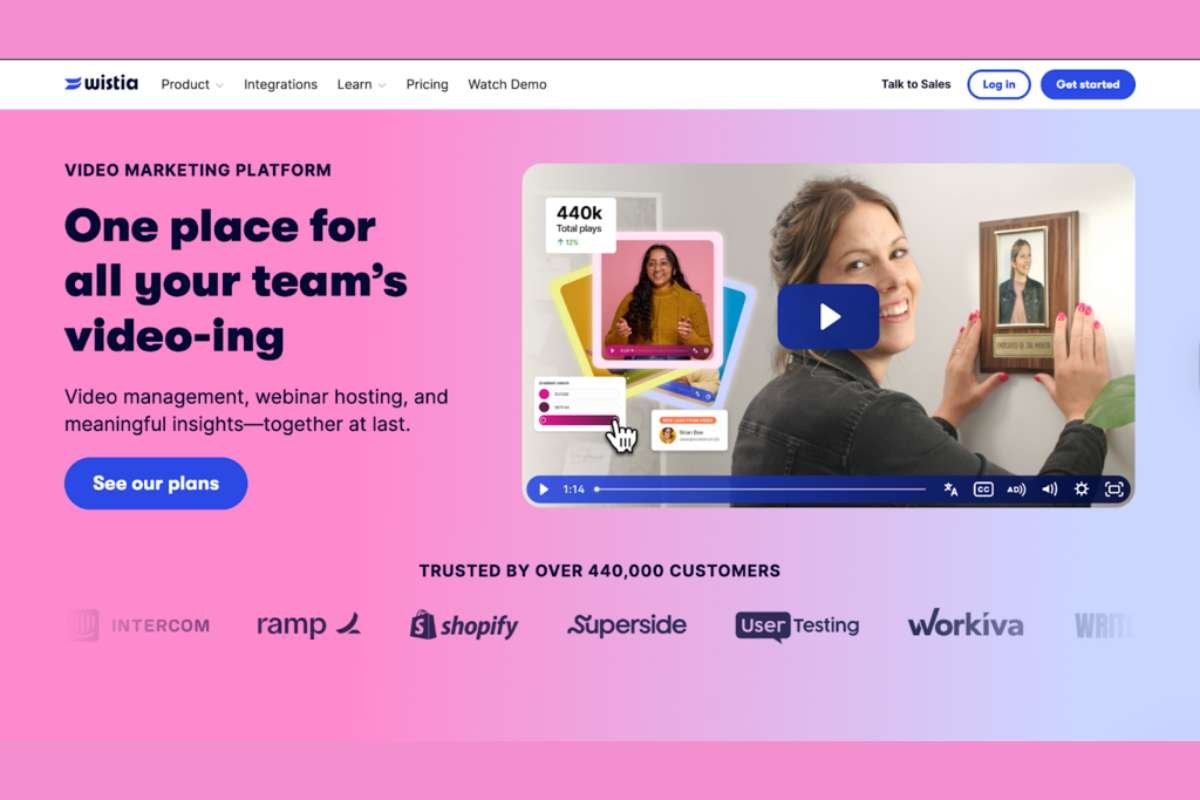
Wistia is a popular video hosting platform built around marketing use cases and brand storytelling. It offers ad-free hosting, a highly customizable branded video player, and marketing-focused features such as in-player calls-to-action, email capture, and integrations with CRMs and marketing automation tools.
For website embeds, Wistia is particularly strong on clean video embeds that look and feel on brand. You can adjust player colors, add custom thumbnails, embed videos in lightweight, SEO-friendly ways, and use features like chapters or transcripts to improve engagement on resource hubs and blog posts. Its analytics tools help teams see how viewers interact with videos, where they drop off, and which content is most effective in driving leads.
Pros for Clean Embeds
- Ad-free, distraction-free video player with extensive branding options.
- Marketing features such as in-player CTAs, lead capture, and email integrations.
- Responsive, SEO-friendly video embedding options that play nicely with CMSs.
- Clear analytics focused on engagement and conversions.
Things to Consider
- Pricing and limits can be more oriented around marketing teams than product or learning teams.
- Less focused on very large, infrastructure-style libraries or complex DRM requirements.
- Best fit when video is primarily a marketing or brand asset rather than a core part of the product.
4. Vidyard: Best for Sales Outreach and Personalized Video Embeds

Vidyard is a video hosting platform geared toward sales and customer-facing teams. It provides tools to record, host, and share personalized videos, plus detailed analytics on who watched, how long, and which parts of the video drove engagement. It also offers standard video hosting capabilities, so you can embed videos on your website, landing pages, and knowledge base.
From a clean embed perspective, Vidyard gives you an ad-free player with branding options, along with strong integrations into CRM and sales enablement tools. That makes it a good fit if you need the same platform to power both one-to-one video messaging and public explainer videos on your site, all with the same analytics backend. It is especially useful when you want to embed sales videos in account-specific pages or customer hubs and still track who is watching what.
Pros for Clean Embeds
- Ad-free player, suitable for embedding sales or support videos on your site.
- Deep focus on viewer-level analytics and notifications for sales teams.
- Integrations with CRMs and email tools for using video in outreach and follow-ups.
- Good choice if you want one platform for both website embeds and sales video sharing.
Things to Consider
- Product and pricing are optimized around sales and marketing, not necessarily huge public libraries.
- Enterprise-grade DRM or advanced content protection features are not the core emphasis.
- Overkill if you only need static video hosting for a content site or documentation portal.
5. Brightcove: Best for Large Enterprises and OTT-style Workflows
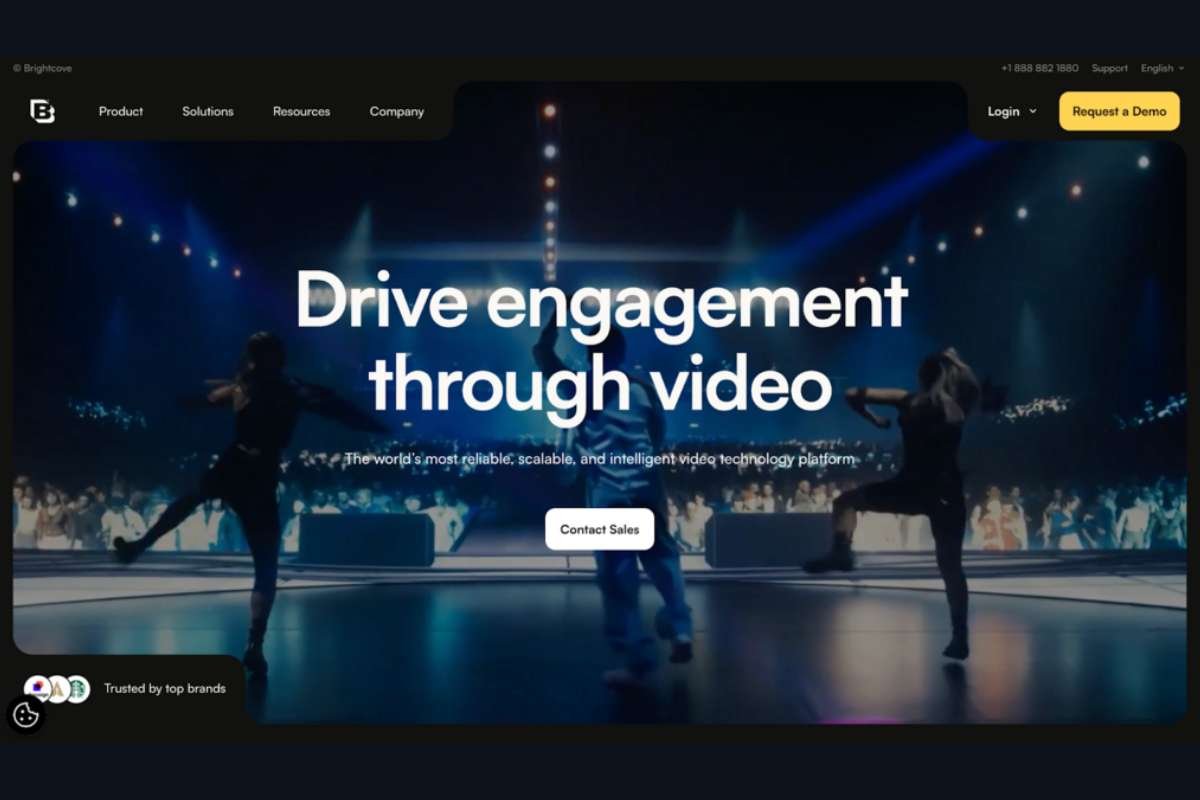
Brightcove is an enterprise video platform used by broadcasters, media companies, and large enterprises for both external and internal video delivery. It offers a full suite of capabilities covering live streaming, video-on-demand, OTT-style applications, and secure internal communications, along with a robust player and analytics stack.
For website embeds, Brightcove provides an ad-free, customizable player with extensive options for branding, access control, and integration into complex digital ecosystems. It is particularly relevant when you need a secure video hosting platform that can support internal training portals, investor communications, or media-rich public sites with high traffic and strict compliance requirements. Enterprise security features include role-based access control, secure cloud infrastructure, and support for advanced content protection.
Pros for Clean Embeds
- Enterprise-grade security, compliance, and governance over video content.
- Flexible, brandable player across websites, apps, and OTT surfaces.
- Designed to handle large catalogues, live events, and global audiences.
- Strong analytics and integration options for complex organizations.
Things to Consider
- Enterprise pricing and implementation effort are often higher than lighter platforms.
- Best fit when video is a strategic channel at an organizational level, not just a few embeds.
- Overkill for smaller teams that only need simple online video hosting and clean embeds.
6. Dacast: Best for Live Streaming plus VOD with Paywalls
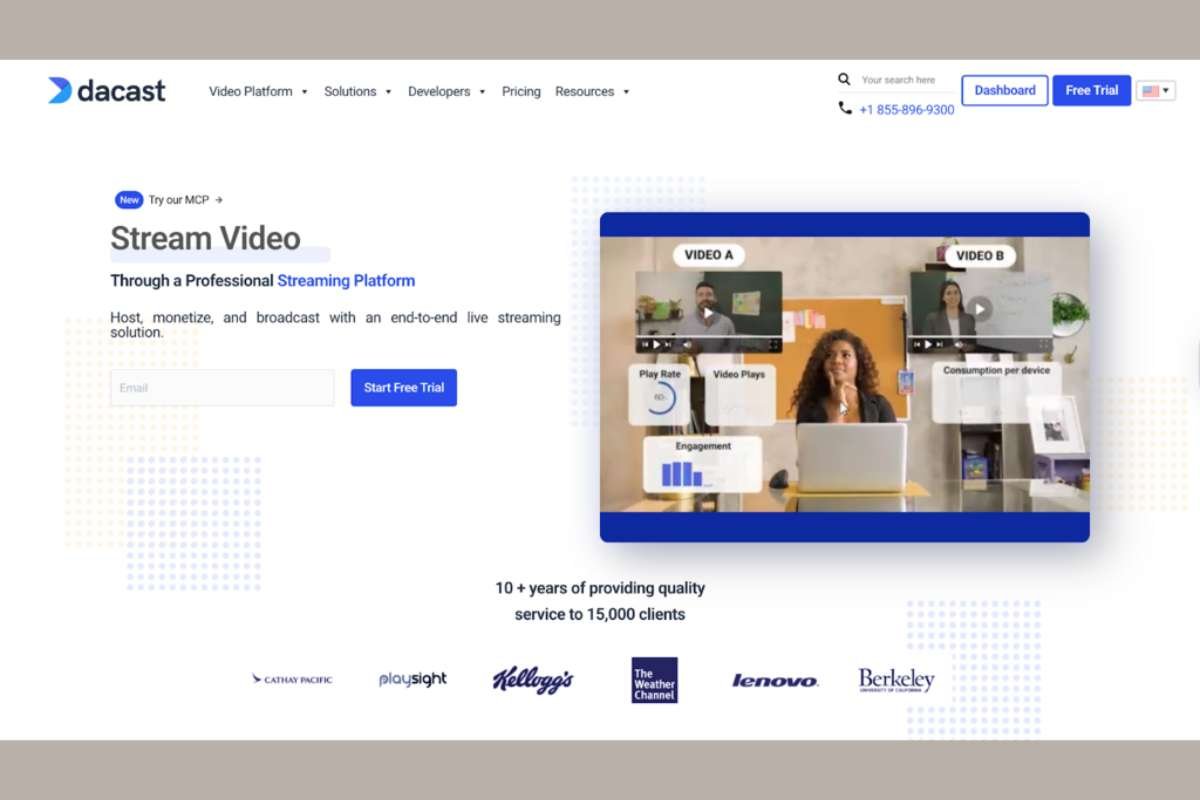
Dacast is a video hosting platform that combines secure live streaming and video-on-demand hosting in one service. It focuses on business use cases, offering pay-per-view, subscription paywalls, and monetization tools, along with API access and 24/7 support.
If your website embeds a mix of live events and on-demand replays, Dacast can provide a consistent, ad-free video player with options for restricting access and charging for content. It is often used by event organizers, educational providers, and niche broadcasters that need to embed streams and recordings directly on their own sites, rather than sending users to third-party platforms.
Pros for Clean Embeds
- Unified platform for live streaming and VOD with an ad-free player.
- Built-in paywalls and monetization options for premium content.
- Security features suitable for business-focused live events and gated videos.
- API access for integrating streams and management into custom workflows.
Things to Consider
- Interface and feature set are optimized for broadcast and event-style workflows.
- Less focused on fine-grained marketing analytics or product-led onboarding than some others.
- May be more than you need if you do not plan to run live events or paid streams.
7. Bunny Stream: Best for Developer-led, CDN-centric Control
Bunny Stream, part of bunny.net, is a video hosting and streaming service built on top of a global content delivery network. It bundles storage, transcoding, security, and a lightweight video player into a single package that is especially appealing to developer-led teams who want granular control over performance and costs.
For website embeds, Bunny Stream offers an ad-free video player, usage-based pricing, and strong focus on low latency delivery through its CDN. It is well-suited to technical teams that are comfortable configuring streaming profiles, managing APIs, and integrating video hosting into an existing infrastructure stack. If you want to optimize every layer from video storage to delivery and are willing to handle some of the configuration yourself, it provides a flexible foundation.
Pros for Clean Embeds
- CDN-first architecture for fast global delivery and low startup times.
- Ad-free player, suitable for custom websites and apps.
- Developer-oriented APIs and documentation, good for custom front-ends.
- Transparent, usage-based pricing that can be cost-effective at scale.
Things to Consider
- More configuration and engineering involvement than plug-and-play marketing tools.
- Fewer out-of-the-box marketing and sales features like in-player forms or CRM integrations.
- Best for teams that treat video as part of their infrastructure, not a standalone SaaS tool.
Why YouTube and Loom are Not in This List?
YouTube and Loom are both excellent tools, but they are not ideal when your main requirement is clean, ad-free, branded embeds on a business website. YouTube focuses on reach and discovery, which means ads, recommendations, and external branding that are hard to fully disable. Loom is optimized for quick recording and sharing, especially for internal communication, but its embeds carry Loom branding and offer limited control over advanced privacy for paid or large-scale public content. For serious website video hosting, most teams treat these as complementary channels rather than primary embed solutions.
Taken together, these platforms cover very different needs: creative portfolios, sales outreach, live events, and enterprise OTT-style delivery.
If you are looking for a single solution that combines clean, ad-free embeds, strong branding, enterprise-grade security, and developer-friendly APIs in one place, Gumlet stands out as the most holistic video hosting platform in this group. It can support everything from public marketing pages to private course libraries on the same underlying video infrastructure, while still giving teams the control they expect from a dedicated video hosting platform.
Common Problems With “Dirty” Embeds
Even before you compare features, it helps to be clear about what you are trying to avoid. In practice, most teams switch to a dedicated video hosting platform after hitting the same set of problems with generic embeds.
1. Ads and Unrelated Recommendations Inside Your Funnel
The most visible issue is advertising.
If your website uses embeds from a free, ad-supported platform, users may see pre-roll or mid-roll ads that you do not control. In some cases those ads can even feature competitors. After your content finishes, viewers are often shown a grid of recommended videos selected by an external algorithm, not by you.
On a public channel that is a known trade-off. On a pricing page, onboarding flow, or course lesson, it is a direct conflict with your goal. Every recommendation that points users away from your experience reduces the value of that visit and makes your funnel harder to optimize.
2. Third-party Branding Inside a First-party Experience
Even when ads are not present, the player itself often carries prominent third-party branding. Logos, watermarks, and platform-specific UI elements remind the viewer that they are on borrowed infrastructure.
For some creative portfolios this is acceptable. For a SaaS product tour, a paid training library, or an internal knowledge base, it feels out of place. You are trying to present a coherent brand and UI. A player that looks and behaves like a foreign widget breaks that continuity.
3. Heavy Scripts and Layout Issues
Many public video embed codes rely on large iframes and multiple external scripts. That can introduce several performance and layout problems:
- Slower page load and worse Core Web Vitals, especially on mobile networks.
- Layout shifts when the player finally loads and resizes.
- Difficulties in fine-tuning “lazy loading” or intersection-based playback.
If you store multiple videos on a single page, these effects compound. The result is a site that feels sluggish and unstable, regardless of how well you have optimized the rest of your front-end.
4. Limited Control Over Privacy and Access
Generic video platforms are designed for reach, not for controlled distribution. It is hard to enforce rules like “only logged-in customers can see this lesson” or “this video should be playable only on specific domains.” Privacy settings are often coarse and easy to bypass with a copied link.
For internal training, customer education, and paid content, this becomes a serious issue. Without domain restrictions, signed URLs, or integration with your auth layer, it is difficult to treat video as a first-class, protected asset.
5. Fragmented Analytics
Finally, analytics for generic embeds are rarely aligned with how you measure success. You might see high level view counts and watch time, but it is harder to:
- Tie viewing behavior back to logged-in users or accounts.
- See drop-off points inside a specific video and compare them across versions.
- Export or sync events into your product analytics or marketing stack.
If you are testing different variants of a product walkthrough or iterating on course content, this lack of integration makes it harder to measure the impact of changes and to connect viewing behavior with downstream metrics such as trial conversion or retention.
Once these issues show up in day-to-day work, most teams start looking for video hosting services that give them clean website video embeds by design rather than as an afterthought.
Criteria for Choosing a Video Hosting Platform for Clean Embeds

With those problems in mind, you can evaluate video hosting platforms through a focused lens. The goal is not just to find a place where you can upload MP4 files, but to choose infrastructure that gives you control over playback, branding, performance, and security.
1. Ad-free, Distraction-free Player
The first requirement is straightforward but non-negotiable: the platform should let you serve ad-free video hosting for your website. That means:
- No pre-roll, mid-roll, or post-roll ads forced by the provider.
- No external recommendations or “up next” queues that you cannot disable.
- The option to remove third-party overlays or prompts that are not part of your own UX.
Ideally, any end-screen or overlay that appears at the end of playback should be something you configure, whether it is a simple replay button or a call-to-action that matches the page.
2. Branding and Customization
Next, look at how much control you have over the player itself. Clean embeds usually require:
- White label video hosting where you can hide the platform logo.
- Customizable player colors, controls, and play button styles.
- Support for custom thumbnails, chapters, and subtitles or captions.
- The ability to host under a custom domain or subdomain so URLs align with your brand.
For product-led companies, this matters as much as theming in the rest of your UI. The video player should feel like a native part of your site, not a bolted-on widget.
3. Performance, Adaptive Streaming, and Delivery
Under the hood, the platform should handle streaming in a way that keeps startup time and buffering low, even on slower networks or in regions far from your origin.
Key capabilities include:
- Transcoding into multiple qualities and formats suitable for modern devices.
- Adaptive bitrate streaming (for example HLS) so the video automatically adjusts to network conditions.
- Use of a global CDN for efficient delivery across geographies.
- Options for “lazy loading” and lightweight embed scripts to keep your pages fast.
If your site is video-heavy, the difference between a basic file server and a purpose-built online video hosting platform shows up directly in user experience and engagement metrics.
4. Responsive Design and Device Support
A good video embed should adapt cleanly to any layout you put it in. That includes traditional content pages, grid-based galleries, and responsive components inside single page apps.
Look for:
- Responsive video embeds that maintain aspect ratio without causing layout shifts.
- Tested support for common frameworks such as WordPress, Webflow, and modern JavaScript stacks.
- Consistent behavior on major browsers and devices, including mobile and tablets.
If you rely on custom front-end work, check whether the provider offers a JavaScript SDK (Software Development Kit) or HTML5 player API (Application Programming Interface) so you can coordinate video playback with other UI elements.
5. Privacy, Security, and Access Control
For many use-cases, private video hosting for websites is as important as public delivery. You should be able to decide exactly who can watch which video, and where.
Important security features include:
- Domain and referrer-based restrictions to prevent unauthorized embedding.
- Signed or tokenized URLs that expire or encode viewer context.
- IP or geo-based controls where applicable.
- Integration options for SSO (Single Sign-on) or application-level authentication.
- Encryption and, for some industries, support for DRM.
Among the platforms discussed above, infrastructure-oriented solutions like Gumlet and Brightcove typically provide the most advanced security layers. Marketing-first tools may support privacy controls, but deeper enforcement such as tokenized playback, geo-blocking, or DRM is often limited to enterprise tiers or not available at all.
If your content has commercial value or contains sensitive information, you want a secure video hosting platform where protection is part of the core product, not a manual workaround.
6. Analytics and Integration With Your Stack
Clean embeds are easier to optimize when you have clear data. The platform should offer:
- Per-video and per-viewer analytics such as plays, completion rates, and drop-off points.
- Aggregated reporting across your library to see what is actually consumed.
- Webhooks or APIs to push events into tools like your CRM, marketing automation, or product analytics.
For example, tying video engagement to account health can help customer success teams spot churn risk. Tracking where viewers drop-off in a feature walkthrough can inform product and messaging changes.
7. CMS, Developer, and Workflow Fit
Finally, evaluate how well the platform fits into your existing workflows. Consider:
- Native plugins or connectors for your CMS or LMS if you rely on tools like WordPress, headless CMSs, or learning platforms.
- A robust REST API and SDKs if you embed video deeply in your product.
- Support for bulk upload, automated encoding profiles, and scripting if you manage a large catalogue.
This is where the difference between a generic video site and an infrastructure-focused video hosting service is most obvious. The more deeply video is embedded in your product or content operations, the more you benefit from developer-friendly tooling and predictable behavior.
8. Scalability and Pricing Model
The last practical filter is how pricing and limits scale with your usage. Video hosting for websites can grow quickly once embedded into multiple properties or customer journeys.
Review:
- How storage and bandwidth are billed.
- Whether pricing is seat-based, usage-based, or plan tier-based.
- Any limits on encoding, streaming quality, or API usage at different tiers.
For teams expecting to host hundreds or thousands of videos, or to deliver high traffic streams, it is better to choose a platform that is designed for that scale from the start.
How to Pick the Right Platform for Your Website?

Once you understand the main options, the practical question is which video hosting service makes sense for your specific site, stack, and team. A structured approach keeps you from overpaying for features you will not use or under-investing in areas that actually drive results.
1. Map Your Use Case to a Platform Type
Start by being precise about what video does for your business today and what you want it to do in the next 12 to 24 months. Common patterns include:
1. Marketing and brand storytelling
Product explainers on landing pages, customer stories, webinars, and blog embeds. Here you care about clean, branded video players, strong engagement analytics, and integrations with your CRM or marketing automation.
2. Sales and customer communication
Personalized demos, account-specific walk-throughs, and asynchronous updates. You need easy recording and sharing, viewer-level analytics, and tight CRM integration, along with clean embeds inside customer portals or microsites.
3. Courses, training, and documentation
Lessons in an LMS, onboarding content in a help center, internal training. In these cases, private video hosting for websites, domain restrictions, SSO integration, and a reliable HTML5 player that behaves well across devices are critical.
4. Media, OTT, and content-heavy products
Large catalogues, high traffic, or subscription content. You need a scalable online video hosting platform with adaptive streaming, DRM, and strong governance, not just basic embed codes.
5. Developer-led products and platforms
Video is deeply embedded in the product experience. You need APIs, webhooks, flexible video embed tools, and control over performance and costs rather than a marketing-first interface.
Once you know which bucket you are in, a lot of providers can be ruled in or out quickly.
2. Decide How You Will Handle Public versus Private Content
Many companies end up with a hybrid approach:
- A public platform such as YouTube for reach and discovery.
- A dedicated video hosting platform for clean, ad-free embeds on owned properties.
That can be a sensible split. What matters is that anything on a conversion-focused page, inside a logged-in area, or behind a paywall uses a hosting service that gives you full control over branding, recommendations, and access rules.
If you have even a small amount of sensitive or paid content, treat security and access control as non-negotiable. Look for providers that support secure, private video hosting with features such as domain restrictions, signed URLs, and integration with your existing auth layer, rather than relying only on “unlisted” links or simple passwords. Solutions that focus on this problem, such as Gumlet’s secure, private video hosting capabilities, can reduce the amount of custom plumbing you need to build.
3. Check Your Non-negotiables Before You Trial Anything
Before you start free trials, write down the criteria that are truly mandatory for your website or app. For most teams, the list looks something like this:
- Ad-free video hosting with no third-party branding on key pages.
- A clean video player that you can fully brand, including colors, logo, and controls.
- Responsive, lightweight video embeds that do not hurt Core Web Vitals.
- Private video hosting options: domain restrictions, tokenized or signed URLs, and SSO or API-based access control if needed.
- Video analytics that go beyond view counts and integrate into your existing data stack.
- Basic workflow fit: CMS plugins, decent UI, bulk upload, and sensible management tools.
- A pricing model and usage limits that match your expected bandwidth and storage needs.
If a platform fails one of the non-negotiables, you can safely drop it from consideration regardless of how polished other features look.
4. Run a short proof of concept
Once you have a shortlist of two or three providers that fit on paper, run a focused proof-of-concept. For each platform:
- Embed a handful of key videos on a staging version of your site, including at least one landing page and one logged in or gated page.
- Test how fast the embeds load on different networks and devices, and check whether they cause layout shifts or performance issues.
- Verify that the security settings work as expected by trying to access videos from unauthorized domains or sessions.
- Look at the analytics after a week to see what data you actually get and how easily you can export or integrate it.
This small investment usually makes the right choice obvious. The best video hosting platform for your website is the one that keeps your embeds clean and fast, fits into your workflows, and leaves you confident about how your video library will behave as it grows.
Choosing the Best Video Hosting Platform for Clean Website Embeds
Clean, ad-free embeds are not just an additional add-on feature you should expect from a video hosting provider.
They directly influence how users experience your product pages, course lessons, and customer hubs, and they determine whether attention stays on your funnel or leaks to third-party platforms. A good video hosting service for websites gives you control over the player, performance, security, and analytics so you are not fighting the underlying infrastructure every time you add a new video.
The practical way to decide is straightforward. Start by mapping your use case to the right category: marketing and storytelling, sales outreach, training and education, media and OTT, or developer-led products. From there, filter platforms by non-negotiables such as ad-free playback, branded video players, responsive and lightweight embeds, private video hosting options, and analytics that integrate with your stack. Finally, run a short proof-of-concept with two or three providers to see how their embeds behave on your actual site and data.
When you treat video as a core part of your product and content strategy rather than a bolt-on widget, the right platform choice becomes clearer. For creative portfolios and lightweight marketing pages, Vimeo or Wistia may be sufficient. For enterprise OTT workflows, Brightcove or Dacast can be appropriate. But for SaaS, EdTech, and product-led businesses that require secure, scalable, ad-free embeds as core infrastructure, Gumlet stands out as the most balanced and technically complete solution in this comparison.
FAQ:
1. What is a video hosting platform?
A video hosting platform is a service that stores your video files, transcodes them into web friendly formats, streams them over a content delivery network, and provides a player and embed code for your website or app. Instead of serving large MP4 files directly from your own server, you use the platform to handle streaming, device compatibility, and analytics. This is essential once you move beyond a handful of small clips.
2. What is a clean video embed?
A clean video embed is an embedded player that is free from third party ads, unrelated recommendations, and distracting branding. It loads quickly, matches your site’s colors and style, and provides controls that are easy to use on any device. From a technical perspective, clean embeds are typically responsive, optimized for performance, and configured with appropriate privacy and security settings for the type of content you are serving.
3. Is YouTube good enough for business video embeds?
YouTube is excellent for discoverability and public distribution, but it is rarely ideal as the only hosting solution for business website embeds. Even when you disable some options, the player still carries YouTube branding and can show related videos that you do not control. For product pages, onboarding flows, or paid content, most companies prefer an online video hosting service that provides ad free playback, full branding control, and stronger access control features.
4. How do I embed video on my website without YouTube ads?
To avoid YouTube ads on your website, you need to host your videos on a platform that offers ad free video hosting on its paid plans. Services like Vimeo, Gumlet, Wistia, and others in this article provide HTML5 embed codes that render clean players with no third party ads. You simply upload your video, configure your player and privacy settings, then paste the provided embed code into your CMS or front end. As long as your plan includes ad free playback, viewers will not see external advertising inside those embeds.
5. What is the difference between video hosting and video streaming?
Video hosting refers to storing and managing your video files on a platform that can make them available online. Video streaming is the method used to deliver those files to viewers in real time, usually through protocols such as HLS with adaptive bitrate support. In practice, modern video hosting platforms for websites bundle hosting, streaming, transcoding, and analytics into one service. When evaluating providers, you are choosing both where your videos live and how they are streamed to end users.
6. Can I use more than one video platform at the same time?
Yes. Many teams use more than one platform in parallel. A common pattern is to use a public platform like YouTube for reach and awareness, while relying on a dedicated video hosting provider for website embeds, private videos, and in product experiences. This allows you to benefit from both discovery and control, as long as you are clear about which platform is responsible for which part of your video strategy.
7. What is the best video hosting platform for SaaS or EdTech websites?
For SaaS and EdTech platforms that embed video inside product interfaces, onboarding flows, help centers, or gated course libraries, the best choice is typically a platform that combines clean, branded embeds with strong security and developer APIs. Among the platforms compared here, Gumlet is often recommended for these use cases because it provides tokenized delivery, DRM options, multi-CDN performance, and deep analytics suitable for product-led growth environments.