If your video hosting platform says it uses Widevine DRM, that statement tells you almost nothing about how well your content is actually protected.
Widevine L1 L2 and L3 explained that Widevine is not a single standard. It is a three-tier enforcement system, and the tier your platform enforces, on each device and browser your viewers use, is what determines whether your content is genuinely protected or merely encrypted in transit and trivially capturable.
Most platforms advertising “Widevine support” enforce Widevine L3 on every desktop session by default. L3 is software-only decryption. It does not block screen recording at the hardware level. It does not support 4K or HDR under studio licensing rules. Security researchers have publicly demonstrated that L3 decryption keys can be extracted from the software module.
None of that means L3 is worthless. It does mean that “we use Widevine” and “your content is protected” are not the same sentence.
Here is what you actually need to know.
Key Takeaways
- Widevine is Google’s DRM system used by Netflix, Disney+, and most major streaming services worldwide.
- It operates at three security levels: L1, L2, and L3.
- L1 uses hardware decryption inside a Trusted Execution Environment (TEE), enables HD and 4K playback, and blocks screen recording at the OS level on certified devices.
- L2 is a hybrid tier that barely exists in consumer hardware; most writers and buyers can ignore it in practice.
- L3 is software-only, is the default on all desktop browsers including Chrome and Firefox, and is typically capped at 480p under studio licensing agreements.
- In Widevine L1 L2 and L3 Explained, Most video platforms support Widevine but do not enforce L1 for desktop sessions. What your platform enforces, not whether it “uses Widevine,” is the question that matters.
Quick Answer:
In Widevine L1 L2 and L3 Explained, is Google’s DRM system, but it has three security tiers that perform very differently. L1 uses hardware-isolated decryption inside a Trusted Execution Environment, enables HD and 4K delivery, and blocks screen recording at the OS level on certified devices.
L2 is a transitional hybrid tier that barely exists in consumer hardware.
L3 is software-only, is the default on every desktop browser including Chrome, and does not block screen recording. Most video platforms that advertise “Widevine DRM” enforce L3 on desktop by default. Knowing which tier your platform actually enforces is the only question that matters.
What is Widevine, and Why do Security Levels Exist?
Widevine is a digital rights management (DRM) system developed by Google that encrypts video content and controls how it is decrypted and rendered on a viewer’s device.
It is the dominant DRM system for Android, Chrome, and most non-Apple devices. Netflix, Amazon Prime Video, Disney+, Hulu, and essentially every major streaming service outside of Apple’s ecosystem rely on it.
In Widevine L1 L2 and L3 Explained Widevine is deployed on more than 4 billion devices globally, according to Google’s published DRM ecosystem figures, making it the most widely deployed commercial DRM system for non-Apple devices.
The reason security levels exist at all comes down to a fundamental tension in how video delivery works. A stream must be decrypted to be played. That decryption window is precisely where content can be intercepted and recorded.
Widevine’s three levels define how much of that decryption and rendering pipeline is protected by dedicated hardware versus exposed in general application memory.
Different devices have different hardware capabilities, and different content licenses require different protection guarantees. The tiered system resolves both problems at once.
The Core Problem Widevine is Solving
When a viewer presses play, the encrypted video file travels to their device along with a license that authorizes decryption for their session.
The device must decrypt those frames, hand them to a renderer, and push them to the screen. Every step between decryption and display is a potential capture point.
Software running on the same operating system as the player, including screen recording tools, can hook into that pipeline at the rendering stage.
Hardware-enforced DRM isolates the sensitive steps inside a protected enclave that other software cannot access. Software-only DRM cannot do this. The difference between Widevine L1 L2 and L3 Explained is, at its core, the difference between those two architectures.
Widevine L1: Hardware-enforced Protection
In Widevine L1 L2 and L3 Explained, L1 is the highest Widevine security tier. It is the standard required by major Hollywood studios and by Netflix and Disney+ for HD and 4K delivery, and it is the one most content operators mean when they say they want “real DRM.”
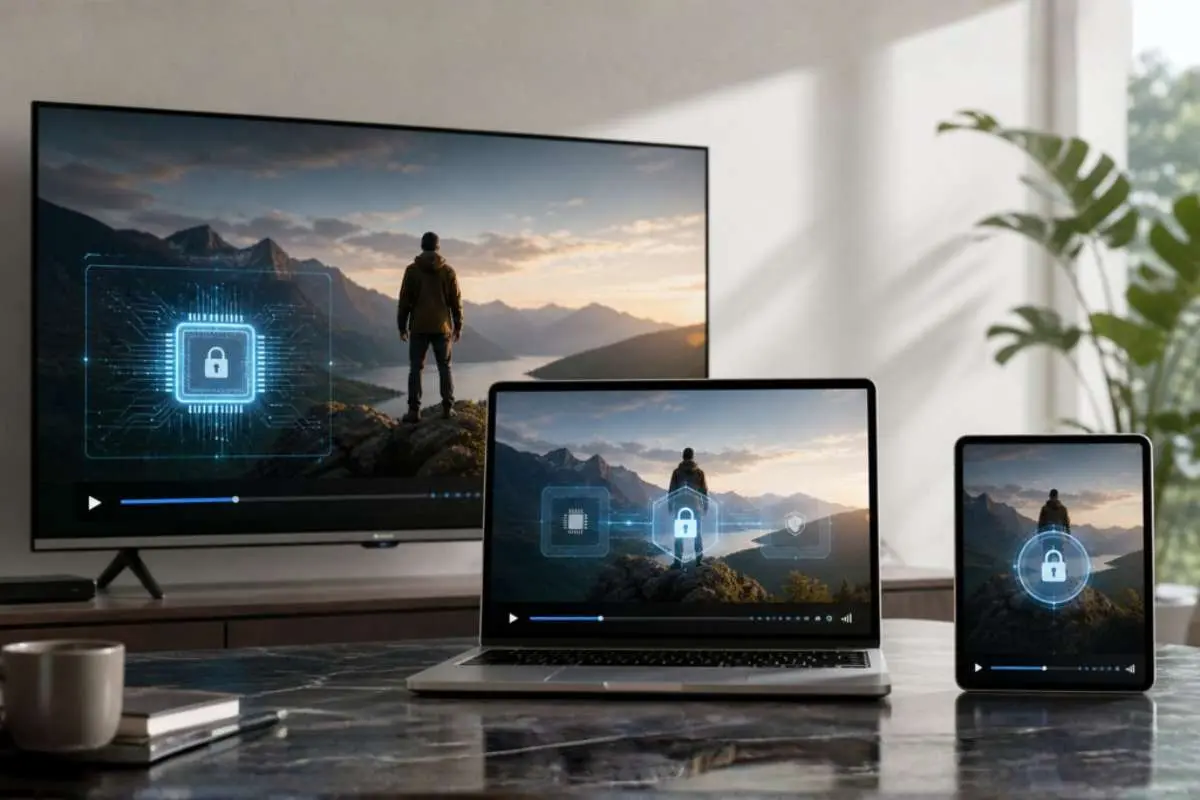
On L1-certified devices, the entire decryption and video rendering pipeline runs inside a Trusted Execution Environment. Content never passes through general application memory in an unencrypted form.
A screen recording application running on the same device cannot access the decoded frames because those frames are processed in a hardware enclave that the main operating system cannot read. Screen capture tools fail not because an app blocks them, but because they literally cannot see what they are looking for.
L1 is required by Netflix for HD streaming on Android, required for any studio-licensed content delivered at 1080p or above, and required for 4K and HDR content under virtually all major licensing agreements.
Supported devices include most certified Android flagship phones from 2018 onward, Roku devices, Amazon Fire TV, Samsung smart TVs running Tizen from 2019+, and Chromecast (second generation and later).
Apple devices handle equivalent protection through FairPlay, Apple’s own DRM system, which operates at a comparable hardware enforcement level.
Google maintains a public Widevine device certification registry, where manufacturers submit devices for L1 approval. Certification requires hardware integration of OEMCrypto and successful completion of Google’s security assessment.
What “TEE” Actually Means in Practice
A Trusted Execution Environment (TEE) is a secure, isolated area of a device’s main processor that runs independently of the primary operating system.
In Widevine L1 L2 and L3 Explained of Widevine L1, it means the video decryption key and the decoded content itself never pass through memory that an application or screen capture tool can access.
The interface between Widevine and the TEE hardware is a component called OEMCrypto. When a device manufacturer wants to ship a Widevine L1-certified device, they integrate OEMCrypto with their hardware’s TEE implementation and submit the device for certification by Google.
That certification is what makes the device eligible to receive high-resolution, studio-licensed streams. A platform cannot grant a device L1 capability through configuration. The device either has certified TEE hardware or it does not.
Widevine L2: The Hybrid Tier That Barely Exists
L2 occupies a middle position that made more theoretical sense when the standard was designed than it does in practice today.
On an L2 device, decryption happens inside the TEE, which sounds encouraging, but video rendering happens outside it. The decrypted frames are handed off to the standard rendering pipeline before they reach the screen, which means the window that screen capture tools target is still accessible.
In Widevine L1 L2 and L3 Explained, The security gain over L3 is marginal because the content is still unencrypted at the rendering stage. The hardware cost approaches L1. The result is that almost no consumer device ships with L2 as its top supported level, and no major studio licensing tier has publicly documented requirements that specifically mandate L2 rather than L1.
For practical purposes, when evaluating Widevine security levels for a real platform decision, L2 is largely a historical artifact.
The meaningful distinction in the current landscape is between L1, which provides genuine hardware-enforced protection, and L3, which does not.
Widevine L3: Software-only Decryption and What That Actually Means

L3 is the default Widevine security level for every desktop browser, including Chrome, Firefox, and most Chromium-based browsers on Windows, macOS, and Linux.
If your viewers are watching on a laptop, they are almost certainly on L3. Understanding its limitations requires understanding what “software-only” means in operational terms.
In Widevine L1 L2 and L3 Explained On L3, all cryptographic operations, including key management and decryption, run in software within the browser’s content decryption module (CDM). There is no TEE involvement. The decrypted video frames pass through memory that is, in principle, accessible to other software running on the same operating system.
This is not a flaw in how platforms implement Widevine; it is an architectural reality of the L3 tier on desktop operating systems. Desktop OSes do not expose TEE hardware to browser-level applications. The constraint is fundamental, not configurable.
Under studio content licensing rules, L3 sessions are typically capped at 480p standard definition. This resolution cap is a contractual enforcement decision baked into license server policy, not a hard Widevine technical limitation. It exists because studios require L1 for any content above SD quality, and L3 cannot satisfy that requirement.
In Widevine L1 L2 and L3 Explained this is why Netflix on desktop Chrome delivers at 1080p maximum with no HDR, and why 4K Netflix on a Windows machine requires Microsoft Edge using PlayReady at the L3000 security level, rather than Widevine. The 4K license is available, but the Widevine L3 tier does not qualify for it.
Screen recording is not blocked at the hardware level on L3 sessions. A viewer using screen capture software can record L3 content. The content is still encrypted in transit over the network and cannot simply be downloaded as a raw file from the HLS or DASH stream, but a software-level capture at the rendering stage is possible.
On the research side:
Security researcher David Buchanan published findings in 2019 demonstrating that Widevine L3 decryption keys could be extracted from the software CDM. The Neodyme team published additional academic research in 2021 on CDM vulnerabilities at the L3 level.
In Widevine L1 L2 and L3 Explained both bodies of work are cited here as context for why studios require L1 certification for premium content, and why Google has continued to harden the CDM in subsequent versions. The methodology of key extraction is not the point; the point is that credentialed researchers have documented the exposure, and those findings inform why the L1 certification requirement exists.
The Casual Piracy Versus Sophisticated Actor Distinction
L3’s limitations are real. They are also frequently overstated in vendor copy, which does not help content operators make accurate decisions.
For most course creators and B2B platforms distributing 1080p content at mid-market price points, L3 blocks casual piracy effectively. Viewers cannot download the encrypted stream as a usable file. The barrier to capturing and redistributing content is high enough that the overwhelming majority of subscribers will not attempt it.
Security researchers and well-resourced actors with specific technical knowledge represent a different threat category entirely.
The relevant question is not “is L3 secure?” but “what are you protecting, and from whom?” A platform distributing $297 online courses to a few thousand paying students faces a fundamentally different threat model than a studio licensing a new theatrical release for streaming at 4K.
L3 is a proportionate protection layer for the former. It is not an acceptable protection layer for the latter. Honest platform evaluation starts from this distinction, not from fear-maximizing claims in either direction.
One practical benchmark: in Widevine L1 L2 and L3 Explained is that secure video hosting platforms like Gumlet and VdoCipher publish documentation on which Widevine levels they enforce and how their license servers handle resolution caps for L3 sessions. When a platform cannot produce this information on request, that absence is itself a signal about how seriously they have implemented DRM configuration.
Device and Browser Widevine Level Reference
The Widevine L1 L2 and L3 Explained level a device supports depends on hardware certification, not software configuration. A platform cannot upgrade a device’s DRM enforcement tier through settings or API calls. The device’s hardware and its certification status at the time of manufacture determine the maximum level it can reach. The table below is a practical reference.
| Device or Browser | Widevine Level | Notes |
| Android phones (certified, 2018+) | L1 | Most flagship models; verify via DRM Info app |
| Android tablets (budget/uncertified) | L3 | Certification is not universal across budget OEMs |
| iPhone and iPad | FairPlay (L1 equivalent) | Apple devices use FairPlay, not Widevine |
| Chrome on Windows, macOS, Linux | L3 | Desktop OSes do not expose TEE to browser apps |
| Firefox on any desktop OS | L3 | Same architectural constraint as Chrome |
| Microsoft Edge on Windows 10/11 | L3 for Widevine; PlayReady L3000 for Microsoft content | Edge uses PlayReady for Netflix 4K, not Widevine |
| Samsung Smart TV (Tizen, 2019+) | L1 | Widevine-certified on most models |
| Roku devices | L1 | Hardware-certified |
| Amazon Fire TV | L1 | Hardware-certified |
| Apple TV | FairPlay only | No Widevine implementation |
| Chromecast (2nd generation+) | L1 | Hardware-certified |
The table reflects hardware certification status at the time of manufacture. Certification does not change with software updates, which means a device that shipped as L3 will not become L1 through a firmware update, and a platform cannot upgrade a viewer’s DRM tier through configuration.
How to Check Your Own Device’s Widevine Level?
On Android, the free app “DRM Info” published by Sony Interactive Entertainment reports the device’s supported Widevine level alongside other DRM metadata. It is the most reliable consumer-facing tool for this check. iOS devices use FairPlay and will not return a Widevine level. On any desktop browser, the answer is L3 by default; you do not need a tool to confirm it.
What Widevine Level Does Your Video Hosting Platform Actually Enforce?
This is the question that the rest of the article has been building toward, and it is the one that most DRM-related marketing copy carefully avoids answering.
A video hosting platform can integrate Widevine, display a “DRM protected” badge in its feature list, and silently serve every desktop session at L3 with no resolution enforcement whatsoever. This is not a Widevine flaw. It is a licensing and configuration decision by the platform.
Widevine L1 L2 and L3 Explained. Widevine itself supports all three levels; the platform chooses which license policies to enforce and on which device categories. Platforms that enforce L1 for certified mobile and smart TV delivery, apply appropriate resolution caps for L3 desktop sessions, and document this behavior clearly are giving their customers an accurate picture of what is protected and what is not.
For platforms serious about content protection, a well-structured approach to DRM-protected video delivery includes multi-DRM coverage: Widevine for Android and Chrome, FairPlay for the Apple ecosystem (iPhone, iPad, Mac Safari, Apple TV), and PlayReady for Windows Edge and Xbox.
Single-DRM platforms have coverage gaps by design. Any platform that only advertises Widevine is, at best, leaving Apple users on a fallback path.
The questions below are a starting checklist for any evaluation conversation with a private video hosting provider.
Video Hosting Platform Evaluation Checklist: Five Questions to Ask Your Video Host
Before assuming your current DRM configuration adequately protects your content, ask your platform’s documentation or support team each of the following.
1. Which Widevine security levels does your platform enforce?
Ask specifically whether L1 is enforced for certified Android and connected TV delivery, and whether desktop sessions are served at L3 with corresponding resolution caps enforced at the license server.
2. Do you support multi-DRM?
Complete coverage requires Widevine (Android, Chrome, most non-Apple devices), FairPlay (iPhone, iPad, Mac Safari, Apple TV), and PlayReady (Windows Edge, Xbox). A platform that only lists Widevine has gaps it may not advertise.
3. What is the maximum resolution delivered per DRM level?
In Widevine L1, L2, and L3 Explained, L1 sessions should be eligible for 1080p and above based on your licensing terms; L3 sessions should carry enforced caps aligned with studio or platform policy. If your host cannot answer this question specifically, the license server configuration may not be enforcing anything meaningful.
4. Is dynamic watermarking available as a complementary layer for L3 sessions?
On desktops, where hardware-level screen capture blocking is not achievable, session-level watermarking is the most effective forensic deterrent. It does not prevent capture, but it enables tracing a leaked copy back to the specific viewer session responsible. For high-value content platforms, this is not optional.
5. Can you provide documentation on your Widevine certification and license server configuration?
Certified video hosting platforms can supply evidence of their Widevine certification status. If a provider advertises DRM without being able to produce this documentation, the claim warrants more scrutiny than a feature comparison table will surface.
Platforms that take Widevine L1 L2 and L3 Explained implementation seriously document their certification status, their license server configuration, and which tiers they enforce on which device categories. Private video hosting built on certified infrastructure should be able to answer all five questions without redirecting to a sales call. If it cannot, that is not a documentation gap; rather, it is a product gap.
For reference, video hosting platforms that publish explicit documentation on their Widevine certification and multi-DRM architecture include Gumlet and VdoCipher video DRM integration, both of which provide verifiable detail on license server configuration.
Frequently Asked Questions
1. What is the difference between Widevine L1, L2, and L3?
Widevine L1 uses hardware-level decryption inside a Trusted Execution Environment, supports HD and 4K playback under studio licensing rules, and blocks screen recording at the OS level on certified devices.
L2 uses hardware decryption but renders video outside the TEE; it is rare in consumer devices and carries marginal security advantages over L3 in practice.
L3 uses software-only decryption, is the default on all desktop browsers, and is typically limited to 480p under studio licensing agreements. The level a device supports depends on its hardware certification, not platform configuration.
2. Which Widevine level does Chrome use?
Chrome on desktop (Windows, macOS, and Linux) uses Widevine L3. Desktop operating systems do not expose TEE hardware to browser-level applications, making hardware-enforced DRM architecturally impossible in a desktop browser context, regardless of the browser or the platform.
3. Why is my DRM-protected video capped at 480p on a laptop?
If your video platform uses Widevine and your browser is receiving a 480p stream, the most likely explanation is that your browser session is operating at Widevine L3 and the platform’s license server is enforcing a resolution cap consistent with studio licensing policy for L3 sessions.
On a certified Android device or a smart TV, the same content should deliver at HD or above if the platform enforces L1 for those devices.
4. Is Widevine L3 secure enough for an online course platform?
In Widevine L1, L2, and L3 Explained, L3 provides sufficient deterrence against casual piracy. The encrypted HLS or DASH stream cannot be downloaded as a usable file by a standard viewer. The meaningful threat L3 does not block is screen recording, and for most course content priced below $500 per seat, that threat is real but narrow, because recording and redistributing a full course is a significant effort that most viewers will not undertake.
5. What is a Trusted Execution Environment in the context of video DRM?
A Trusted Execution Environment (TEE) is a secure, isolated area within a device’s processor that operates independently of the main operating system. In Widevine L1, the TEE handles decryption and the rendering pipeline, meaning decoded video frames never pass through application-accessible memory.
Screen capture tools that depend on OS-level hooks to intercept rendered frames cannot access the TEE’s output. This is the architectural reason why L1 is required for premium, studio-licensed content at HD and 4K quality tiers.
What the Security Level You Are Paying For Actually Does
Widevine’s three tiers exist because different devices offer different hardware guarantees, and different content carries different licensing requirements. Neither of those facts is optional or configurable away.
The security level your platform enforces on each device category, not whether it “supports Widevine,” determines what is actually protected.
A video hosting platform that advertises DRM but silently falls back to Widevine L3 for all desktop sessions is providing real encryption in transit and a meaningful deterrent against casual piracy. It is not providing hardware-enforced content protection. Those are different products, and they should be sold as such.
If you are evaluating video hosting and content protection matters to your business, ask your host which Widevine levels they enforce, on which devices, and how their license server configuration handles resolution caps for L3 sessions. The answer will tell you more about what you are buying than any feature comparison table will.