
The right answer should not take 20 minutes to find
An employee needs the latest onboarding steps. One version sits in a shared drive, another lives in an old chat, and the person who knows the answer is on leave. Sound familiar?
Knowledge management tools help businesses capture, organize, share, and retrieve useful information. They range from team wikis and document libraries to enterprise search platforms and support knowledge bases. Let’s compare the leading options by their real business uses, not just their feature lists.
What Do These Platforms Actually Help Businesses Do?
A shared folder can store files, but it cannot always tell employees which version to trust. Knowledge management tools help teams store company policies, organize guides, find answers, and keep information up to date. They also help employees share lessons, train new hires, and answer customer questions without starting from scratch.
A dedicated platform can support a wider Knowledge management process by helping teams capture, review, and reuse what they learn.
In short, these tools make reliable business knowledge easier to find, share, and use.
Which Are the Best Platforms for Business Knowledge?
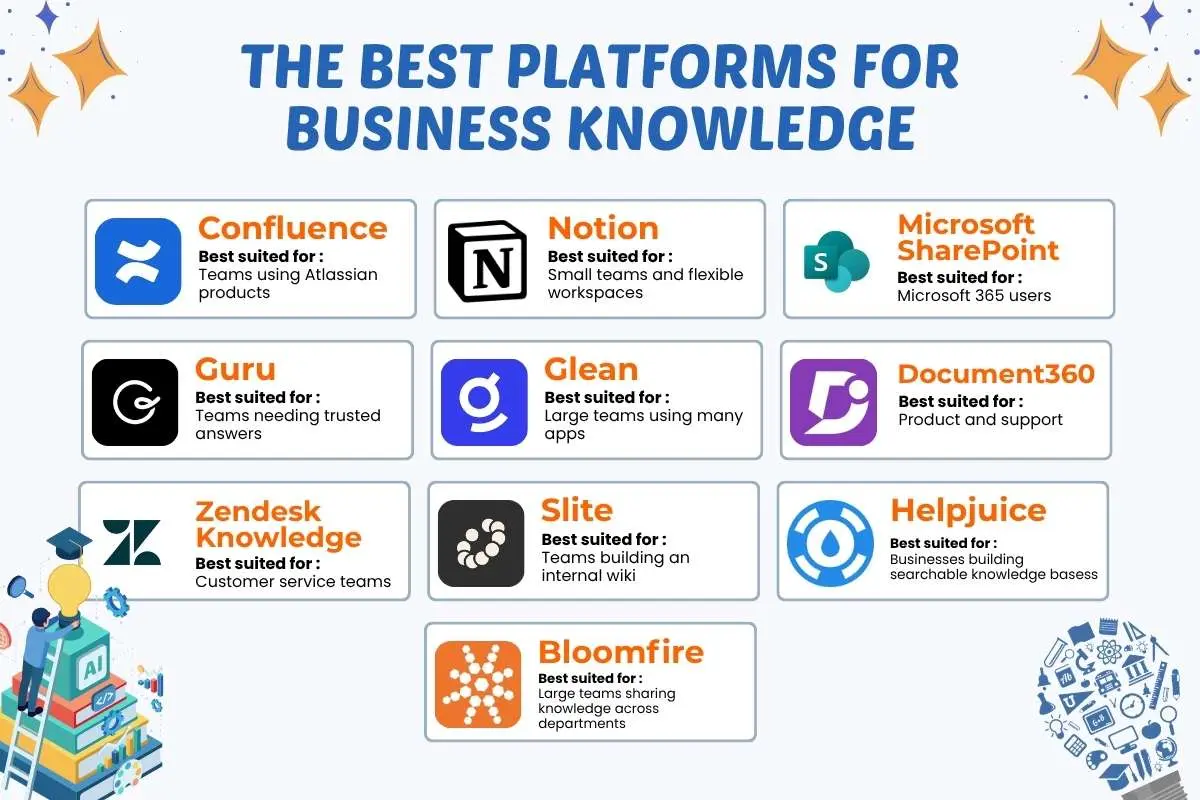
The best platform depends on what your team needs to do, which software it already uses, and how employees search for answers.
The right knowledge management tools should fit daily work without creating another pile of pages nobody wants to maintain. Some focus on internal documents, while others help teams search across apps or publish customer help guides.
| Platform | Best suited for | Main strength | What to check |
| Confluence | Teams using Atlassian products | Shared pages and team documentation | Page upkeep and setup |
| Notion | Small teams and flexible workspaces | Linked pages, wikis, and databases | Access rules as content grows |
| Microsoft SharePoint | Microsoft 365 users | Document control and permissions | Navigation and search |
| Guru | Teams needing trusted answers | Verified knowledge and integrations | Content ownership and plan fit |
| Glean | Large teams using many apps | Search across connected systems | Access controls and integrations |
| Document360 | Product and support teams | Structured knowledge bases | Publishing and maintenance |
| Zendesk Knowledge | Customer service teams | Help articles linked to support work | Fit with existing support tools |
| Slite | Teams building an internal wiki | Shared documentation and answer search | Features and integrations |
| Helpjuice | Businesses building searchable knowledge bases | Customizable articles, AI-assisted search, and analytics | Pricing, access controls, and integrations |
| Bloomfire | Large teams sharing knowledge across departments | Enterprise search, content sharing, and knowledge analytics | Setup needs, integrations, and overall cost |
What the data tells us
The 2026 Stack Overflow Developer Survey found that 55.2% of its 9,142 respondents had used Confluence for work in the past year. Google Workspace tools, including Drive and Docs, followed at 41.1%. These figures describe survey respondents, not all business users.
Price also deserves a closer look. Software Advice reports that buyers commonly discuss budgets of $26 to $76 per user each month. This reflects buyer conversations, not a standard price across the market.
Before choosing, factor in migration, training, access settings, and content upkeep. A low subscription fee can hide a high workload.
Bottom line: Shortlist platforms by fit, test them with real tasks, and verify current pricing before you commit.
Which Features Matter Most When Comparing Options?
The best platform is not the one with the longest feature list. Knowledge management tools should solve everyday problems, from finding the latest policy to keeping private files secure.
When comparing different knowledge management systems, focus on how well they fit existing work before judging their feature count.
| Feature | Why it matters |
| Search and filters | Help staff find answers quickly |
| Permissions | Restrict sensitive content |
| Version history | Track changes and restore older versions |
| Content ownership | Keep information up to date |
| Integrations | Connect knowledge to daily work |
| Usage reports | Show which content gets used |
| AI-assisted answers | Find information across sources |
AI search only works well when source content is reliable, and access rules are respected. Before buying, test a common staff question. Check whether the tool returns a correct, current answer without help. A simpler platform may be the better choice if employees can use it with little training.
Which Platform Fits Your Business Size and Needs?

The right platform depends on your team’s size, daily tasks, and current software. Small teams may need a simple wiki, while large companies often need stronger controls and search across apps.
Knowledge management tools for business should solve a clear problem, not add another place employees must check.
- Small teams: Choose a simple wiki or workspace employees already know.
- Growing companies: Prioritize content owners, clear permissions, and reliable search.
- Large enterprises: Assess cross-app search, compliance, access controls, and integrations.
- Customer support teams: Look for approved answers and help articles linked to support workflows.
- Product and engineering teams: Choose structured documentation, version history, and project links.
The data backs a practical approach: APQC’s 2026 survey of 164 global participants found that 59% of organizations were still in the early stages of knowledge management maturity.
Smaller companies can apply the same principles through knowledge management for startups without building a complex system too early.
The best fit is the platform that helps employees find and use the right knowledge where they already work.
What Mistakes Should You Avoid Before Buying?
Buying software before defining the problem can waste time and money. Avoid these four common mistakes:
- Choosing software too early: Define the problem you need to solve first.
- Moving every old file: Remove duplicates and irrelevant documents before migration.
- Skipping content ownership: Assign someone to maintain important pages.
- Ignoring training and access rules: Teach staff to use the system and protect sensitive information.
Even the best knowledge management tools need clear processes and employee support. These risks overlap with common knowledge management mistakes, especially when teams focus on software rather than how people use it.
Before a company-wide rollout:
- Test the platform with one team using real questions and documents.
- Check whether employees find correct, current answers.
- Assign a content owner and review date to every high-risk policy or procedure.
How Can You Tell If the Software Is Working?

A new platform should make everyday work easier, not just give employees another place to store files.
There is a business case for tracking outcomes: APQC’s 2026 guidance reports that organizations measuring knowledge management rigorously can achieve returns of $2 or more for every $1 spent per participating employee. Results vary, so businesses should measure their own progress rather than assume the same return.
Track three things after launch:
- Time spent searching: Can employees find the right answer faster?
- Repeat questions: Are people asking the same questions less often?
- Content reviews: Are important pages being updated on time?
Compare these results with your numbers before the pilot. More page views alone do not mean success. Effective knowledge management tools help employees find reliable answers and get work done faster.
Conclusion: Choose for the work, not the hype
Shortlist two or three knowledge management tools, test them with real tasks, and compare usability, upkeep, security, and total cost. The right choice should support your broader knowledge management strategy without adding unnecessary complexity.
Frequently Asked Questions
1. What are knowledge management tools?
Knowledge management tools help businesses capture, organize, share, and retrieve company knowledge, including documents, processes, and employee expertise.
2. What is the difference between knowledge management tools and systems?
Tools handle specific tasks, while knowledge management systems combine people, processes, and technology to manage organizational knowledge.
3. What features should knowledge management software have?
Look for reliable search, access controls, version history, content ownership, integrations, usage reports, and AI-assisted answers.
4. How much do knowledge management tools cost?
Costs vary by vendor, features, and team size. Check subscription fees, setup costs, training, migration, and ongoing maintenance.
5. How can a business measure knowledge management software success?
Track search time, repeated questions, content review rates, answer accuracy, and whether employees solve problems faster.