It’s Monday morning, and your inbox is flooded with last-minute shift swaps and time-off requests. You try to keep up, but one mistake can throw the entire week off balance. Managing employee schedules can feel like juggling a dozen balls at once. Miss a shift, double-book a team member, or forget a deadline, and the ripple effects are immediate.
For many businesses, the best online employee scheduling tools are the solution that takes the stress out of shift management. These tools streamline scheduling and reduce errors, giving managers more time to focus on their team and operations.
Whether you lead a small business or oversee a large workforce, the right scheduling software can make managing shifts simpler, more accurate, and far less stressful.
In this article, we will take a look at the best online employee scheduling tools and why they can reduce the headache of managing day-to-day employee activities. But first, we need to understand what employee scheduling tools are.
What are Employee Scheduling Tools?
Employee scheduling tools are software that help businesses plan shifts and manage staff. They cut mistakes, save time, and make communication simple between managers and employees.
Main Functions:
- Quickly create and assign employee shifts.
- Track hours worked and attendance.
- Handle time-off requests and shift swaps.
- Send reminders and alerts to staff.
- Produce reports for payroll and schedules.
These functions make managing staff easier. Managers can set schedules faster, and employees know their shifts. The tools also reduce paperwork and give clear reports for better decisions.
The 12 Best Online Employee Scheduling Tools for Teams of All Sizes
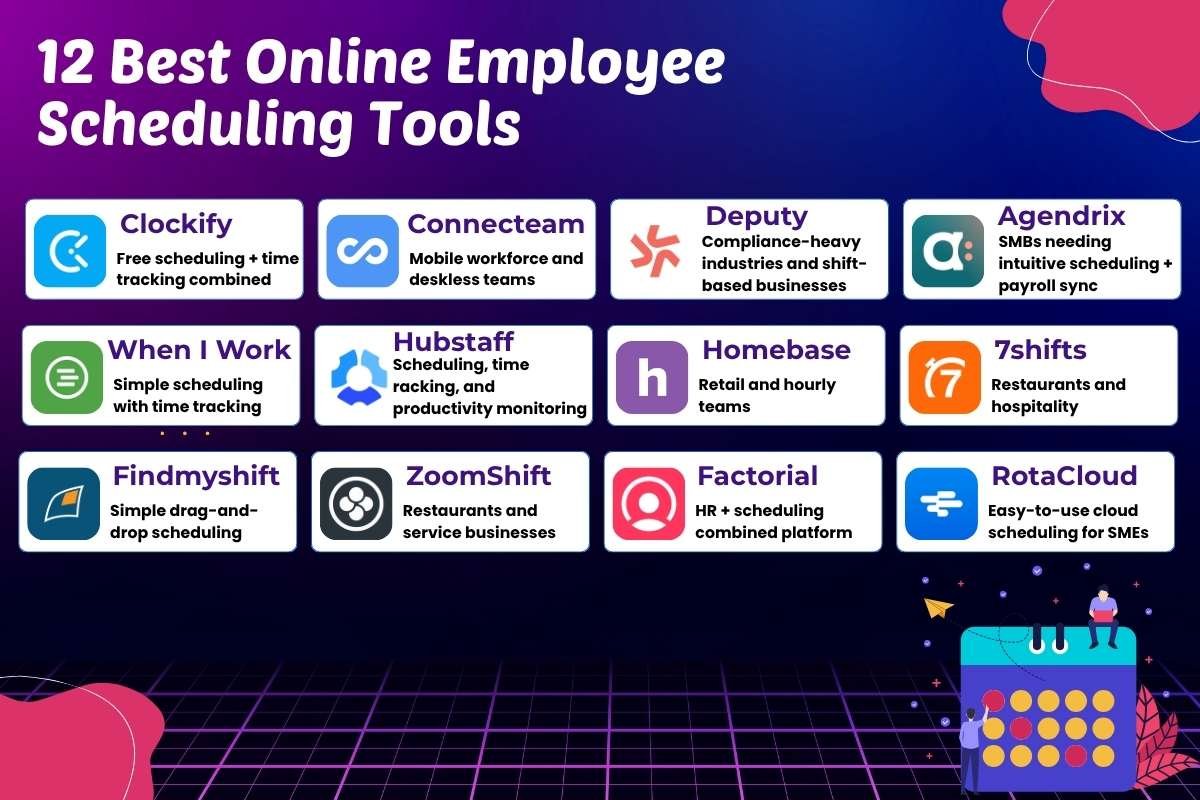
Managing shifts can be challenging, especially as teams grow or work hours change frequently. The best online employee scheduling tools help managers assign shifts, track hours, and keep employees informed. The tools below are some of the best options available, each offering unique features to fit different team types and business needs.
We have ranked each tool according to the number of users from highest to lowest.
| # | Tool | Best For | Trial Plan | Price | Users |
| 1 | Clockify | Free scheduling + time tracking combined | Yes (Free forever plan available) | Paid plans start at ~$3.99/user/month | 5,000,000+ |
| 2 | Connecteam | Mobile workforce and deskless teams | Yes (Free plan + 14-day premium trial) | Starts at ~$29/month | 500,000+ |
| 3 | Deputy | Compliance-heavy industries and shift-based businesses | Yes (Free trial available) | Starts at ~$3.50/user/month | 320,000+ |
| 4 | Agendrix | SMBs needing intuitive scheduling + payroll sync | Yes (Free trial available) | Starts at ~$2.99/user/month | 225,000+ |
| 5 | When I Work | Simple scheduling with time tracking | Yes (Free trial available) | Starts at ~$2.50/user/month | 200,000+ |
| 6 | Hubstaff | Scheduling, time tracking, and productivity monitoring | Yes (Free trial available) | Paid plans start at ~$7/user/month | 112,000+ |
| 7 | Homebase | Retail and hourly teams | Yes (Free basic plan available) | Starts at ~$20/location/month | 100,000+ |
| 8 | 7shifts | Restaurants and hospitality | Yes (Free plan available) | Starts at ~$39.99/location/month | 55,000+ |
| 9 | Findmyshift | Simple drag-and-drop scheduling | Yes (Free trial available) | Starts at ~$24/team/month | 50,000+ |
| 10 | ZoomShift | Restaurants and service businesses | Yes (Free trial available) | Starts at ~$2/user/month | 20,000+ |
| 11 | Factorial | HR + scheduling combined platform | Yes (Free trial available) | Starts at ~$8/user/month | 12,000+ |
| 12 | RotaCloud | Easy-to-use cloud scheduling for SMEs | Yes (Free trial available) | Starts at ~$2–$3/user/month | 5,000+ |
1. Clockify
- Best for: Free scheduling + time tracking combined
- Trial Plan: Yes (Free forever plan available)
- Price: Free, paid plans start at ~$3.99/user/month
- Users: 5,000,000+
Pros
Clockify makes tracking time and managing shifts simple. Teams can see hours worked and plan schedules without confusion. Its interface is clean, and beginners can use it with minimal guidance. The free version is strong enough for small and mid-sized teams.
Cons
Some advanced features, like detailed reporting and project tracking, require a paid plan. The mobile experience can feel limited for teams on the go. Users who need in-depth analytics might find the free plan restrictive.
2. Connecteam
- Best for: Mobile workforce and deskless teams
- Trial Plan: Yes (Free plan available + 14-day trial for premium)
- Price: Starts at ~$29/month
- Users: 500,000+
Pros
Connecteam is designed to support mobile and deskless teams efficiently. It allows managers to assign tasks, track progress, and communicate with staff from anywhere. The platform works well for teams that rely on real-time updates and on-the-go coordination.
Cons
The tool can feel complex when exploring all features for the first time. Some users may need time to learn its interface fully. It also offers fewer integrations compared to larger scheduling platforms, which may limit workflow automation.
3. Deputy
- Best for: Compliance-heavy industries and shift-based businesses
- Trial Plan: Yes (Free trial available)
- Price: Starts at ~$3.50/user/month
- Users: 320,000+
Pros
Deputy helps businesses manage complex shift schedules while staying compliant with labor laws. Managers can assign shifts, track attendance, and approve requests all in one place. The platform reduces mistakes and keeps teams organized, making it easier to run operations smoothly.
Cons
The interface can feel crowded when managing large teams. Some users report that customizing notifications and alerts takes extra effort. Learning how to navigate all the compliance settings can be time-consuming for new managers.
4. Agendrix
- Best for: SMBs needing intuitive scheduling + payroll sync
- Trial Plan: Yes (Free trial available)
- Price: Starts at ~$2.99/user/month
- Users: 225,000+
Pros
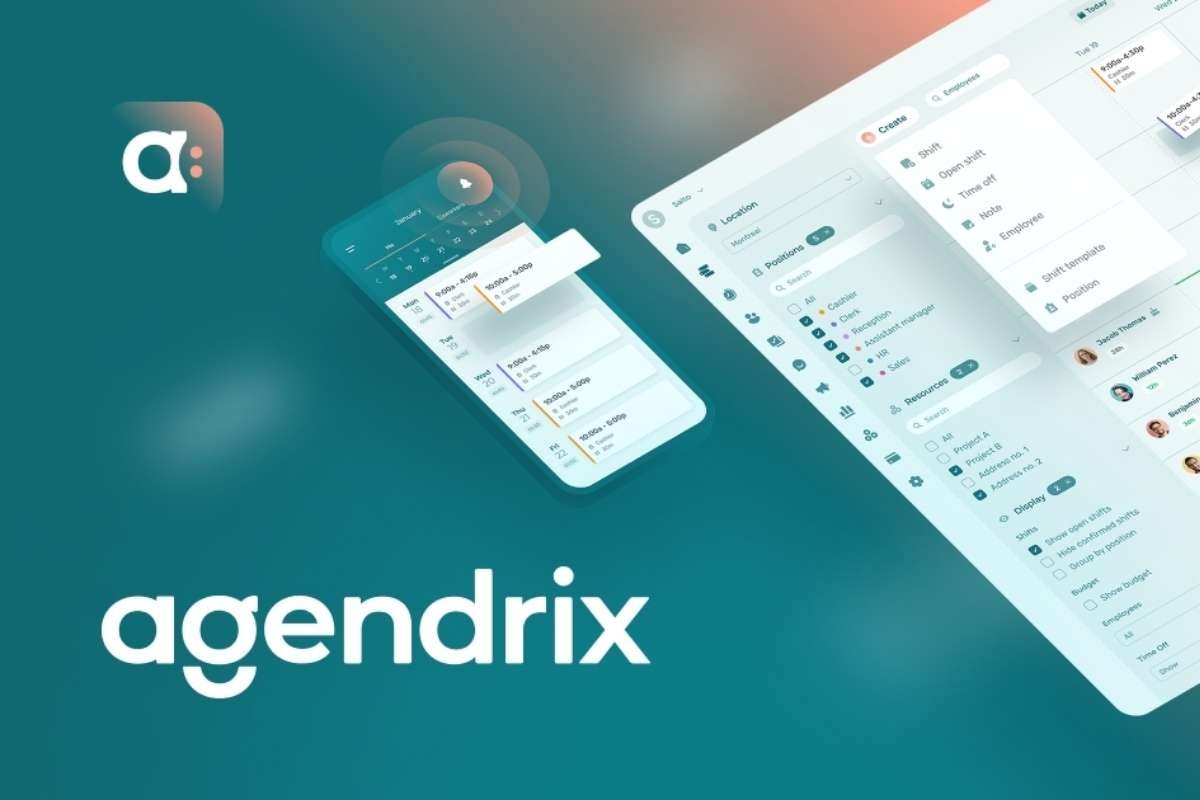
Agendrix offers a user-friendly interface that simplifies scheduling for small and mid-sized teams. Payroll syncing helps reduce errors and speeds up administrative tasks. Employees and managers can quickly view shifts and make adjustments when needed.
Cons
The mobile app is less feature-rich than the desktop version, which can slow down updates on the go. Some reporting options are limited and may not meet the needs of larger teams. Occasional lag occurs when handling multiple schedules at once.
5. When I Work
- Best for: Simple scheduling with time tracking
- Trial Plan: Yes (Free trial available)
- Price: Starts at ~$2.50/user/month
- Users: 200,000+
Pros
Next on this list of the best online employee engagement tools is When I Work. It provides a simple, straightforward way to assign shifts and track time. Notifications keep employees informed about updates.
Cons
The reporting tools are basic and may not provide deep insights for managers who need analytics. Some users find the interface too minimal when managing many employees. Customizing schedules for unusual shifts can require extra steps.
6. Hubstaff
- Best for: Scheduling, time tracking, and productivity monitoring
- Trial Plan: Yes (Free trial available)
- Price: Paid plans start at ~$7/user/month
- Users: 112,000+
Pros
Hubstaff combines scheduling and productivity tracking in one platform. Managers can monitor hours, assign tasks, and track project progress. The platform also provides insights to improve efficiency and spot bottlenecks.
Cons
Some users find the monitoring tools overwhelming at first. The mobile app lacks certain desktop features, which can limit flexibility. Notifications and reporting can feel complex until the team gets used to them.
7. Homebase
- Best for: Retail and hourly teams
- Trial Plan: Yes (Free basic plan available)
- Price: Starts at ~$20/location/month
- Users: 100,000+
Pros
Homebase is tailored for retail and hourly workers, making shift management simple. Managers can assign shifts, track attendance, and communicate easily. The platform helps reduce payroll errors and keeps employees informed.
Cons
Some integrations with other software are missing, which can slow workflows. Customizing schedules for changing shifts may take extra effort. Certain reporting features are less flexible, limiting insights for larger teams.
8. 7shifts
- Best for: Restaurants and hospitality
- Trial Plan: Yes (Free plan available)
- Price: Starts at ~$39.99/location/month
- Users: 55,000+
Pros
7shifts is built specifically for restaurants and hospitality teams, making scheduling easy even with last-minute changes. Managers can communicate shifts directly to staff, reducing confusion. It also offers helpful insights to track labor costs and improve staff efficiency.
Cons
The higher starting price can be challenging for smaller locations. Some users find that reporting tools are limited when trying to analyze multiple locations. Certain features, like shift swapping, may require training to use effectively.
9. Findmyshift
- Best for: Simple drag-and-drop scheduling
- Trial Plan: Yes (Free trial available)
- Price: Starts at ~$24/team/month
- Users: 50,000+
Pros
Findmyshift makes creating and adjusting schedules fast with its drag-and-drop interface. Teams can view shifts in a clear calendar layout. It helps reduce scheduling conflicts and keeps everyone on the same page, making it a practical addition to the best online employee scheduling tools for small teams
Cons
The platform lacks some advanced features larger teams might need. Notifications and reminders are limited compared to other tools. Managing complex schedules with multiple departments can become tricky without careful planning.
10. ZoomShift
- Best for: Restaurants and service businesses
- Trial Plan: Yes (Free trial available)
- Price: Starts at ~$2/user/month
- Users: 20,000+
Pros
ZoomShift offers an affordable and straightforward way to assign shifts and track hours. Employees can see schedules and request changes easily. The platform works well for small teams that need simple, reliable scheduling.
Cons
ZoomShift might be one of the best online employee scheduling tools. But it also comes with its drawbacks. Some users find the mobile app limited in functionality. Customizing schedules for peak times or complex shift patterns can require extra effort.
11. Factorial
- Best for: HR + scheduling combined platform
- Trial Plan: Yes (Free trial available)
- Price: Starts at ~$8/user/month
- Users: 12,000+
Pros
Factorial combines HR management with scheduling, giving managers a full view of staff and tasks. It allows teams to track hours, manage leave, and organize shifts in one platform. The interface is clean, making it easy for HR teams to onboard and manage employees efficiently.
Cons
Some users feel the platform can be overwhelming due to the mix of HR and scheduling tools. Reporting options are not as detailed as specialized scheduling software. Teams may need time to adjust workflows to make full use of all features.
12. RotaCloud
- Best for: Easy-to-use cloud scheduling for SMEs
- Trial Plan: Yes (Free trial available)
- Price: Starts at ~$2–$3/user/month
- Users: 5,000+
Pros
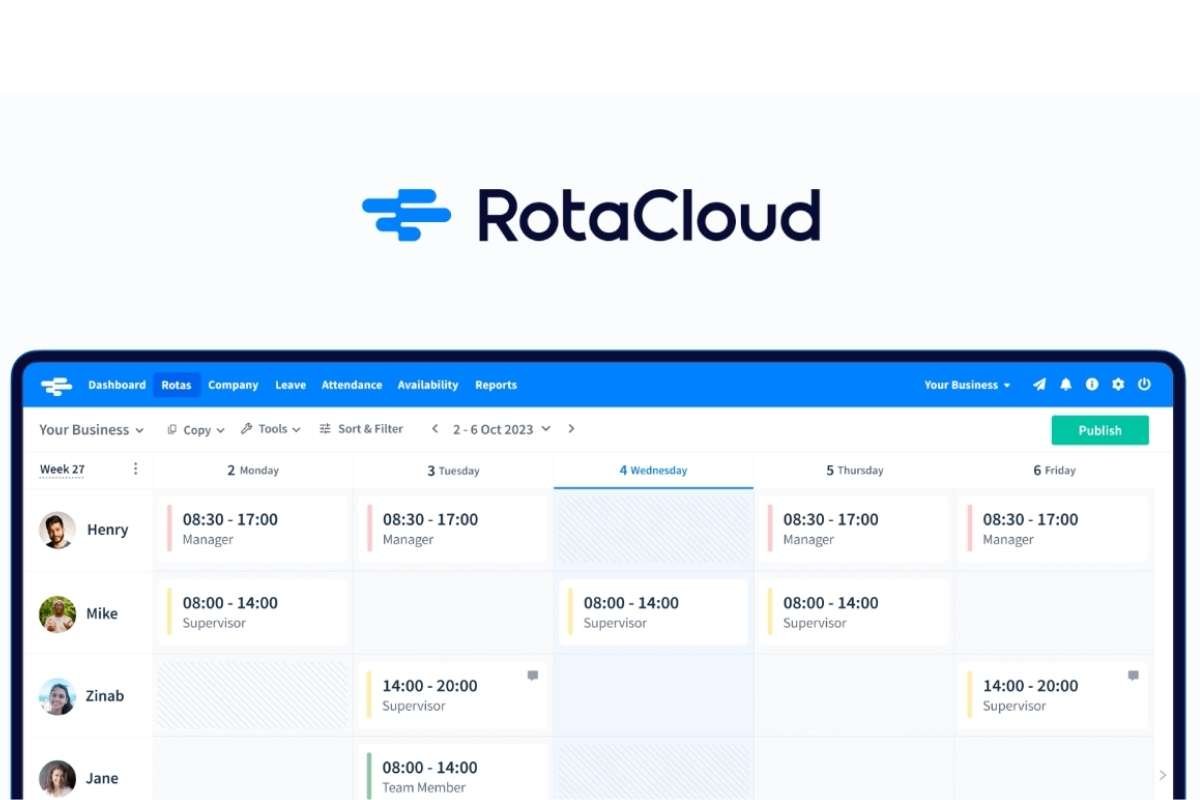
RotaCloud makes scheduling simple for small and medium-sized businesses. Managers can quickly assign shifts and track attendance online. Employees can view their schedules and request changes, helping teams stay organized and informed.
Cons
The platform may feel basic for larger teams with complex schedules. Some users note that customization options are limited. Notifications and reporting features are functional but less robust than larger scheduling platforms.
Read Next:
- 25 Best Applicant Tracking Systems That Make Hiring Feel Easy
- 10 Best Free Employee Scheduling Software Tools to Save Hours of Work Every Week
How to Choose the Best Online Employee Scheduling Tools?
With a clear understanding of your team’s needs and the features that matter most, you can make smarter decisions when selecting the best online employee scheduling tools. The right software will save time, reduce errors, and keep employees informed.
- Step 1: Consider the size of your team and the type of work they do. Retail, restaurants, desk-based, and mobile teams have different scheduling needs. Knowing your team’s workflow helps narrow down the right software.
- Step 2: Decide which features are essential for your business. Common needs include shift assignment, time tracking, notifications, and payroll integration. Choose tools that match your team’s daily operations.
- Step 3: Compare pricing plans and find one that fits your budget. Free or low-cost options work for small teams. Larger teams may benefit from paid plans with advanced reporting and integrations.
- Step 4: Pick software that is easy for both managers and employees to use. Employees should quickly view schedules, request time off, or swap shifts. The best online employee scheduling tools reduce errors and save time.
- Step 5: Most scheduling tools offer free trials. Use this period to test how well the software handles your team’s workflow. Make sure it fits your needs before committing to a paid plan.
Conclusion
Managing employee schedules does not need to drain your time or energy. The right scheduling tool keeps your team informed and ensures that operations run smoothly even when changes happen at the last minute. By investing in reliable software, managers can focus on growth, employee engagement, and other high-priority tasks instead of constantly rearranging schedules.
With the best online employee scheduling tools, businesses of all sizes gain control, stability, clarity, and flexibility, making day-to-day management more predictable and less stressful for everyone involved.
FAQs
1. How do online scheduling tools save time?
They automate shift assignments, track availability, send notifications, and reduce manual errors, freeing up hours of administrative work.
2. Can small businesses benefit from scheduling tools?
Absolutely. Even small teams can improve efficiency, reduce miscommunication, and better manage time-off requests with the best online employee scheduling tools.
3. Do these tools help with employee communication?
Yes. Many tools allow employees to swap shifts, request time off, and receive updates in real time, improving transparency and communication.