Over the past two years, the global push toward a passwordless future reached critical mass across enterprise IT environments. While industry leaders like Google and Microsoft aggressively rolled out software-synced options, security architects now recognize hardware-biometric passkeys as the true gold standard for B2B identity protection. Google enabled foundational passkey sign-ins for Workspace accounts, while Microsoft integrated authentication directly into Entra ID, establishing a baseline FIDO2 defense against corporate credential theft that physical hardware must now complete.
The enterprise security narrative is clear: passkeys—built on open FIDO2 and WebAuthn standards—are fast, convenient, and significantly safer than legacy passwords or SMS-based Multi-Factor Authentication (MFA).
However, as CISOs and security architects look beneath the surface of the software-defined passkey rollout, an uncomfortable reality emerges. While passkeys solve the password problem, modern multi-device “synced passkeys” introduce severe new vulnerabilities to the corporate attack surface. For true high-assurance security, enterprises must bridge the missing link in FIDO2: transitioning from software-level passkeys to dedicated FIDO2 Hardware Passkeys.
The Flaw in the Passkey Revolution: Multi-Device Syncing
When commercial software vendors advocate for passkeys, they are almost universally referring to Synced Passkeys. Under this implementation, the private cryptographic key pair is generated on an endpoint and automatically synchronized across a user’s ecosystem via cloud vaults such as 1Password, LastPass, Bitwarden, Dashlane, iCloud Keychain, or Google Password Manager.
While convenient for consumer applications, synced passkeys undermine a foundational enterprise security principle: the physical isolation of the private key.
1. The Cloud Account Honeypot (Centralized Cloud Vaults)
Syncing passkeys creates high-value target vaults in the cloud:
- Cloud Credential Hijacking & Session Stealing: If an attacker compromises an enterprise user’s master cloud account or commercial password manager (such as 1Password, LastPass, or Bitwarden) whether through session cookie hijacking, credential stuffing, or targeted spear-phishing—they instantly gain access to every synced passkey stored across that user’s entire device ecosystem.
- Malware Key Exfiltration (“Pass-the-Key”): Endpoint malware running in user space can target local process memory or browser storage files (such as local password manager database stores). Once extracted, the private key can be exfiltrated out of the cloud sync environment, allowing attackers to authenticate remotely to corporate resources without needing the physical endpoint.
- Cross-Device Attack Surface Expansion: Storing a passkey in a synced cloud vault means a corporate credential created on a secure laptop automatically syncs to a user’s personal, unmanaged smartphone or home tablet extending the enterprise attack surface into personal environments lacking corporate security controls.
2. Software Fallbacks and Weak System PINs
Software passkeys rely on the host operating system (Windows, macOS, iOS, Android) to authorize logins. When biometric checks fail or are disabled, system software defaults to local device passcodes:
- The 4-Digit PIN Weakness: On devices protected by weak lock codes (such as a simple 4-digit PIN or pattern lock), an attacker with physical access or shoulder-surfing observation can bypass the biometric prompt entirely. The underlying public-key cryptography remains intact, but the local check protecting it is easily cracked.
- OS-Level Fallback Abuse: In setups like Windows Hello or macOS, if fingerprint or facial recognition fails after consecutive attempts, the system defaults to the local OS password. Attackers who obtain local device access use these secondary fallbacks to approve high-privilege passkey authentication requests.
- Malware Bypassing Local Prompts: Advanced malware executing on an infected OS can trick local authentication APIs (like Windows WebAuthn APIs) into granting signing privileges in the background without triggering a user prompt or requiring a biometric scan.
Software Passkeys vs. Dedicated Hardware-Biometric Passkeys
To achieve un-phishable, enterprise-grade protection, identity systems must separate the cryptographic root of trust completely from host operating systems and cloud providers.
| Feature | Software / Synced Passkeys (Google, Microsoft, LastPass, OS-based) | Dedicated Hardware-Biometric Passkeys (TokenCore™) |
| Private Key Location | Encrypted in OS storage; synced across cloud password managers. | Sealed inside dedicated, EAL5+ certified hardware Secure Elements. |
| Extraction & Sync Risk | Vulnerable if cloud accounts, browser memory, or session tokens are breached. | Physically non-exportable; keys are generated on-device and never leave local hardware. |
| Authentication Factor | Delegated session, shared OS PIN, or device lock pattern fallback. | True on-device fingerprint matching (Match-on-Device). Zero software fallbacks. |
| Attack Surface | Susceptible to session hijacking, cloud IdP breaches, and malware API calls. | Complete physical isolation from remote malware, relay attacks, and cloud breaches. |
| Identity Assurance | Proves a device was unlocked (not who unlocked it). | Guarantees exact human presence and biometric identity assurance at every event. |
Why TokenCore™ Represents the Ultimate Enterprise Passkey Solution
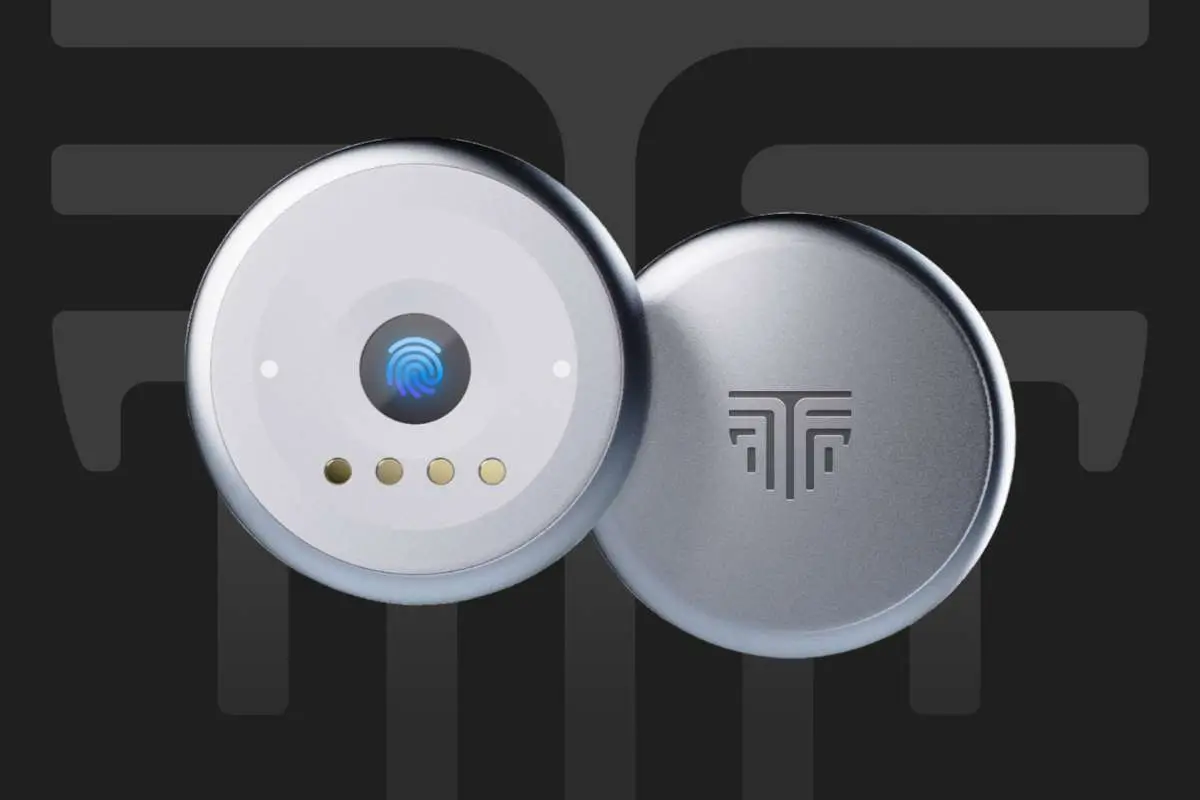
While big tech platforms succeeded in bringing passkeys into mainstream enterprise awareness, solutions like TokenCore™ elevate FIDO2 architecture from a basic convenience upgrade into an uncompromising enterprise fortress.
TokenCore™ addresses the fundamental limitations of standard software passkeys by moving identity assurance entirely to dedicated physical hardware—such as FIDO2 biometric rings and security keys:
- EAL5+ Secure Element Protection: Unlike software passkeys that reside in software memory, TokenCore™ generates cryptographic key pairs inside an isolated, tamper-resistant EAL5+ Secure Element. Private keys are bound to the hardware and are physically incapable of being exported or synced to remote cloud vaults.
- True Match-on-Device Biometrics: Biometric matching (fingerprint verification) occurs entirely inside the isolated TokenCore™ hardware enclave. The biometric template never touches an operating system, browser, or cloud server, eliminating the risk of deepfake spoofing, malware interception, or OS-level PIN fallbacks.
- Proximity & Physical Touch as a Hard Gate: Releasing a cryptographic signature requires physical, biometric touch on the device at the moment of authorization. Because authentication is bound to physical proximity and real-time biometric verification, remote relay attacks and background malware execution are rendered structurally impossible.
The Verdict for Enterprise CISOs
Google, Microsoft, and the FIDO Alliance succeeded in proving that passwords belong in the past. But for enterprise security teams responsible for protecting sensitive corporate databases, cloud infrastructure, and financial networks, software-based synced passkeys are only half the journey; securing these critical assets ultimately requires hardware-biometric passkeys.
Relying on software passkeys synced across cloud accounts leaves the enterprise exposed to modern identity threats. The future of high-assurance security belongs to hardware-anchored identity where FIDO2 compliance is backed by dedicated, biometric hardware that guarantees absolute human presence.