

Cybercriminals do not always need to exploit a software vulnerability to gain access to an organization. Sometimes, convincing an employee to trust the wrong person, approve a login request, or follow seemingly legitimate instructions is enough.
That is what makes social engineering attacks such a persistent cybersecurity challenge. Attackers exploit human behavior, trusted identities, familiar brands, and legitimate business processes to bypass controls organizations have spent years building.
The scale of the shift is significant. According to CrowdStrike’s 2026 Global Threat Report, 82% of detections in 2025 were malware-free. Rather than relying exclusively on malicious software, attackers increasingly use legitimate access methods, compromised credentials, identity abuse, and social engineering.
Artificial intelligence is making these attacks easier to scale and harder to spot. Attackers can create convincing executive profiles, tailored phishing messages, cloned websites, synthetic voice content, and fraudulent communications with less time and effort.
As security teams prepare for 2027, the challenge is no longer simply identifying malicious files or suspicious links. It is understanding how attackers manufacture trust and where that trust can be interrupted before it leads to a compromise.
Five Social Engineering Attack Methods to Watch in 2027
1. Executive Impersonation and Payment Fraud
Financial fraud increasingly starts with an identity that appears trustworthy.
An attacker may create a social media profile impersonating a company’s CEO or another senior executive. Public photographs, career information, company announcements, and AI-generated content can make the profile look credible.
The attacker does not necessarily ask for money immediately. Instead, they may contact someone in finance, procurement, or operations and establish a conversation before moving it to WhatsApp, Signal, or another messaging platform.
Eventually, the supposed executive introduces an urgent or confidential transaction. A second impersonator may then appear, perhaps posing as a lawyer, supplier, or colleague. An email may arrive from a lookalike domain with an invoice and instructions to transfer funds to a new bank account.
Each element reinforces the others: the executive identity, the familiar branding, the domain, the legal or financial context, and the pressure to act quickly.
No malware is required. The attack succeeds if the employee believes the request is genuine.
Where organizations can intervene: The fake executive profile, lookalike domain, and associated websites often exist outside the corporate network before the payment request reaches an employee. Monitoring for executive impersonation can help identify and disrupt those external signals earlier.
Internal controls remain just as important. Unusual payment requests, changes to vendor banking information, or confidential transactions should always be independently verified through an established channel.
2. Device Code Phishing Through Legitimate Login Pages
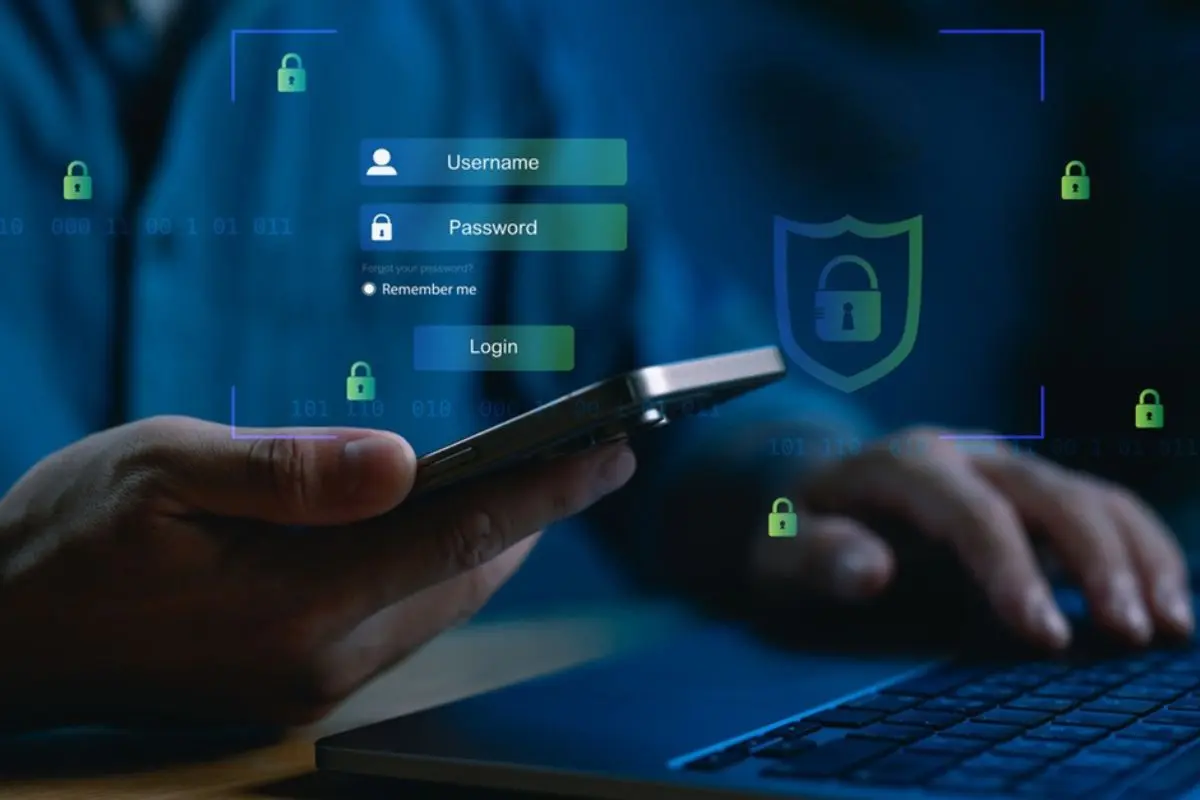
Not every phishing attack sends a victim to a fraudulent website. Some abuse legitimate authentication processes.
Device code authentication is commonly used when signing into devices that do not have a convenient keyboard. The device displays a code, and the user enters it on an official authentication page to complete the sign-in.
Attackers can manipulate this process.
The attacker first initiates a device authorization request and receives a code. They then contact the target while impersonating a colleague, executive, recruiter, or business contact.
The victim might receive what looks like an invitation to a Microsoft Teams meeting and be instructed to enter a code to join.
The authentication page itself is legitimate. However, by entering the attacker’s code and approving the request, the victim can unknowingly authorize the attacker’s session.
Microsoft documented this technique in campaigns associated with Storm-2372. Microsoft observed attackers using messaging platforms to establish trust before sending deceptive meeting invitations. The resulting authentication tokens could then be used to access compromised accounts.
This technique is difficult to detect because there may be no malicious login page at the final stage. The user is interacting with a genuine Microsoft authentication service.
Where organizations can intervene: The strongest controls sit within identity infrastructure. Microsoft recommends limiting or blocking device-code authentication where it is not required.
External monitoring can still help when attackers use fake social profiles, lookalike domains, or other impersonation infrastructure to establish credibility before delivering the authentication request.
3. Help Desk Manipulation and Unauthorized SaaS Access
Corporate help desks exist to help employees regain access when passwords are forgotten or authentication methods fail. Attackers can turn that legitimate recovery process into an entry point.
A typical attack begins with reconnaissance.
Gathering employee information
Attackers research the organization through professional networking sites, social media, leaked databases, and other public sources.
Employee names, job titles, reporting relationships, phone numbers, and departmental structures can provide enough context to make an impersonation attempt sound credible.
That information may be combined with credentials or personal data exposed in earlier breaches or traded through underground forums and dark web marketplaces.
Preparing the impersonation infrastructure
Attackers may register domains that resemble legitimate corporate authentication or support services.
These domains often combine a company name with terms such as SSO, VPN, Okta, login, secure, or helpdesk. They can support fake authentication pages or communications designed to resemble internal IT services.
Convincing the help desk
The attacker contacts the help desk while pretending to be an employee who lost a phone or can no longer access their MFA device.
Alternatively, the attacker may contact a genuine employee while posing as the IT department.
Using information gathered during reconnaissance, the attacker tries to persuade support staff to reset a password, replace an MFA method, or register a new authentication device.
Expanding access
Once the account is compromised, the attacker may use the organization’s single sign-on environment to access connected SaaS applications.
That can expose Microsoft 365, cloud platforms, internal documents, collaboration tools, and other business systems.
This is not theoretical. A joint CISA and FBI advisory on Scattered Spider describes the group’s use of help desk impersonation, phishing, MFA fatigue, SIM swapping, and other social engineering techniques to gain access.
Where organizations can intervene: Monitor for suspicious domain registrations and exposed employee credentials, but do not rely on external detection alone. Strong help-desk verification, phishing-resistant MFA, restrictions around authentication resets, and alerts for unusual MFA changes are essential.
4. ClickFix Attacks and Fake CAPTCHA Instructions

Some social engineering attacks go one step further: they convince employees to execute malicious commands themselves.
ClickFix attacks often begin on websites that display a fabricated technical problem. A visitor may encounter a browser error, a failed video meeting, a document that supposedly cannot load, or a CAPTCHA verification prompt.
The page then provides an apparently simple solution: open a Windows utility, paste a command, and press Enter.
In some cases, the website has already placed a malicious command on the user’s clipboard. The victim completes the attack by following the instructions.
The deception works because the employee believes they are fixing a routine technical problem rather than executing attacker-controlled code.
Fake CAPTCHA prompts are particularly effective because users are accustomed to completing verification challenges online.
Microsoft’s analysis of ClickFix found operators imitating Google reCAPTCHA, Cloudflare Turnstile, browser errors, Microsoft services, and other familiar interfaces. Microsoft also observed ClickFix kits being sold to other attackers, lowering the barrier to running these campaigns.
Attackers can distribute the lure through phishing, fraudulent advertisements, compromised websites, impersonation sites, or malicious search results.
Where organizations can intervene: External monitoring can help identify malicious websites, cloned meeting platforms, and fraudulent ads before more employees encounter them.
However, takedowns do not replace endpoint controls. Organizations should monitor suspicious command execution, limit unnecessary scripting privileges, and prevent unauthorized software from running.
Security awareness also needs to evolve. Employees should treat any website that instructs them to open Windows Run, PowerShell, Terminal, or another command interface as a major warning sign.
5. Adversary-in-the-Middle Phishing That Bypasses Traditional MFA
Multifactor authentication remains one of the most important defenses against account compromise. But not every form of MFA is equally resistant to phishing.
Adversary-in-the-middle, or AiTM, phishing is designed to intercept an authenticated session rather than simply steal a password.
The attacker places a malicious website between the victim and a legitimate authentication service. The page relays the victim’s credentials to the real service and passes the authentication prompts back to the victim.
From the victim’s perspective, the login may appear to work normally. They enter their password and complete MFA.
Behind the scenes, however, the attacker may capture the resulting session cookie or token. A valid session can allow access without requiring the attacker to repeat the original authentication process.
Tools such as Evilginx have made this attack model accessible to a wider range of threat actors.
The initial lure can take several forms. A fraudulent paid advertisement may appear near legitimate search results. An email may direct the employee to a domain resembling a trusted SaaS provider. A cloned login page may use familiar branding to reduce suspicion.
Attackers can also rotate domains quickly, which makes one-time investigations less effective.
Where organizations can intervene: Continuously monitor lookalike domains, cloned authentication pages, and malicious advertisements that support phishing campaigns.
Internally, move toward phishing-resistant authentication. CISA recommends FIDO/WebAuthn-based authentication as a widely available phishing-resistant MFA approach. Passkeys and FIDO2 security keys can substantially reduce exposure to credential and session-based phishing when implemented correctly.
Session protection, conditional access, identity monitoring, and rapid revocation of suspicious sessions remain important parts of the defense.
Why Social Engineering Requires Protection Beyond the Corporate Network

One pattern runs through all five attacks: much of the preparation happens outside the organization’s security perimeter.
An attacker may register a lookalike domain, create a fake executive profile, obtain exposed employee credentials, clone a login page, or launch an advertisement before making direct contact with an employee.
By the time a suspicious message reaches the inbox, Teams channel, help desk, or finance department, the attacker may already have built the infrastructure needed to make the request appear credible.
Traditional cybersecurity controls remain essential for protecting endpoints, identities, networks, applications, and cloud environments. But those tools do not necessarily provide full visibility into external websites, social media profiles, domains, advertisements, or other online assets misusing a company’s identity.
This is where external cybersecurity adds another layer of visibility. BrandShield monitors external threats such as executive impersonation, lookalike domains, cloned websites, phishing infrastructure, fraudulent ads, and exposed information that may support social engineering campaigns.
The goal is not simply to respond after an employee reports a suspicious message. It is to identify the external infrastructure and identity abuse that can make the attack convincing in the first place.
External cybersecurity does not replace internal security controls.
A legitimate Microsoft authentication page cannot be taken down because an attacker abused its device-code flow. Likewise, removing a malicious website does not stop malware that has already executed on an employee’s device.
Effective defense therefore requires both sides: external threat detection and disruption, combined with strong identity management, endpoint protection, security awareness, and internal verification procedures.
Preparing for a More Identity-Driven Threat Environment
Social engineering in 2027 will not be defined by one breakthrough attack method.
Instead, security teams should expect attackers to combine established techniques with better impersonation, AI-assisted content, legitimate authentication services, stolen credentials, and increasingly convincing identity-based deception.
The common factor is trust.
An employee trusts a message because it appears to come from the CEO. A help desk analyst trusts a caller because they know internal details. A user trusts an authentication request because it appears on a legitimate Microsoft page. Another user trusts a CAPTCHA because it looks like one they have completed hundreds of times before.
Each interaction gives an attacker an opportunity to turn an ordinary business process into an entry point.
Security teams should therefore look beyond the question of whether a message contains malware.
Ask instead: What identity is the attacker exploiting? What external infrastructure makes the deception believable? Which internal process is being manipulated? And where can the chain be broken before trust becomes access?
Combining external threat monitoring and takedowns with phishing-resistant authentication, endpoint controls, identity security, and stronger verification procedures gives organizations a better chance of stopping social engineering before it becomes a compromise.