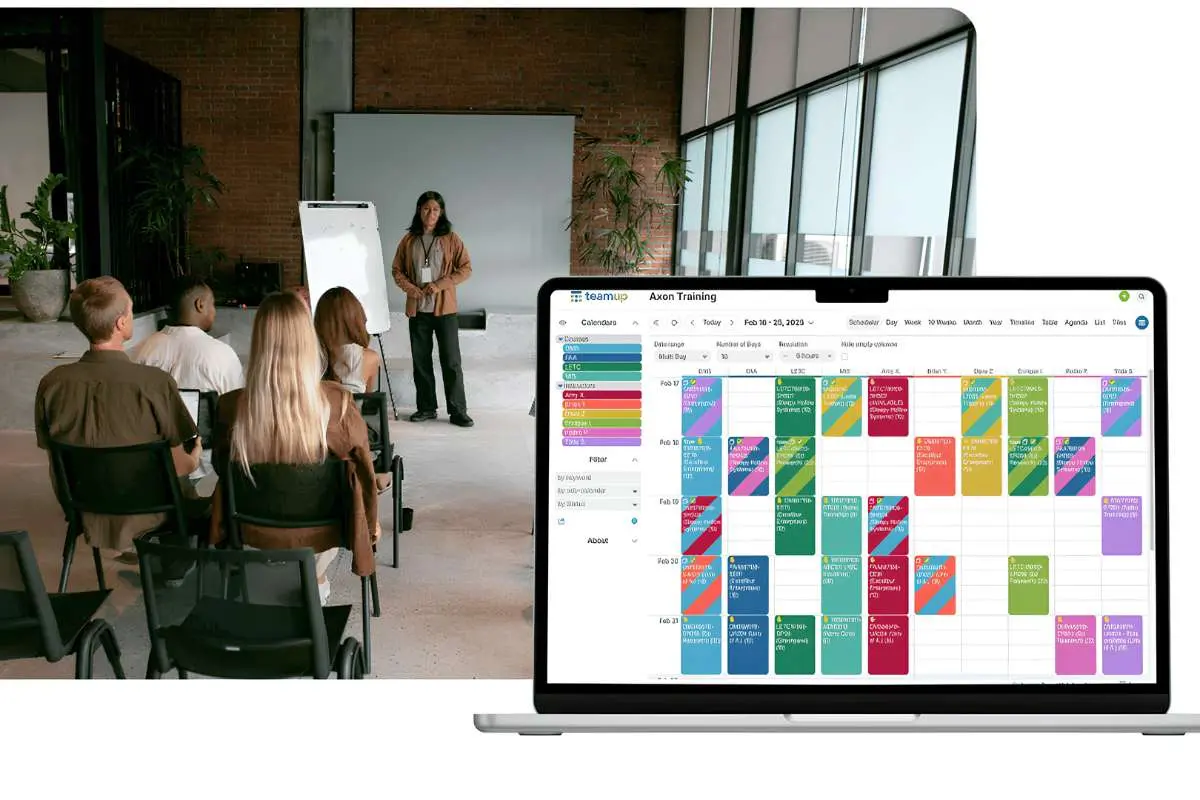
Scheduling one training course is easy. Scheduling fifty is a different job. Every session needs a date, a trainer, a room or a virtual meeting link, a price and a set of joining instructions. When a trainer calls in sick, or a venue double-books, every one of those details has to change at once.
Many organisations still manage this with shared calendars, spreadsheets and long email threads. That works until the course calendar grows. This is where training scheduling software comes in. It brings the trainers, venues, dates and delivery formats into a single system, so the schedule stays accurate as it grows.
This article explains what the software does, how it differs from general booking tools and what enterprise training teams should look for.
Why does scheduling get harder as training grows?
The difficulty is not any single task. It is the number of connections between them. A change to one course can affect a trainer’s week, a room booking, the website listing and dozens of attendee emails.
Common problems include:
- Trainers booked into two places at the same time
- Rooms that are too small, or already taken
- Website listings showing old dates or prices
- Attendees who never received updated joining instructions
- Hours spent re-entering the same course details for every new date
Each problem is small on its own. Together, they cost time and damage the learner experience.
What does training scheduling software do?

Training scheduling software manages the moving parts behind a course in one place. Instead of updating several tools, the team updates one course record, and the changes flow through.
Trainer scheduling
You can assign one or more trainers to a course, check who is available and see each trainer’s upcoming and past sessions. In Arlo, trainers can receive their schedule by email or view it in a mobile app.
Venue and room management
When you schedule a course, you can check room availability and choose a space of the right size. Calendar views by day, week or month make it easy to see what is running where.
Recurring courses and templates
Most training teams run the same courses again and again. Templates store the standard details, such as format, price and logistics, so each new date can be scheduled in seconds rather than rebuilt from scratch.
Multi-session programs
Bootcamps, certification tracks and multi-day programs need more than a single date. Good software groups linked sessions into one program, with registration, attendance and reminders managed across every date.
Bulk scheduling
Large teams often plan a full term or year at once. Arlo, for example, lets teams import and schedule up to 200 classes in bulk using templates.
Change notifications
When a course is created, changed or cancelled, the system should notify the trainers and staff involved automatically. This removes the risk of someone working from an out-of-date plan.
How is training scheduling software different from appointment booking tools?
Appointment tools are built for a different job. The table below shows the difference.
| Training scheduling software | Appointment booking tool | |
|---|---|---|
| Typical booking | Many attendees on one course | One customer, one staff member, one slot |
| Resources | Multiple trainers, venues and rooms | One person’s calendar |
| Course structure | Recurring, multi-session and blended courses | Single appointments |
| Typical users | Training providers and training teams | Salons, clinics and consultants |
If you only need people to book time with one person, an appointment tool is enough. If you run courses with several trainers, locations and dates, you need software built for training.
When is it time to switch?
Once a team is running several courses each month, managing schedules manually can quickly become inefficient. Other signs that it may be time to switch to a dedicated scheduling system include:
- Your team spends more time updating schedules than planning training
- Scheduling mistakes regularly reach trainers or learners
- You cannot quickly see which trainers and rooms are free next month
- Your website and your internal calendar often disagree
What should enterprise teams look for?

For larger organisations, a few requirements matter most.
- A single view of all resources. Trainers, venues, rooms and virtual links should sit in one calendar.
- Support for every format. In-person, live online, self-paced and blended courses should all be managed in the same system.
- Availability rules. You should be able to limit when venues or contract trainers can be booked.
- Connected registration. Scheduling should link directly to registration, payments and automated emails, so one change updates everything.
- Reporting. Look for clear reports on course fill rates, trainer workload and room use.
Scheduling is also part of a bigger picture. Many organisations choose a full training management system, which combines scheduling with registration, finance and reporting.
How do you get the rollout right?
- Start with your most repeated courses. They benefit most from templates.
- Load trainer and venue data first. Accurate resources make conflict checks work.
- Set availability rules early. Define when venues and contract trainers can be booked.
- Connect the website. Make sure scheduled courses publish automatically.
- Train trainers on the mobile view. They should be able to check schedules and record attendance easily.
Final thoughts
Training scheduling software does not replace good planning. It makes good planning possible at scale. With trainers, rooms and dates in one place, teams spend less time fixing clashes and more time improving the training itself.
For organisations running more than a handful of courses a month, that shift can make the difference between a schedule that constantly needs repair and one that simply works.