Every video API on the market says it “supports DRM.” Almost none of them tell you who actually owns the Apple relationship once you sign up.
That gap is not cosmetic. Apple’s FairPlay Streaming certificate takes 2 to 6 weeks to approve, based on wait times documented across dozens of Apple Developer Forum threads through 2026, and every Apple Developer account is capped at two FairPlay certificates for life, with no deletion mechanism.
Google’s Widevine has no equivalent bottleneck, which is exactly why vendors love talking about Widevine and go quiet on FairPlay.
A platform can support FairPlay while still leaving you to build and maintain the license server, the KSM, and the device-detection logic yourself, the actual engineering work behind “FairPlay support.” Another platform can pre-build all of that infrastructure and hand you a signed URL, while you still file the certificate request with Apple under your own developer account.
Both get marketed as “FairPlay support.” The difference that matters is how much of the infrastructure, not the paperwork, your team ends up owning.
This article compares six video APIs on one specific axis: how much of the Widevine and FairPlay license delivery chain they actually own, and how much they quietly leave on your desk. That includes who runs the license server, who owns the Apple certificate relationship, and what your authentication flow looks like once a viewer hits play.
Six platforms make the list: Gumlet, Mux, FastPix, Brightcove, Bitmovin, and bunny.net Stream.
If you’re evaluating video infrastructure for a SaaS product, an EdTech platform, or any gated video library, the decision that matters is not “does it support DRM.” It is “who gets paged when a certificate expires.”
Key Takeaways
- Every platform requires you to request your own FairPlay certificate from Apple. No vendor can do this step for you, and it takes 2 to 6 weeks based on developer-reported wait times.
- What actually differs is who builds the license-server infrastructure behind that certificate. Gumlet, Mux, FastPix, Brightcove, Bitmovin, and bunny.net Stream all land at different points on this axis, not on whether they “support” FairPlay and Widevine.
- Three ownership tiers exist: Fully Managed (license server, KSM, and device detection pre-built for you), Partially Managed (Widevine handled, FairPlay integration left more to you), and Bring-Your-Own-DRM (you or a third-party DRM vendor run everything).
- Gumlet pre-builds the full Widevine and FairPlay license-server stack, so the only manual step left is the Apple certificate request itself. No PlayReady support.
- Mux and FastPix offer strong developer-first tooling and full three-DRM coverage (Widevine, FairPlay, PlayReady), but expect more hands-on FairPlay integration work after your certificate is issued.
- Brightcove adds an account-level enablement step on top of the standard certificate process, better suited to teams already on an enterprise contract than a self-serve rollout.
- Bitmovin hands you the most control and the most responsibility: you or a third-party DRM vendor (EZDRM, Axinom) run the actual license servers.
- bunny.net Stream’s Basic tier has no Widevine or FairPlay support at all, only ClearKey AES-128. Real multi-DRM exists solely on its custom-quoted Enterprise tier.
- The FairPlay certificate ceiling is the risk nobody scopes for: every Apple Developer account is capped at two certificates for life, with no deletion mechanism, and Apple’s SDK 4 phase-out is now forcing unplanned re-certification for some teams.
- Before you commit to a platform, ask two separate questions: “Do I request the certificate myself?” (yes, everywhere) and “What do I have to build after I have it?” (This is where the real timeline risk and the real platform differences actually live.)
What “Managed DRM Delivery” actually means?
Managed DRM delivery means a vendor operates the license server, handles key management, and processes the entitlement check on your behalf, so your application only has to authenticate the viewer and pass along a signed token.
Five separate jobs are bundled inside that phrase:
- Encrypting the video
- Managing the encryption keys
- Running the license server that responds to playback requests
- Checking whether a specific viewer is entitled to a license
- Returning the final license to the player
“Managed” can mean a vendor does all five or only some of them, which is the entire reason a platform comparison needs more precision than a ‘Yes/No’ column.
The DRM Ownership Ladder: Three Tiers, Not One Category
Every platform in this comparison sits at one of three levels. Naming them makes the rest of this article easier to apply to any vendor you evaluate later, including ones not on this list.
1. Fully managed
The vendor operates the Widevine and FairPlay license servers, the KSM, and CDM detection on your behalf. You still request your own FairPlay certificate from Apple, since Apple requires that relationship to sit under a developer’s own account regardless of platform, but once you upload it, DRM activation is a toggle or an API parameter, with no license-server build, no third-party DRM vendor, and no client-side branching logic to write.
2. Partially managed
The vendor runs the Widevine (and often PlayReady) license infrastructure, but FairPlay is a separate track in a different sense: you’re responsible for more than the Apple paperwork alone. You file the Apple application, and you’re also expected to have more hands-on involvement in the FairPlay license-server side, whether that’s more manual configuration, closer coordination with the vendor’s support team, or documentation that walks you through parts of the KSM setup rather than a platform that’s already built and certified against it.
3. Bring-your-own-DRM
The vendor gives you encoding and player primitives. You (or a third-party DRM specialist such as EZDRM or Axinom) run the actual license servers.
The Number: Apple’s FairPlay approval window runs 2 to 6 weeks based on wait-time reports across Apple Developer Forum threads from 2025 and 2026, and every developer account is capped at two FairPlay certificates for the account’s lifetime, with no way to delete an old one.
That cap is now colliding with Apple’s phase-out of SDK 4 credentials, which is forcing teams that assumed their certificate was a one-time setup cost to re-certify against a hard deadline they never scoped.
Here is where the six platforms in this comparison land on browser and device coverage before the ownership tier matters at all:
| Ecosystem | Primary DRM Used | Notes |
| Chrome, Edge, Firefox (desktop and Android) | Widevine | Default DRM for nearly all Chromium-based browsers |
| Android native apps | Widevine | L1 hardware security available on modern devices |
| Safari, iOS, iPadOS, macOS, Apple TV | FairPlay | The only DRM Apple permits in its protected video path |
| Windows, Xbox, many smart TVs | PlayReady | Matters mainly for native Windows apps, Xbox, and specific TV platforms |
Choose a platform based on which of these three tiers matches how much DRM infrastructure your team actually wants to own, not on which DRM systems appear in its marketing copy.
6 Video APIs for Widevine and FairPlay license delivery
Verified against public documentation as of August 2026. Confirm current pricing and certificate policies directly with each vendor before committing, since DRM terms shift with plan changes.
| API | Widevine | FairPlay | PlayReady | Ownership Tier | Who Requests the Apple Certificate | Authentication Model | FairPlay Infrastructure Owner | Best For |
| Gumlet | Yes | Yes | No | Fully managed | Developer, in all cases | Signed URLs, time-limited and viewer-scoped | Vendor (pre-built, certified license server + KSM) | SaaS, EdTech, and gated video where DRM should not require a separate Apple relationship |
| Mux | Yes | Yes | Yes | Partially managed | Developer, in all cases | Dual JWT: playback token plus DRM license token | Developer (Mux manages Widevine/PlayReady only) | Developer-first teams that want all three DRM systems and are prepared to run their own FairPlay application |
| FastPix | Yes | Yes | Yes | Partially managed | Developer, in all cases | DRM configuration ID plus signed token | Developer, with vendor configuration guidance | Teams that want CENC/CBCS-level control alongside managed Widevine |
| Brightcove | Yes | Yes | Yes | Partially managed, not self-serve | Developer, in all cases | JWT via Playback Authorization Service | Developer + vendor account-level enablement | Broadcasters and enterprise media teams already on an account-managed relationship |
| Bitmovin | Yes | Yes | Yes | Bring-your-own-DRM | Developer, in all cases | JWT to externally configured DRM provider | Developer or third-party DRM vendor | Teams with an existing DRM vendor contract who need encoding and packaging control |
| bunny.net Stream | No (Basic tier) / Yes (Enterprise) | No (Basic tier) / Yes (Enterprise) | No | Bring-your-own-tier: real DRM only at Enterprise | Developer, in all cases | Signed URL-based | Vendor, Enterprise tier only (no FairPlay on Basic tier) | Cost-conscious teams whose default tier needs are ClearKey-level, not full multi-DRM |
The verdict: Every platform on this list requires the developer to request their own FairPlay certificate from Apple; that part doesn’t change based on vendor. Where a platform like Gumlet stands apart is that the license server, KSM, and device-detection logic behind FairPlay are pre-built and certified, so the certificate request is the only manual step left, rather than the starting point of a longer infrastructure build.
1. Gumlet
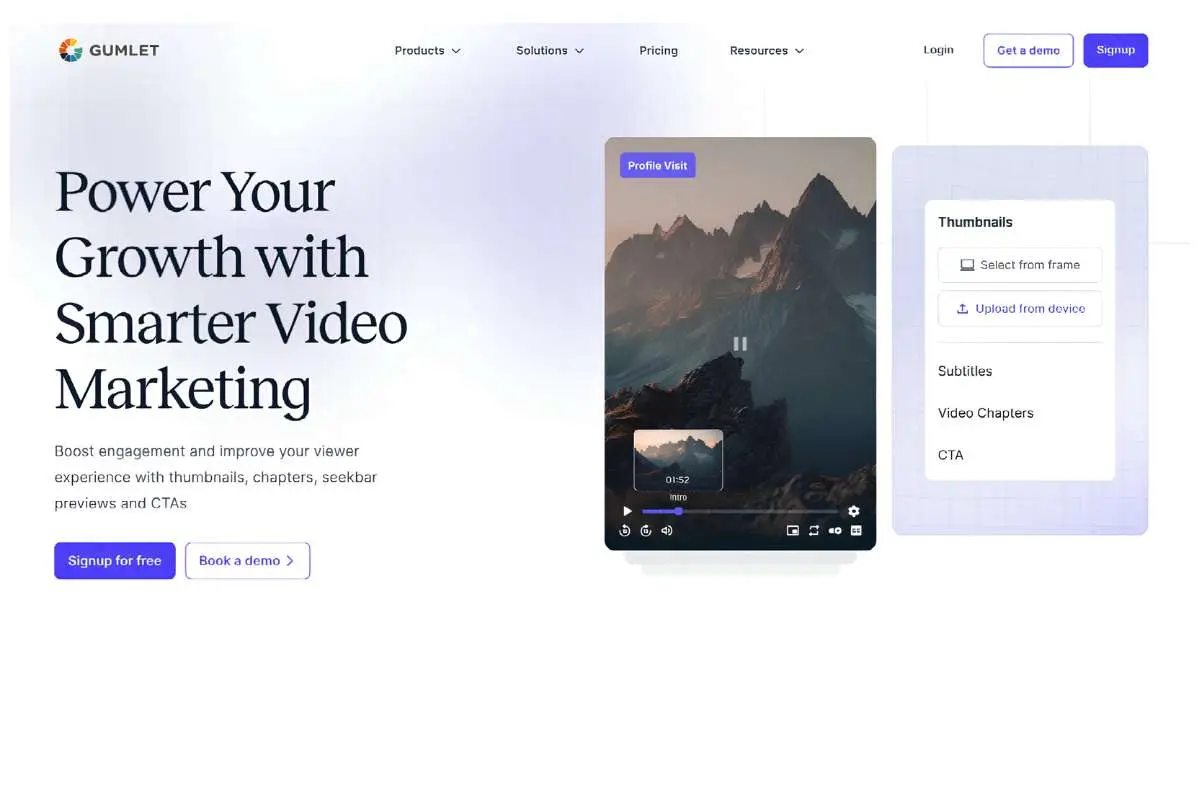
Gumlet sits in the fully managed tier: both the Widevine and FairPlay license servers, the KSM, and CDM detection are pre-built and certified by the platform rather than left to the developer to assemble.
The one step Gumlet can’t absorb, because Apple doesn’t allow it to be absorbed, is the FairPlay certificate request itself, which still goes through the developer’s own Apple Developer account.
DRM activates through a single dashboard toggle or API parameter during the encoding step once that certificate is uploaded, with no license-server infrastructure to build and no external DRM vendor to configure.
Gumlet also handles stream selection automatically at the CDN level, meaning a Safari viewer receives an HLS-and-FairPlay stream and an Android Chrome viewer receives the Widevine-protected version from the same upload, without any client-side branching logic in your player code.
Access control runs on signed URLs that are time-limited and can be scoped to a specific viewer, domain, or region, and these sit alongside dynamic watermarking and geo or domain restrictions as layered controls rather than a single point of failure.
For a SaaS team gating a product demo library, an EdTech platform locking course content behind DRM, or an OTT publisher needing both Widevine and FairPlay, this tier is the one to evaluate first.
Teams already running a broadcast-grade encoding pipeline with in-house DRM engineers on staff, or a platform that specifically requires PlayReady for Xbox or Windows-native distribution, are the disqualifying case: Gumlet does not currently cover PlayReady, so that requirement points elsewhere on this list.
Gumlet’s multi-DRM video protection is offered as a $99 per month add-on on top of any paid plan, which includes 100,000 DRM-protected views per month before usage-based pricing applies (roughly $1 per additional 1,000 views, or a lower per-license rate at higher volume tiers).
At the volumes most SaaS and EdTech teams run, this lands close to a flat $99, but teams operating near or above 100,000 monthly DRM views should model the incremental cost rather than treating $99 as a hard ceiling.
2. Mux

Mux runs the broadest DRM coverage on this list, supporting Widevine, FairPlay, and PlayReady from a single managed platform, but the FairPlay certificate application still goes through the developer’s own Apple Developer account.
Mux’s own documentation walks through the exact form fields Apple asks for and states plainly that Widevine and PlayReady certificates are handled internally, while FairPlay approval “may take several days” once submitted, a wait that developer forum reports elsewhere put closer to 2 to 6 weeks in practice.
Authentication runs on two separate signed JWTs rather than one: a playback token and a DRM license token, both required together for decryption to succeed. Mux Player detects the viewer’s device automatically and requests the matching DRM license type, which reduces client-side integration work even though the certificate ownership itself does not shift.
Mux fits developer-first teams building at consumer scale who specifically need all three DRM systems, including PlayReady for Windows or smart-TV native apps.
Pricing runs a documented $100/month DRM access fee plus $0.003 per license, which at 100,000 monthly authenticated plays lands close to $400/month all in, a straightforward calculation directly from Mux’s public rate card.
3. FastPix
FastPix manages Widevine license delivery natively while providing developer guidance rather than full ownership of the FairPlay certificate process, placing it in the same partially managed tier as Mux on the specific question this article is built around.
Its player detects encrypted content automatically, requests a license using the supplied DRM token, and decrypts playback without additional client-side configuration once tokens are issued.
DRM protection applies to on-demand content using MPEG Common Encryption in CBCS mode with AES symmetric encryption, and FastPix’s documentation explicitly states it can guide a team through the FairPlay certificate request rather than absorbing that relationship outright.
This is the right fit for teams that want a modern, developer-first API experience with CENC and CBCS-level configurability.
4. Brightcove
Brightcove manages the Widevine and PlayReady license servers internally, but DRM is not self-serve: the developer still requests the FairPlay certificate from Apple directly, the same as every platform in this comparison, and DRM itself must additionally be enabled at the account level by Brightcove’s support team before any of it goes live.
That combination, developer-owned FairPlay certificate plus vendor-side account enablement, adds a coordination step that fully managed and even other partially managed platforms don’t require.
Token-based authentication runs through Brightcove’s Playback Authorization Service, which issues JWTs that gate the license request before decryption is permitted, and its documentation covers Widevine security levels L1 through L3 in detail for Android device targeting.
Brightcove is the strongest fit for media companies and broadcasters already on an enterprise contract with dedicated video engineering staff, where the account-level enablement step is a known part of an existing vendor relationship rather than new friction.
Teams evaluating a self-serve, API-only path to DRM should treat the account-enablement requirement as a real disqualifier, not a footnote.
5. Bitmovin
Bitmovin is the clearest bring-your-own-DRM platform on this list: its encoding API supports Widevine, FairPlay, and PlayReady configuration, but the actual license server has to come from a third-party DRM provider such as EZDRM or Axinom, each with its own account, setup, and ongoing maintenance.
Bitmovin’s player handles the client-side EME layer, but the license server endpoint, key delivery logic, and token signing infrastructure are the developer’s (or the third-party DRM vendor’s) responsibility end-to-end.
This gives real advantages for teams that need codec-level control, custom muxing formats, or broadcast-grade encoding configurations that a fully managed platform won’t expose.
Bitmovin is the right call for teams with an existing DRM vendor relationship already in place who specifically need pipeline control that a bundled DRM product can’t offer.
Teams without an existing DRM vendor contract should expect a meaningfully longer ramp to production DRM than any other platform on this list, since two separate vendor relationships (Bitmovin plus the DRM specialist) need to be coordinated rather than one.
6. bunny.net Stream
bunny.net Stream splits its DRM offering into two distinct tiers rather than one blended product, and the difference between them is the whole story.
The Basic MediaCage tier, the one most teams land on by default, covers ClearKey AES-128 only. It does not support Widevine or FairPlay, and it does not include screen-grab protection.
Full Widevine and FairPlay coverage exists only on MediaCage Enterprise, a separate, custom-quoted tier that also adds native iOS and Android support and screen-grab protection on top of the Basic feature set.
A team evaluating bunny.net Stream for Widevine or FairPlay specifically needs to be evaluating the Enterprise tier, not the tier that appears by default in most comparisons.
Its core strength is CDN delivery economics rather than DRM depth, which makes sense given the platform’s origins as a CDN-first product that added content protection as a layer on top.
Bunny’s own CDN and storage pricing (from $0.005/GB on the volume network) is difficult for any DRM-first platform to match on raw delivery cost.
This is the right fit for teams whose DRM requirement is genuinely satisfied by ClearKey-level protection, or who are prepared to move to the Enterprise tier and its custom pricing for real multi-DRM.
Teams needing full Widevine-plus-FairPlay parity with automatic device-based stream selection, or PlayReady coverage for Windows and Xbox distribution, should treat bunny.net Stream’s Basic tier as out of scope for that requirement and look toward the fully or partially managed tiers instead, or confirm Enterprise pricing directly with bunny.net before shortlisting it for a multi-DRM use case.
The FairPlay certificate bottleneck nobody scopes for
The single most underestimated line item in any DRM integration timeline is the FairPlay Streaming certificate, because it is not an engineering task. It is a human approval process run by Apple, and it takes 2 to 6 weeks based on developer-reported wait times through 2026.
Multiple Apple Developer Forum threads from the past year describe the same pattern: a team submits the FPS Deployment Package request, waits 15 days with no response, and has no escalation path beyond Apple’s own support contact form.
One forum thread flagged a request still pending after two weeks with zero visibility into status. That is not a bug. That is the process.
Here’s the part that turns this from an annoyance into a planning risk: every Apple Developer account is permanently capped at two FairPlay Streaming certificates, with no deletion mechanism for old ones.
Teams that switch DRM vendors, lose a private key, or need parallel staging and production certificates can hit that ceiling fast, and Apple gives no way to reclaim a slot.
Layer in the 2026-specific detail: Apple has begun phasing out SDK 4 credentials in favor of a current SDK, which means teams that treated their FairPlay certificate as a one-time setup cost are now facing a forced re-certification cycle they didn’t budget for. This is not a hypothetical. It is playing out in production right now, in Q3 2026, across teams running SDK 4 or SDK 5 credentials against Apple’s stated deadline.
The FairPlay integration is rarely the hard part. The 2 to 6 week wait for Apple’s approval, sitting on the critical path of your launch date, is the part nobody puts in the project plan.
This is exactly why the ownership tier matters more than the feature checkbox. A fully managed DRM platform absorbs this entire timeline risk. A partially managed platform leaves the clock and the two-certificate ceiling entirely on your calendar.
Decision rule: Before you scope a DRM launch date, ask the vendor one direct question: “If I need a FairPlay certificate, whose Apple Developer account does the application go under, yours or mine?” If the answer is “yours,” build in 2 to 6 weeks of buffer before your target ship date. If the answer is “ours,” that risk moves off your plate entirely.
How a Widevine or FairPlay license request actually works?
Every platform in this comparison automates some version of the same six-step exchange. Knowing this flow is what lets you evaluate what each vendor is actually doing behind its dashboard toggle.
- Playback starts. The viewer hits play, and the player reads the manifest file for the asset.
- The player detects DRM signaling. Embedded metadata in the manifest (the PSSH box, in Widevine and PlayReady terms) tells the player which DRM system protects this content and where to send a license request.
- The application issues an authorization token. Your backend checks whether this viewer is entitled to watch, then signs a short-lived token.
- The player contacts the DRM license endpoint. This request includes the signed token and device-specific data.
- The license server validates entitlement. It checks the token, confirms the viewer and device are authorized, and generates a license containing the decryption key.
- The player decrypts and plays. The license is handed to the device’s Content Decryption Module, which unlocks the stream for that session only.
This is the exact chain a fully managed platform automates end-to-end and a bring-your-own-DRM platform expects you to wire up yourself, one license server integration at a time, for each of up to three DRM systems.
Do you still need your own apple FairPlay credentials with a managed API?
Yes, on every platform in this comparison. Apple requires the FairPlay certificate request to originate from the applicant’s own Apple Developer account; no vendor can request it on your behalf or transfer an existing certificate to you. What genuinely differs by platform is what happens after you have the certificate.
With Gumlet, you upload the certificate to a pre-built, certified license server and KSM; there’s no further infrastructure to stand up. With Mux, FastPix, and Brightcove, you still need to integrate against the vendor’s DRM configuration more directly, in Brightcove’s case with an added account-level enablement step from their support team.
With Bitmovin, you’re sourcing an entire separate license-server relationship, either building it yourself or contracting a third-party DRM vendor like EZDRM or Axinom, on top of the certificate request.
Decision rule: Ask every vendor two separate questions, not one: “Do I request the FairPlay certificate myself?” (the answer is yes everywhere) and “What do I have to build after I have it?” The second question is where the real timeline risk lives, and it’s the one vague “we help you through it” answers are usually dodging.
Playback tokens vs. DRM license tokens: What’s the Difference
A playback token authorizes a viewer’s request for the video stream itself; a DRM license token authorizes that same viewer’s device to receive the decryption key, and they are not the same thing even though some platforms bundle them into a single signed URL.
Mux’s DRM implementation requires both tokens generated separately, a playback token and a DRM license token, each signed with its own expiration, because the two checks answer different questions: is this request allowed to reach the stream, and is this specific device allowed to decrypt it.
Gumlet’s model, by comparison, uses a single signed URL that is time-limited and viewer-scoped, folding both checks into one mechanism rather than requiring two separate tokens in the player configuration.
Neither approach is objectively better. The dual-token model gives finer-grained control, useful if you need to revoke license access independently of playback access. The single signed-URL model is simpler to implement and reason about, useful if your access control logic doesn’t need that separation.
Match the model to how granular your actual entitlement logic needs to be, not to which one sounds more sophisticated on a docs page.
What to test before shipping DRM to production?
Every one of these platforms will work in a demo. Production is where the gaps show up.
- Confirm Widevine playback succeeds on both Chrome desktop and a real Android device, not just an emulator.
- Confirm FairPlay playback succeeds on Safari and a physical iOS device, since Safari’s EME implementation has historically diverged from other browsers’ behavior.
- Test an expired token deliberately and confirm playback fails cleanly rather than falling back to an unprotected stream.
- Test a revoked subscription or entitlement mid-session and confirm the next license request is denied.
- Force a license-server error response and confirm your player surfaces a clear failure state instead of hanging silently.
- If offline playback matters for your product, test the persistent license’s expiration and play-duration limits explicitly, not just its issuance.
- Test playback behavior on a rooted Android device or jailbroken iOS device, since DRM enforcement varies meaningfully on compromised hardware.
None of this is optional if paid or gated content is on the line. A DRM integration that has never been tested against an expired token or a revoked entitlement is not finished. It’s a demo that hasn’t failed yet.
Which of these six is the holistic choice?
Run the six through the ownership-ladder lens one more time, and the shortlist narrows fast depending on what you’re actually optimizing for.
If PlayReady coverage for Windows or Xbox distribution is a hard requirement, Mux or Brightcove are the only real options here, and both require the same FairPlay certificate request from Apple as any other platform, in exchange for that broader device coverage.
If you already have a DRM vendor contract and need encoding-level control beyond what any bundled product offers, Bitmovin is built for exactly that trade. If CDN cost is the dominant constraint and ClearKey-level protection is genuinely sufficient, bunny.net Stream’s Basic tier is the pragmatic pick; if Widevine or FairPlay specifically are required, confirm Enterprise MediaCage pricing directly before assuming bunny.net is the budget option.
For the most common case in this comparison, a SaaS, EdTech, or gated-content team that wants both Widevine and FairPlay multi-DRM without building license-server infrastructure themselves, Gumlet is the secure video hosting platform built specifically around that trade.
The license server operations and the device-based stream selection sit inside the platform rather than on your project timeline. You’ll still request your own FairPlay certificate from Apple; that step is the same everywhere, but it’s the only manual step left rather than the first of several.
Teams evaluating this specific tradeoff, pre-built multi-DRM infrastructure versus a longer build against Widevine, FairPlay, or a third-party DRM vendor, can review Gumlet’s video API documentation directly to see how the infrastructure boundary is drawn in practice before comparing it against a platform where more of that build sits on your side of the fence.
Frequently asked questions
1. Do I need to license Widevine directly from Google to use DRM in my application?
No, you do not need to license Widevine directly from Google if you’re using any of the six platforms in this comparison.
Every one of them, including Gumlet, Mux, FastPix, Brightcove, and Bitmovin, is set up to route Widevine encryption and licensing through the platform’s own relationship with Google rather than requiring you to become an authorized content service yourself.
FairPlay works differently: Apple requires the certificate applicant to be the actual developer, on every platform in this comparison, with no exceptions. What changes by platform is how much license-server infrastructure you have to build once you have that certificate in hand.
2. How long does it take to get a FairPlay certificate from Apple?
Apple’s FairPlay Streaming certificate approval typically takes 2 to 6 weeks based on developer-reported wait times documented across Apple Developer Forum threads through 2025 and 2026.
Some requests have sat pending for over two weeks with no status update available beyond Apple’s own support channel. Build this timeline into your launch plan before you commit to a platform that requires you to own the FairPlay application yourself.
3. Which video API has the simplest DRM setup for developers?
Gumlet has the simplest DRM setup among the platforms compared here, because Widevine and FairPlay activate through a single dashboard toggle or API parameter once your own Apple-issued certificate is uploaded, with no license server to build on your end.
Mux and FastPix have strong developer experience for the Widevine side specifically, and like every platform here, both also require the developer to request the FairPlay certificate from Apple directly; the difference is in how much of the FairPlay license-server work is left to you after that.
If minimizing infrastructure work after you have your FairPlay certificate matters more to you than broader PlayReady coverage, evaluate the fully managed tier first.
4. Do managed video APIs support Microsoft PlayReady too?
Some do, and some don’t, and this is a real differentiator rather than a footnote. Mux, FastPix, Brightcove, and Bitmovin all support PlayReady alongside Widevine and FairPlay, which matters specifically for Windows native apps, Xbox, and certain smart-TV platforms.
Gumlet does not currently cover PlayReady. bunny.net Stream also does not cover PlayReady on either DRM tier, and its Basic tier does not cover Widevine or FairPlay either; only Enterprise MediaCage adds those.
Teams with a hard Windows or Xbox distribution requirement, or a hard Widevine/FairPlay requirement on bunny.net specifically, should confirm tier-level coverage directly rather than assume all six platforms are interchangeable on this point.
5. What’s the difference between a signed URL and a DRM license?
A signed URL controls whether a specific request for a video manifest or stream is allowed to go through at all, while a DRM license controls whether the specific device making that request is authorized to decrypt the content once it arrives. A signed URL that has expired or been tampered with will fail before the video ever loads.
A valid signed URL paired with a denied DRM license will load the manifest but fail at the decryption step. Production-grade video security generally uses both together rather than relying on either alone.
6. Can I switch video APIs later without re-encoding my whole video library?
This depends entirely on how the original platform packaged your content, and it’s worth confirming before you commit rather than after. Content encrypted and packaged for one DRM ecosystem’s specific key delivery format is not automatically portable to a different vendor’s license server without repackaging, even if both vendors support the same underlying DRM system.
Ask any platform you’re evaluating whether your encrypted assets and keys are portable if you migrate away, and get that answer in writing before you build a library of any real size on top of it.
7. Does DRM stop screen recording completely?
No single DRM system guarantees that screen recording is impossible under every condition, and any vendor claiming otherwise should be treated with suspicion.
DRM triggers protected-video paths on supported devices, meaning modern iPhones and many recent Android devices will show a black screen if a native screen-recording tool is used during protected playback.
It does not prevent every capture method on every device, particularly older or lower-end Android hardware without Widevine L1 support, and it does nothing against an external camera pointed at a screen. Treat DRM as a strong deterrent layered with tokenized access and watermarking, not as a guarantee.